
Getting started
Contact support and follow my requests
Write to the team from the app for a question, a problem or an idea. Replies arrive in "My support messages", flagged by a red badge on "Help" and by email.
Before you start
- No subscription needed.
- For an instant answer, try the chat assistant first (see "Asking the assistant a question").
Open the Help menu
In the left menu, click "Help". It offers "Help center", "Quick start", "Chat with us" and "My support messages".
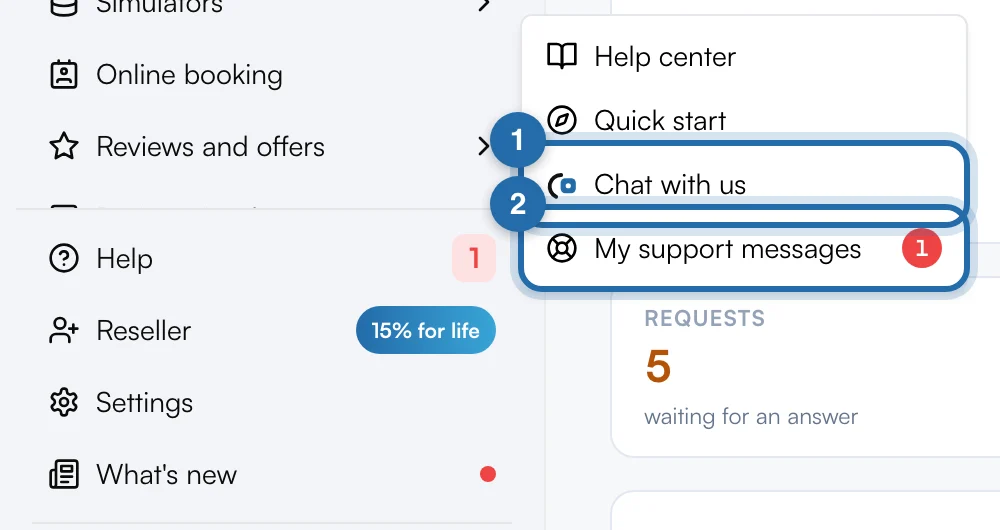
Open support
Click "My support messages". The "Support" panel opens on the right, with "New request", "Help center", "Book a call" and the list of your requests.
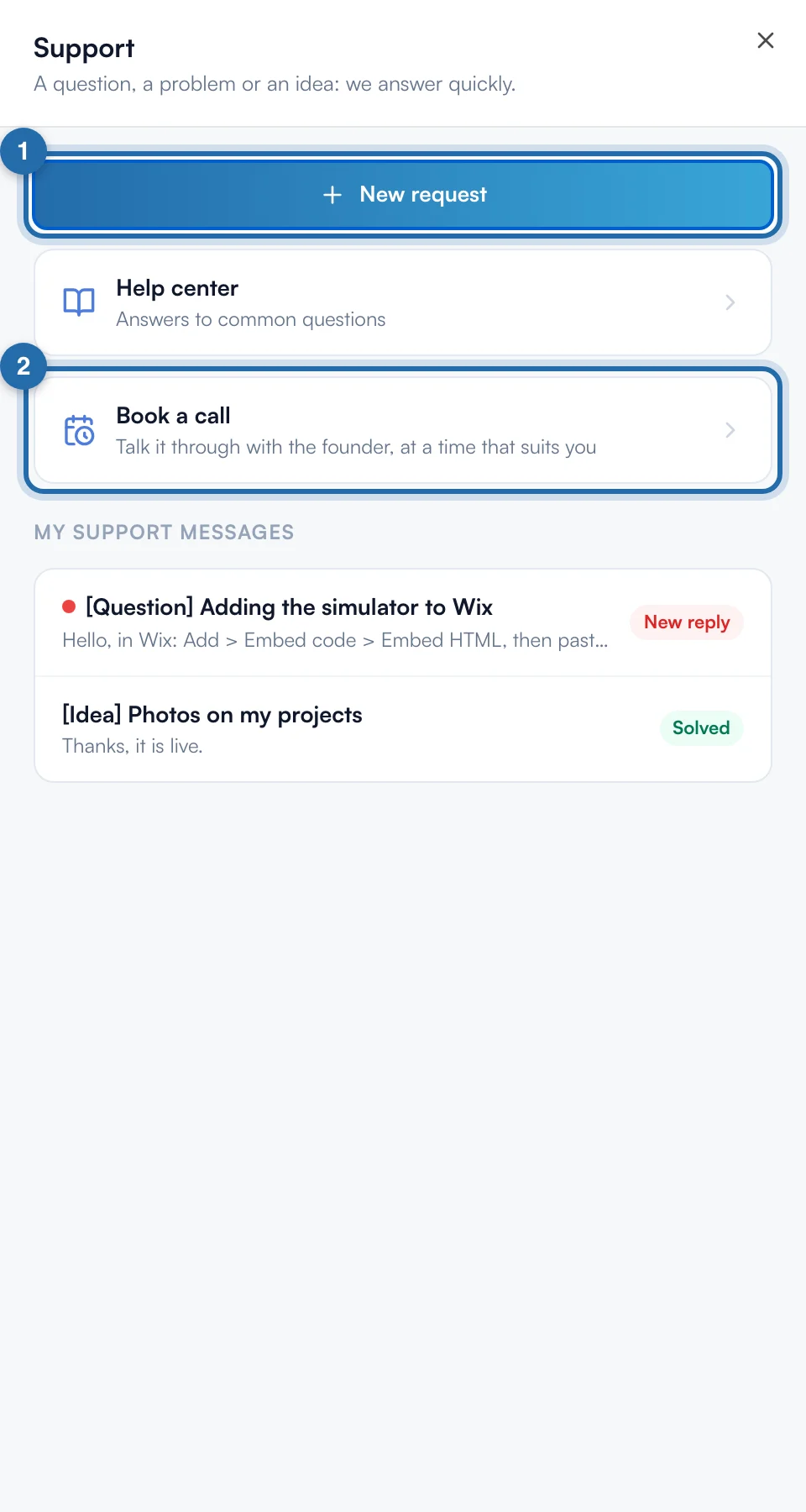
Write a request
Click "New request". Under "It is rather", choose "Question", "Problem" or "Idea". Fill in "Subject" and "Message", then click "Send request". The page you were on is attached automatically.
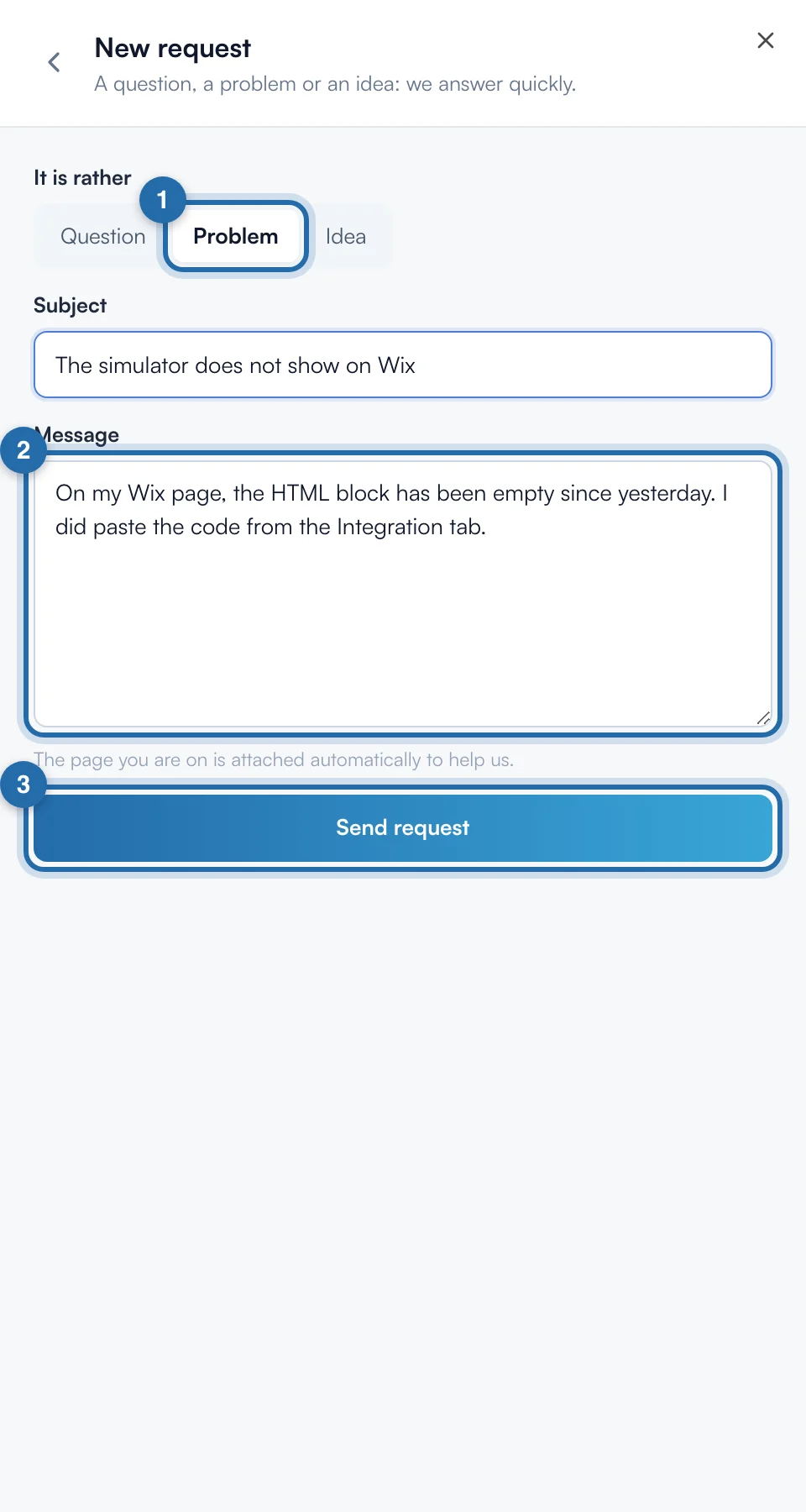
Report a bug or suggest an idea
For a bug, open support from the page where it happens, since that page is attached to the request. Choose "Problem" and write what you were doing, what happened and what you expected. For an idea, choose "Idea" and say what would help you and why.
See the reply arrive
When the team replies, a red badge with the number of replies shows on "Help" and on "My support messages", and an email lets you know. In the list, the request shows "New reply". The others are "Open" or "Solved".
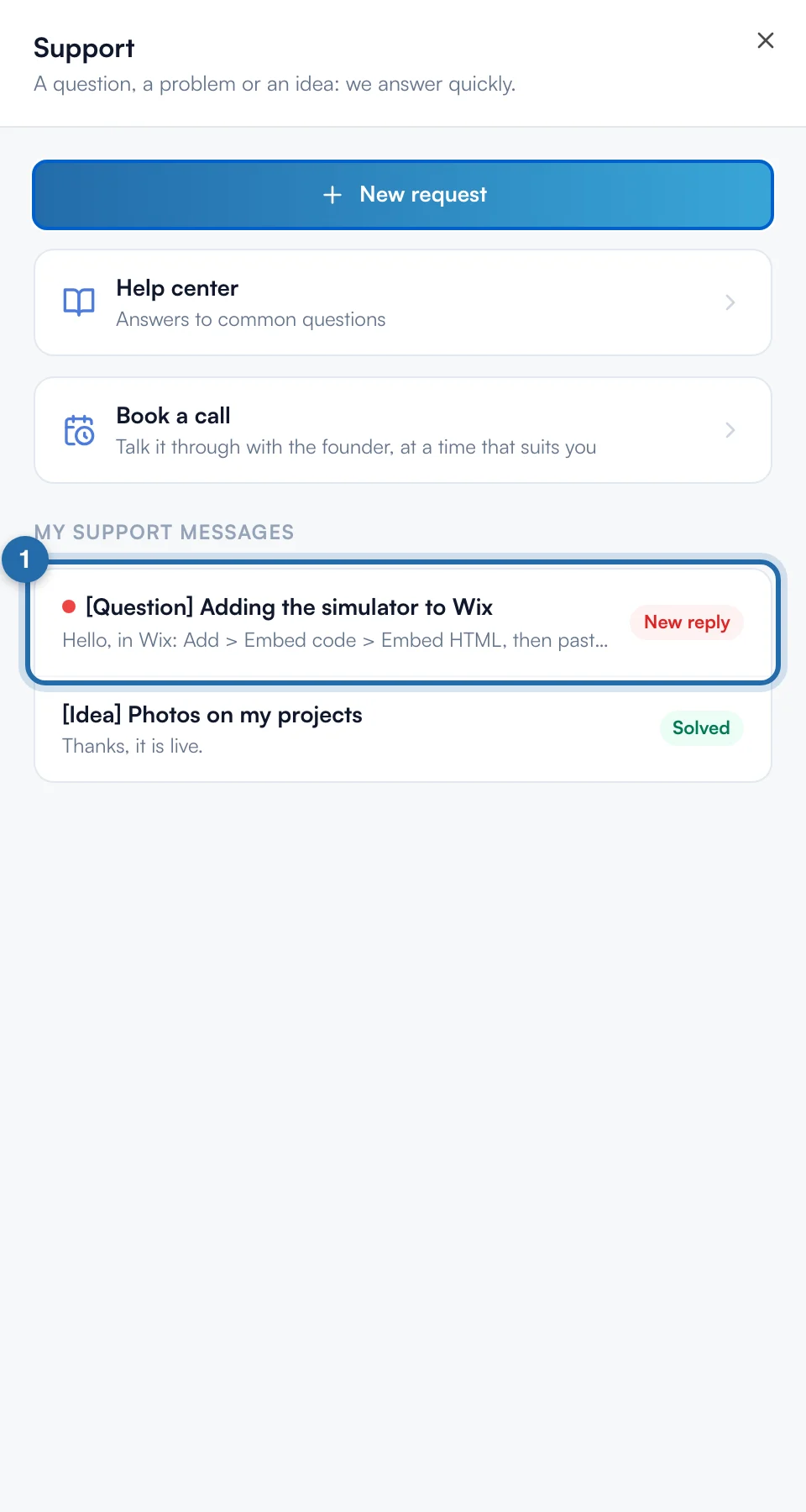
Read and reply
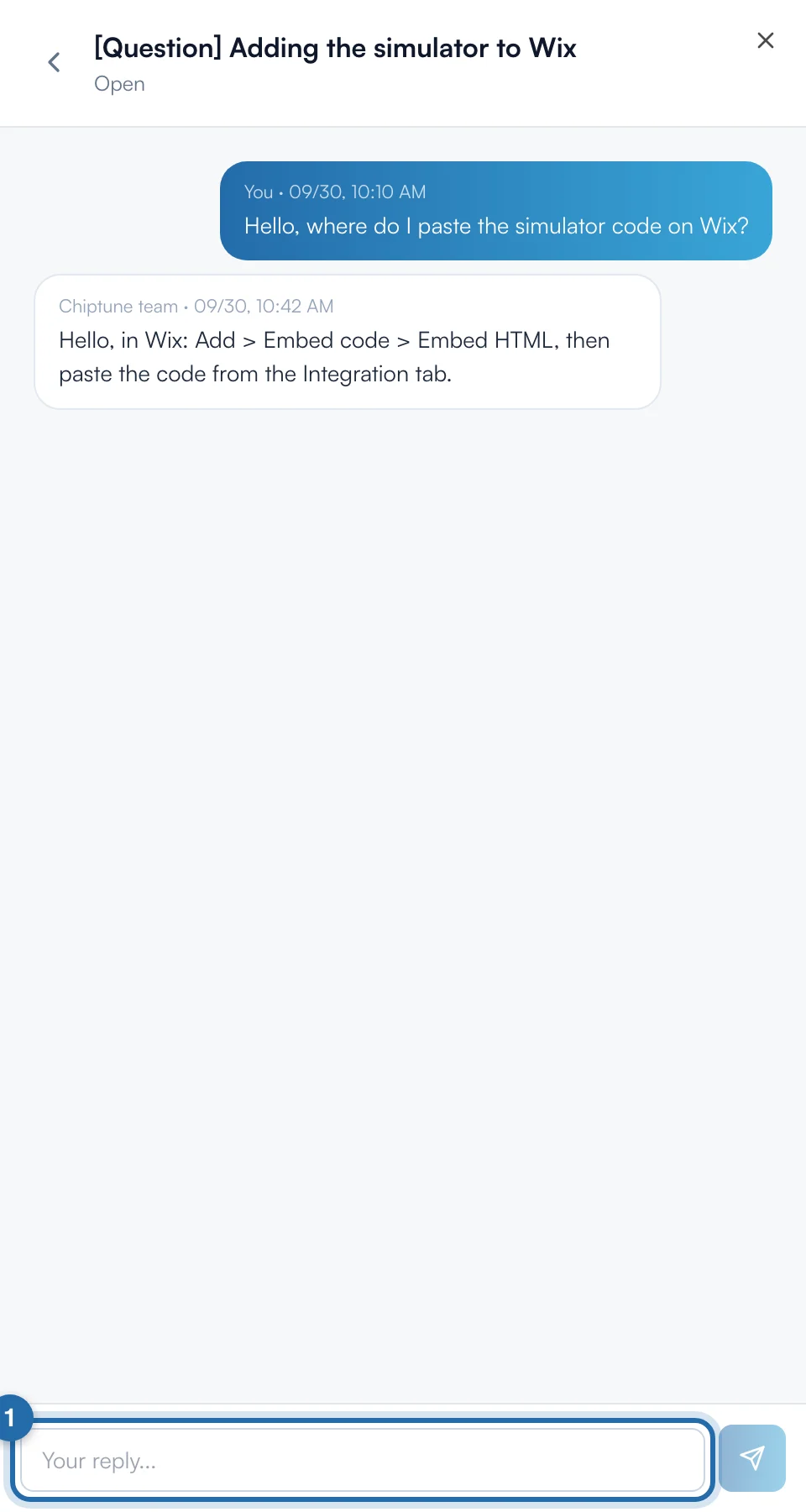
Click the request: the conversation opens and updates on its own. Type in "Your reply..." and press Enter; Shift + Enter starts a new line. A "Solved" request is closed: open a new one if needed.
By chat, email or WhatsApp
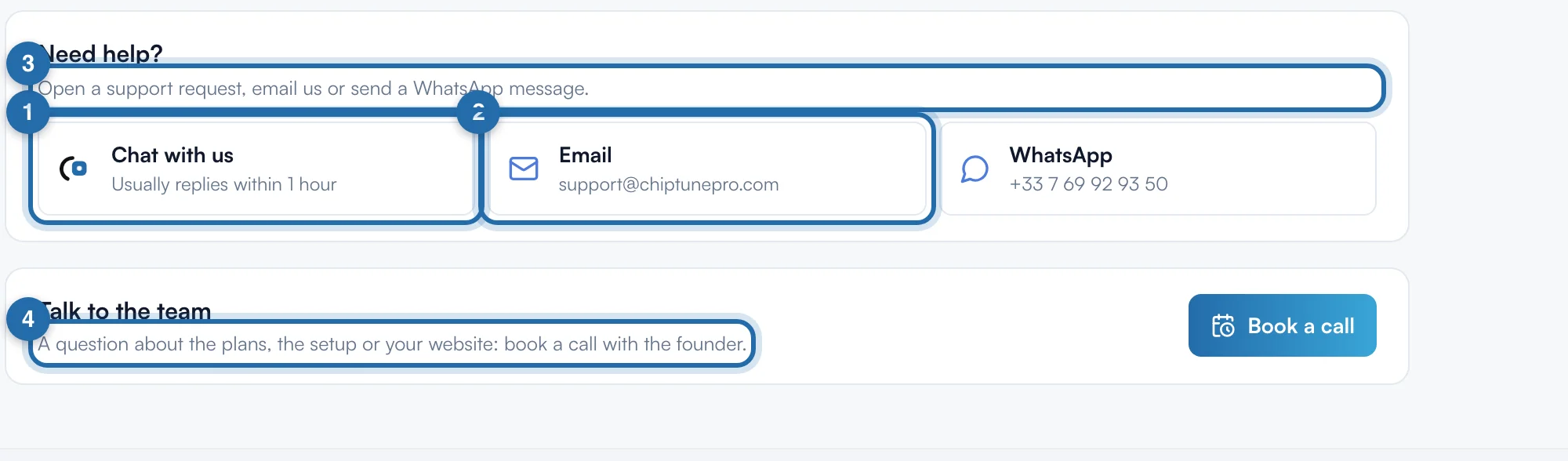
"Chat with us" opens the chat: the assistant answers right away, and "Write to the team" sends your message straight to the team, usually within 1 hour on weekdays. The "Help center" page also gives, under "Need help?", the address support@chiptunepro.com and the WhatsApp number +33 7 69 92 93 50.
Book a call
To talk it through, click "Book a call" in the Support panel, in the chat or at the bottom of the help center. A new tab opens the founder's calendar, with your name and email already filled in: pick a time slot.
If it doesn't work
- How long does a reply take?
- Usually less than an hour on weekdays.
- The red badge doesn't go away.
- It counts replies not read yet. Open each request marked "New reply".
- "Fill in the subject and the message".
- Both fields are required to send a request.
- I can no longer reply in a request.
- It is "Solved". Go back to the list and click "New request".