

Edit your ECU files right in the browser
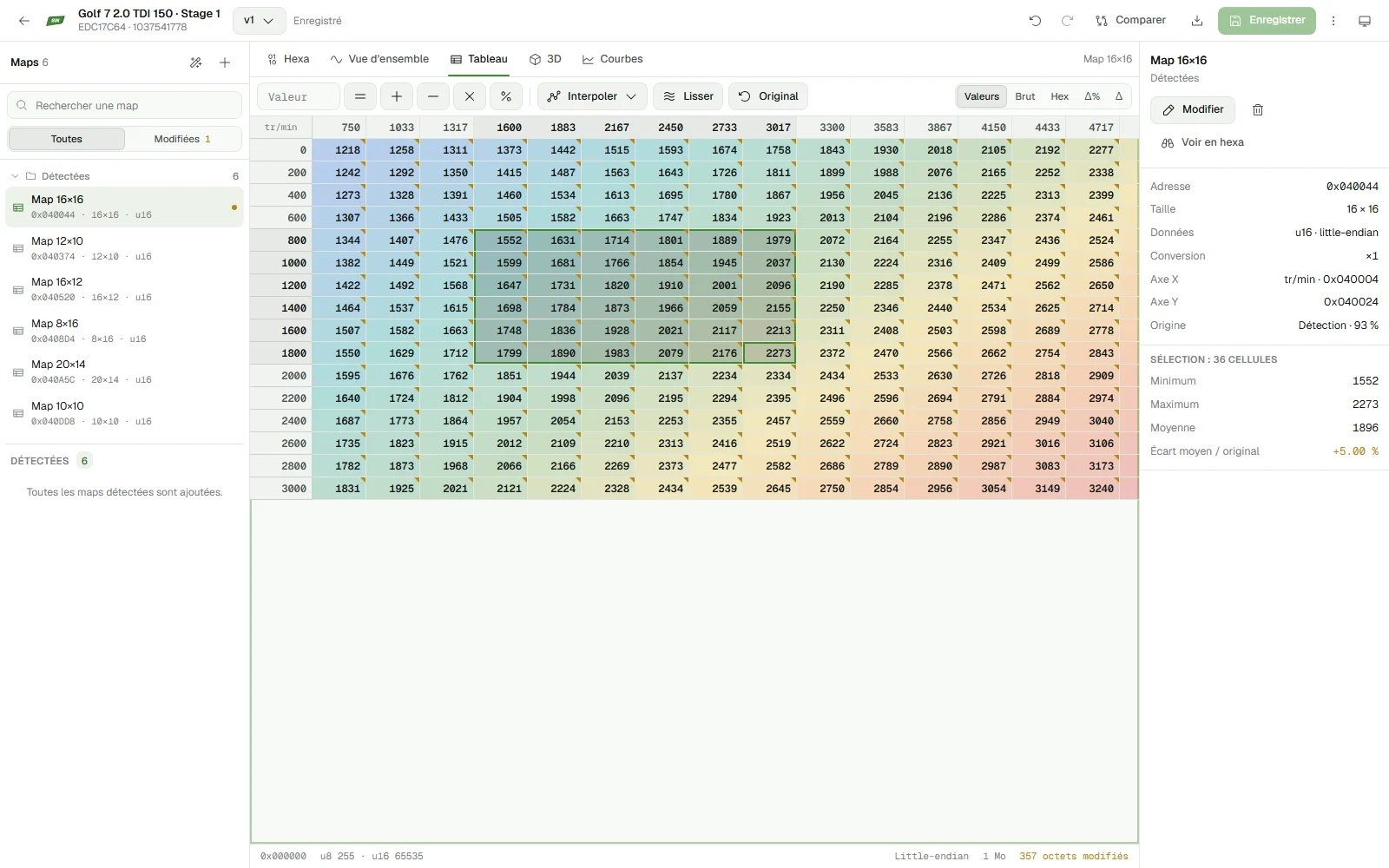
Chiptune BIN is ChiptunePRO's ECU map editor. Upload an ECU read and the maps are detected automatically. Edit them in hex, as a table, as curves or in 3D, compare two files, and every version is saved.
Sign in with your ChiptunePRO account. Without the Pro plan, a limited free version is still available.
Included in your ChiptunePRO subscription
No extra software to buy or install: same account, same subscription. The ChiptunePRO Pro plan unlocks the whole editor at no extra cost.
Without the Pro plan
Free
with a ChiptunePRO account
- 1 project, files up to 4 MB
- 5 defined maps per project
- 1 version, replaced on each save
- Hex, overview, table and curves
Pro only
- 3D view
- Comparison
- Download of the modified file
- Definition import and export
With ChiptunePRO Pro
Included
in the Pro subscription, at no extra cost
- Unlimited projects, files up to 16 MB
- Up to 5,000 maps per project
- 500-version history per project
- All views, including 3D
- Comparison with any file
- Download of the modified file
- XDF, A2L, CSV import and export
- Checksum verification
- Customers and vehicles from your ChiptunePRO CRM
Everything you need to work on a file
The tools of a desktop editor, in a clear interface that stays fast on multi-megabyte files.
Automatic detection
Chiptune BIN analyzes the file and suggests likely maps: add them in one click.
Fast hex view
Browse 16 MB without slowing down, jump to an address, search bytes with wildcards, text or a value.
2D overview
The whole file plotted as a curve to spot maps by eye, with mouse-wheel zoom and direct selection.
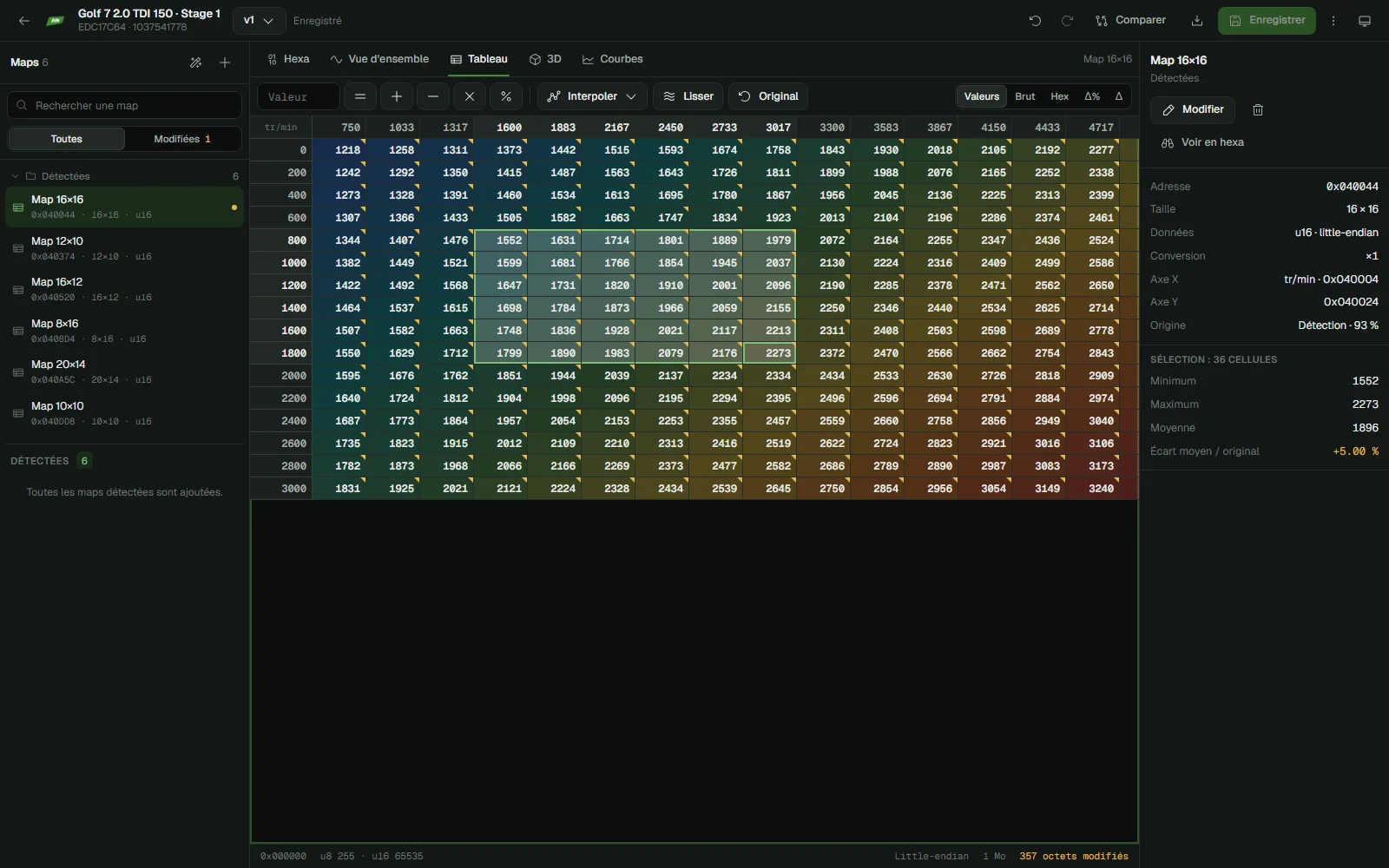
Maps as tables
Converted values, axes, heat colors, operations on the selection, interpolation, smoothing, copy and paste.
3D view and curves
Each map as a 3D surface or as curves, with the original shown transparently to see what changed.
Comparison
Compare with the original, a version or another project: different bytes and maps are highlighted.
Versions and history
Each save keeps a version with a label, the maps touched and the number of bytes changed.
Checksum verification
Check Bosch multipoint checksums on a version before writing it to the ECU.
Vehicle and customer details
Vehicle, ECU, read tool, tune: entered by hand or taken from your ChiptunePRO CRM.
Ready in three steps
- 1
Sign in
On chiptunebin.com, with your ChiptunePRO account. Your plan is recognized automatically.
- 2
Upload the read
The ECU is identified in your browser, the maps are detected, then the file is stored encrypted.
- 3
Edit and save
Work on the maps, compare, save a version, download the modified file.
Raw binary files (.bin, .ori, .mod…) up to 16 MB. Definitions imported from XDF, A2L, CSV or Chiptune BIN mappack.
Frequently asked questions
Is Chiptune BIN included in my ChiptunePRO subscription?
Yes. The ChiptunePRO Pro plan unlocks the whole Chiptune BIN editor at no extra cost. Without the Pro plan, your ChiptunePRO account gives access to a limited free version: one project, without 3D view, comparison, download or definition import.
Do I need to install any software?
No. Chiptune BIN runs in the browser, on chiptunebin.com: your projects and their versions are available on all your computers. You sign in with your ChiptunePRO account.
Which ECUs are supported?
The editor opens any raw binary file. Identification recognizes Bosch EDC15, EDC16, EDC17, MED, ME7, MG1 and MD1, Continental SIMOS and SID, Delphi DCM and Magneti Marelli, among others. Map detection works on 16-bit data, regardless of the brand.
Are my files protected?
Each file is encrypted (AES-256) before being stored on our servers and is only accessible to your account. Your files are never shared or used for any other purpose.
Does Chiptune BIN correct checksums?
No, it verifies them. Verification currently covers Bosch multipoint checksums. Correction is done with your writing tool, as for any modified file.
Can I reuse my WinOLS or TunerPro definitions?
Yes with the Pro plan: import XDF (TunerPro), A2L (ASAP2) or CSV files, and export your maps as XDF, CSV or Chiptune BIN mappack.
Your next tune starts here
Sign in with your ChiptunePRO account and upload your first file in under a minute.