
Requests and appointments
What the customer sees on "Manage my appointment"
With a paid deposit, the customer moves or cancels their appointment from the link in their email. What they see, what they can do depending on your cancellation deadline, and what you receive.
Before you start
- An appointment booked with a paid deposit. Without a deposit, the customer has no such page: they call you and you move the appointment yourself.
Where the customer finds the link
The "Manage my appointment" button is in the confirmation email (or "Deposit received" if you confirm manually), in the reminder sent the day before and in the time change email. It opens the app.chiptunepro.com/rdv/gerer/… page, specific to this appointment.
What the page shows
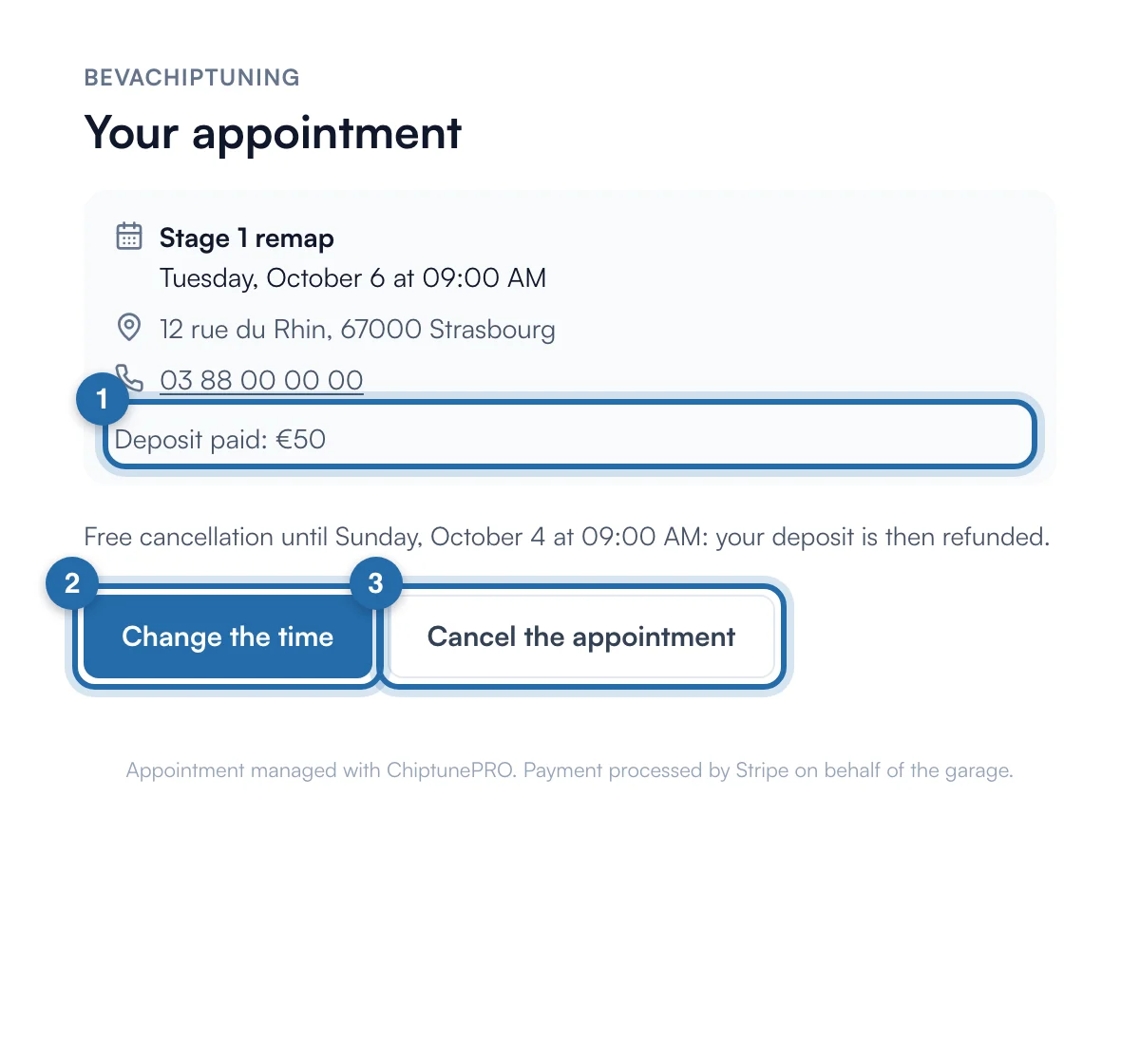
At the top, your name and "Your appointment". Then the service, the date and time, your address, your phone number and "Deposit paid: €50". Below, the cancellation rule: "Free cancellation until [date]: your deposit is then refunded." or, once the date has passed, "The free cancellation period has passed ([date]): if you cancel, the garage keeps the deposit.". Your terms text follows if you wrote one. If your deposit is “Never (non-refundable)”, the page shows “The deposit is non-refundable in case of cancellation.” and, when cancelling, “This deposit is non-refundable: if you cancel, the garage keeps the €50.”.
Changing the time
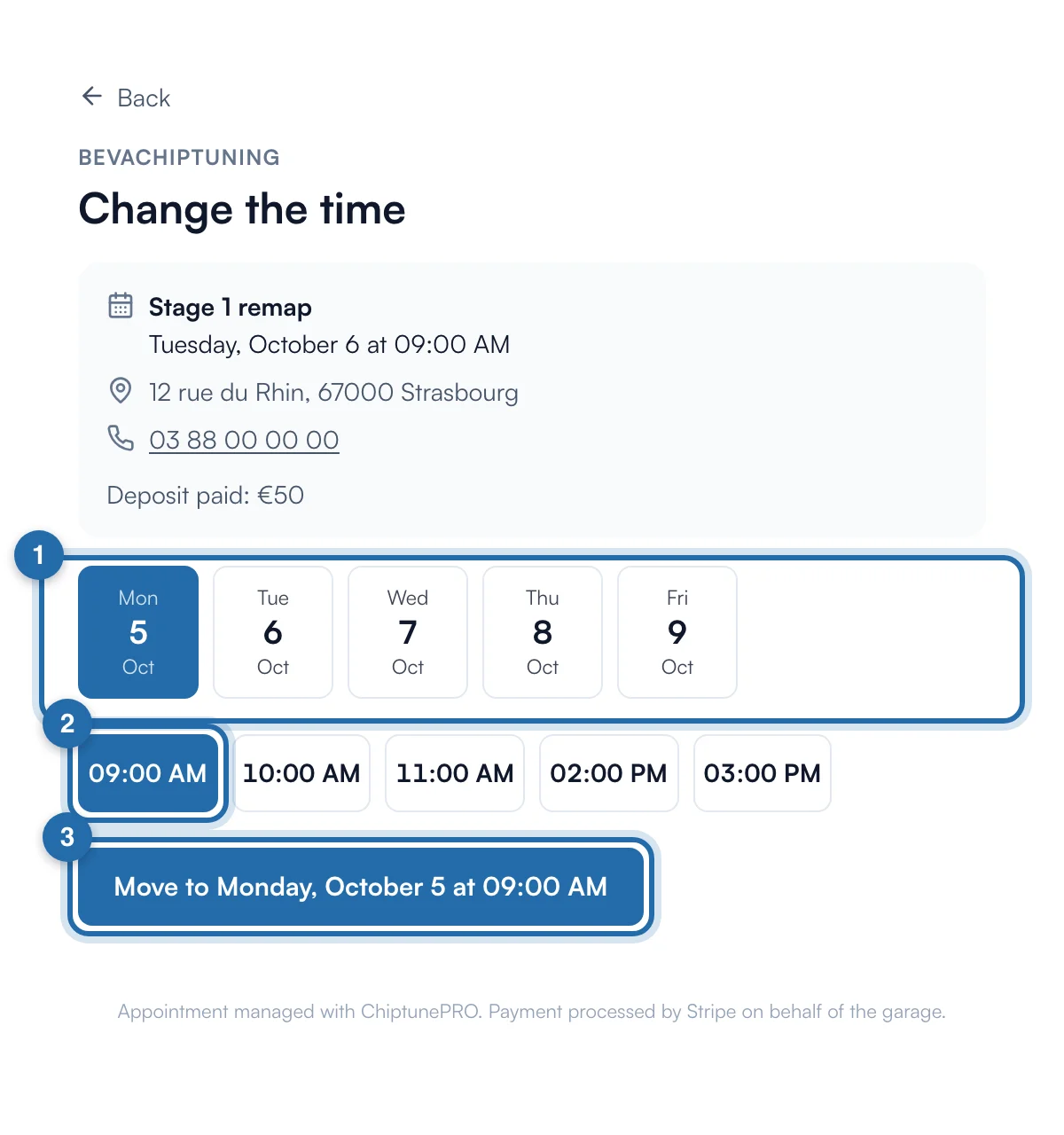
"Change the time" is only offered before the free cancellation deadline. The customer picks a day then a time among your free slots for this service, and clicks "Move to" followed by the new date. They read "Your appointment has been moved. You will receive a confirmation email.". After the deadline, the button disappears and the page says "To change the time, contact the garage directly.".
Cancelling
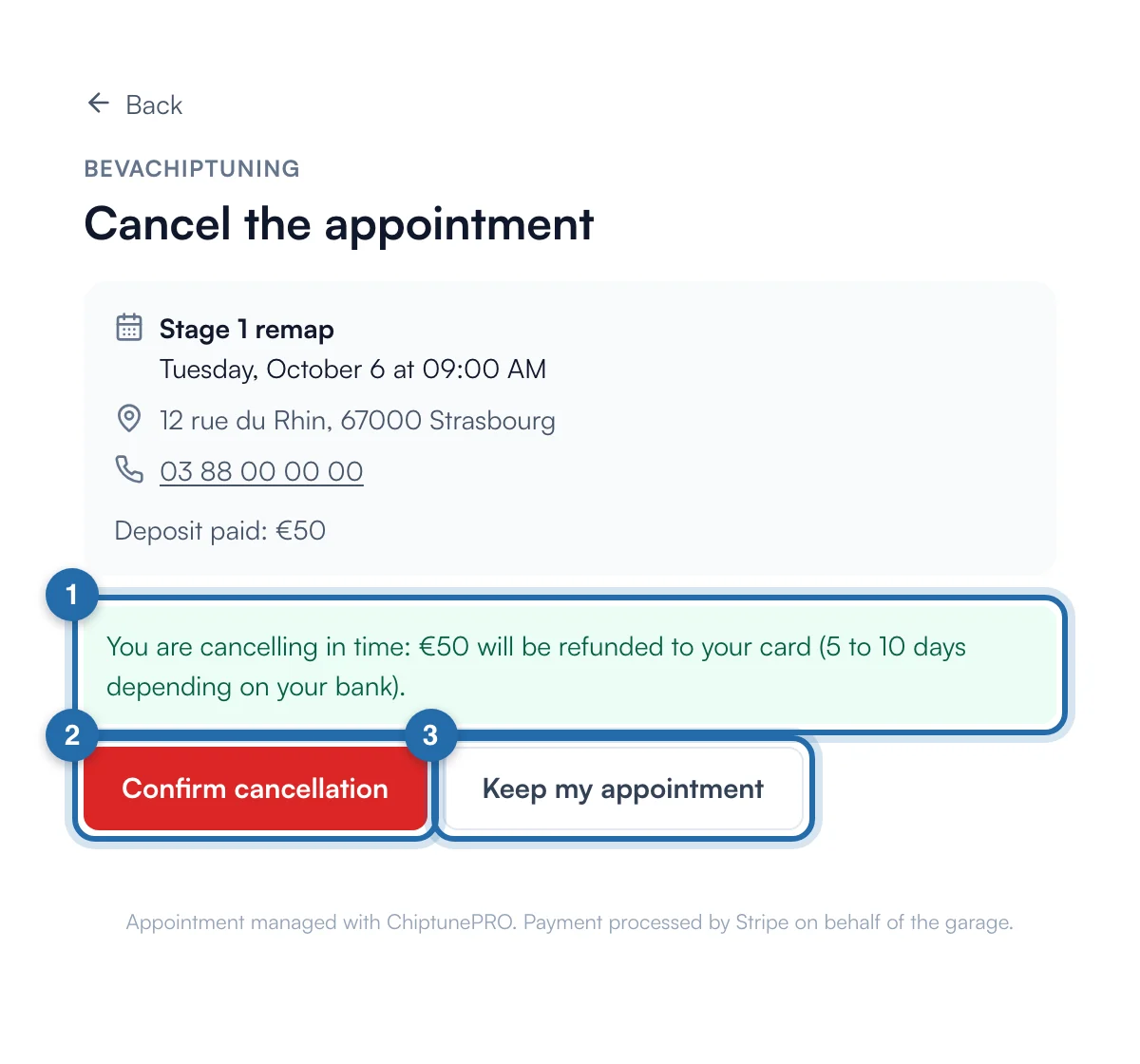
"Cancel the appointment" says what will happen. In time: "You are cancelling in time: €50 will be refunded to your card (5 to 10 days depending on your bank).". Too late: "The free cancellation period has passed: the garage keeps the €50 deposit.". They confirm with "Confirm cancellation" or go back with "Keep my appointment". The page switches to "Appointment cancelled".
What you receive when they cancel
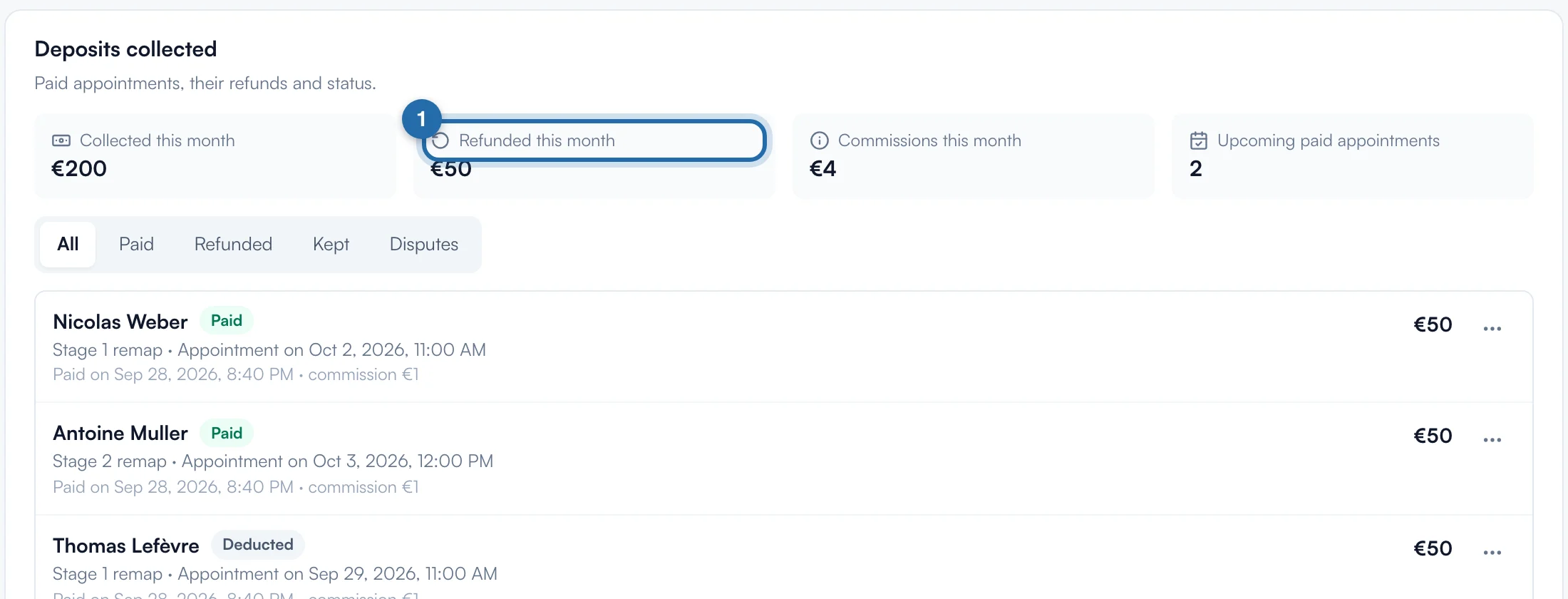
An email "[customer] cancelled the appointment" tells you whether the deposit was refunded from your Stripe balance or stays with you, with the "View my deposits" button. The slot is freed in the calendar and the request shows "Appointment cancelled by customer". In "Deposits collected", the row switches to "Refunded" or "Kept". The Chiptune commission is not returned.
What you receive when they move it
An email "[customer] rescheduled the appointment" gives the new time, with the "View my calendar" button. The appointment is moved in the calendar and in the request, without a duplicate. The deposit follows, and the free cancellation deadline is recalculated from the new time.
When the buttons disappear
Once the appointment time has passed, or the appointment has been cancelled by them or by you, the page only shows the summary. If you decline or cancel the appointment, the customer is notified by email and refunded.
What your customer sees
The customer receives an email after each action: the cancellation, with the amount refunded if any, or the new time.
If it doesn't work
- The customer reads "Invalid link".
- The link is incomplete or matches no appointment with a deposit. Ask them to use the button in the confirmation email, or move the appointment yourself from the request.
- The customer can no longer change the time.
- The free cancellation deadline has passed. Move it yourself with "Change the time" on the request: they receive the new time by email.
- The customer cancelled too late and asks for the deposit back.
- The deposit stays with you. To refund it anyway: "Deposits collected", row menu, "Refund".
- My deposit is “Never (non-refundable)”: can the customer cancel?
- Yes, they can cancel online up to the time of the appointment, but you always keep the deposit. They can also change the time up to the appointment: the deposit follows.
- Moving fails although the time was free.
- Another customer took the time in the meantime. The day's slots reload and the customer picks another one.
- The customer reads "No other slot available for now. Contact the garage."
- No free day is left for this service in the bookable period. Agree on a time by phone and move the appointment yourself.