
Requests and appointments
Where do my customers' requests arrive?
All your requests arrive in the "Requests" page of the menu, and by email if you chose it.
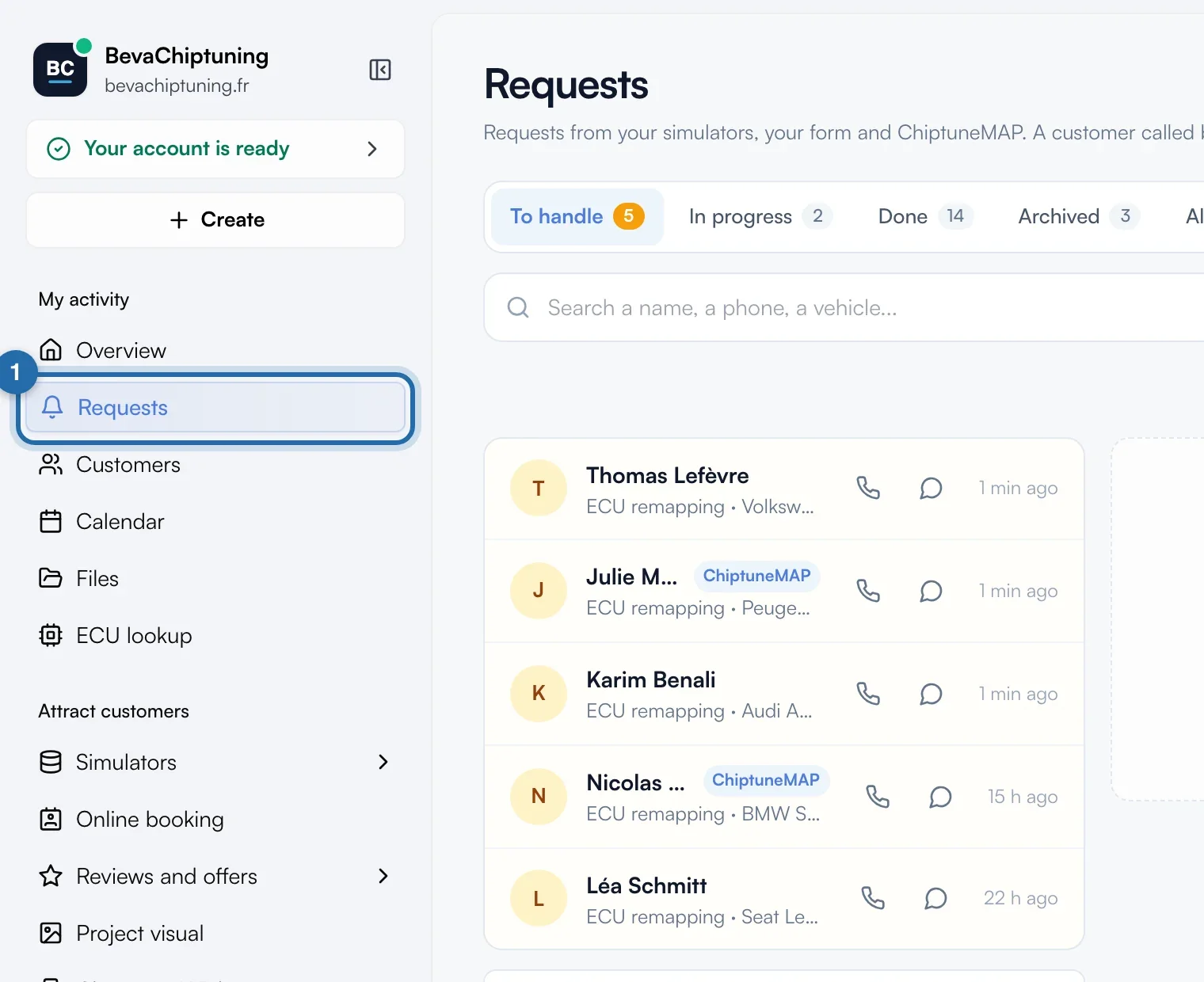
Open the Requests page
In the menu, click "Requests". The red number counts the requests "To handle". They come from your simulators, your form, your online booking and ChiptuneMAP.
Choose a tab
The page opens on "To handle". Then come "In progress", "Done", "Archived" and "All", each with its count. A request waiting to be handled for more than 24 h shows its age in red.
Search for a request
Type in "Search a name, a phone, a vehicle...". The list updates as you type and shows 20 requests at a time.
Read a row
Each row gives the customer, the service, the vehicle and the waiting time. Badges: "ChiptuneMAP" for the directory, "Test" for a trial from Preview, "Locked" for hidden contact details.
Open the details
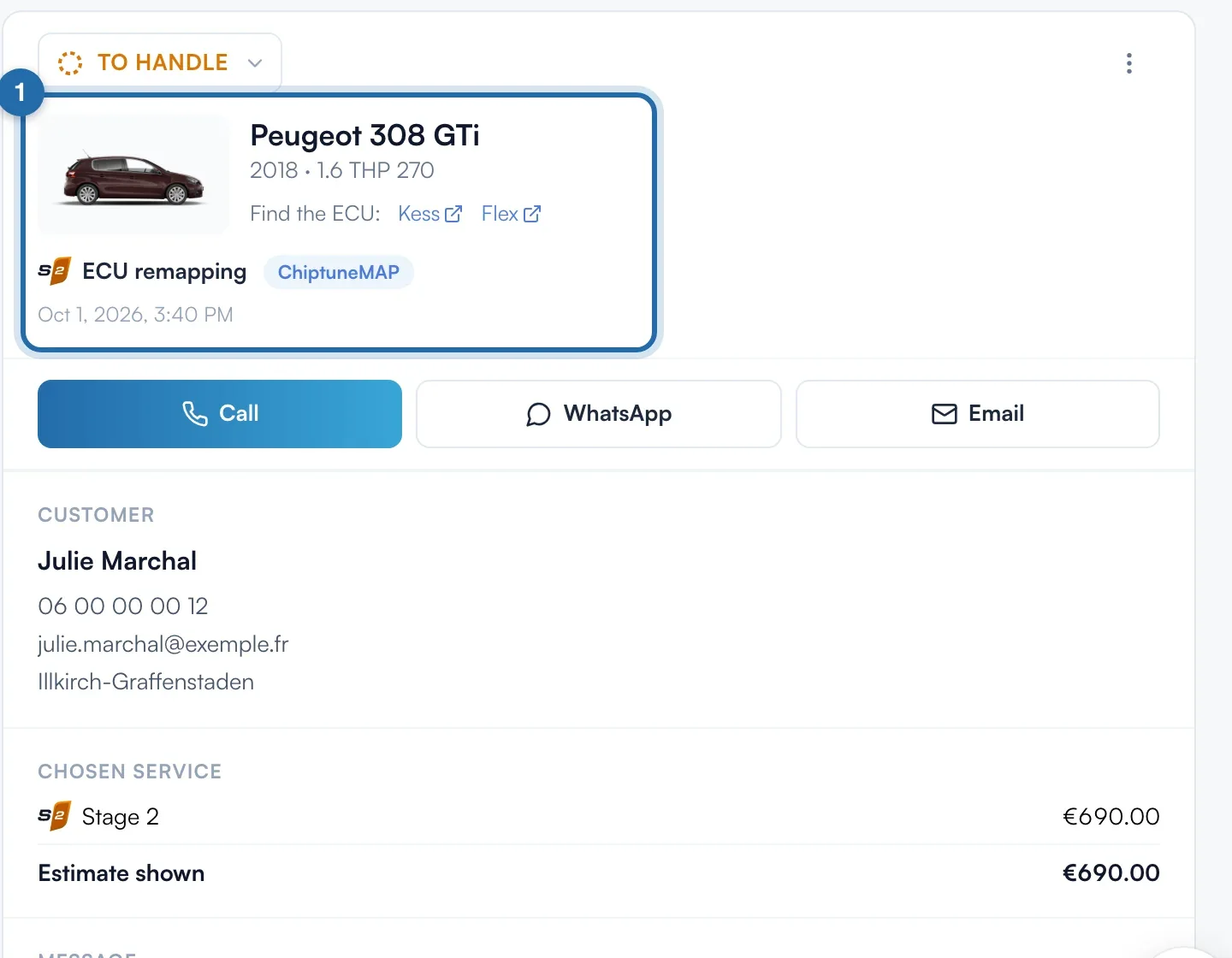
Click a row: the details open on the right (full screen on a phone). At the top: the vehicle, the plate with "Copy the plate", the service, the source ("Your website" or "ChiptuneMAP") and the date.
Read the service and the message
"Chosen service" lists the level, the options, their prices and the "Estimate shown" to the customer. An option without a price shows "On quote". The customer's text is under "Message".
Get an email for each request
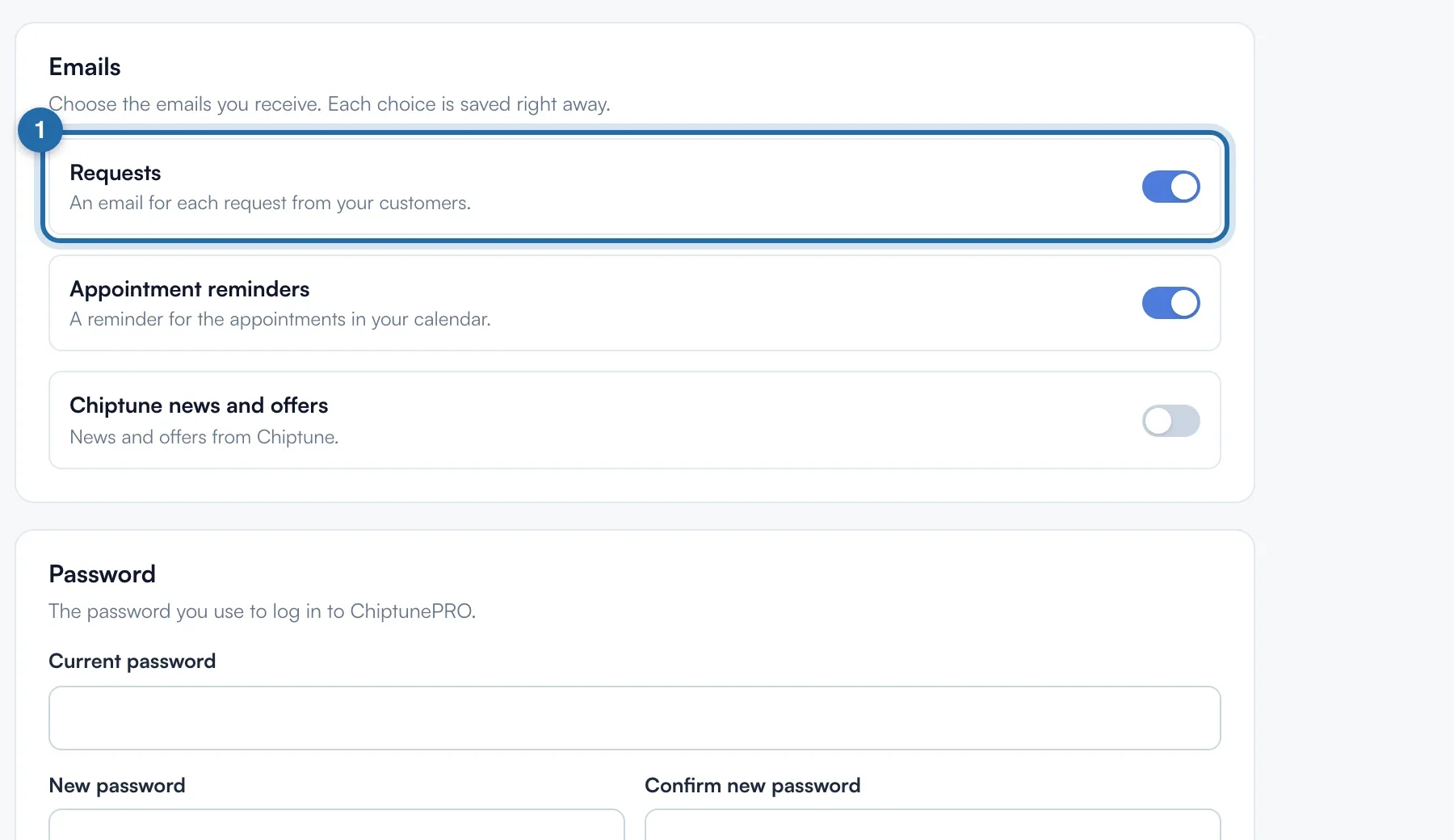
In "My account", "Emails" section, turn on "Requests". Each request also reaches you by email, with a button to reply to the customer or open the request.
What your customer sees
The customer fills in your simulator, your form, your online booking or your ChiptuneMAP listing. Their request arrives straight away in "Requests".
If it doesn't work
- An email arrived but the request is not in "To handle".
- Its status has changed. Check the "All" tab.
- The red number in the menu has gone.
- "I reply from my mailbox", below the list, is on. Turn it off to get the number back.
- A request is "Locked".
- It arrived after the discovery period. The Visibility plan unlocks it.
- I don't get any email.
- Check "Requests" in "My account", "Emails" section, then your spam folder.