
Putting the tools on my website
Add the simulator to my website
Your visitors calculate their gains on your website and send you their quote request.
Before you start
- Your website address (e.g. my-garage.com).
- Access to your website editor: WordPress, Wix or other.
Open the "Integration" tab
In the menu, click "Simulators", then "Power simulator", then the "Integration" tab. At the top, 3 steps show where you are: "Your website", "Paste the code", "Live".
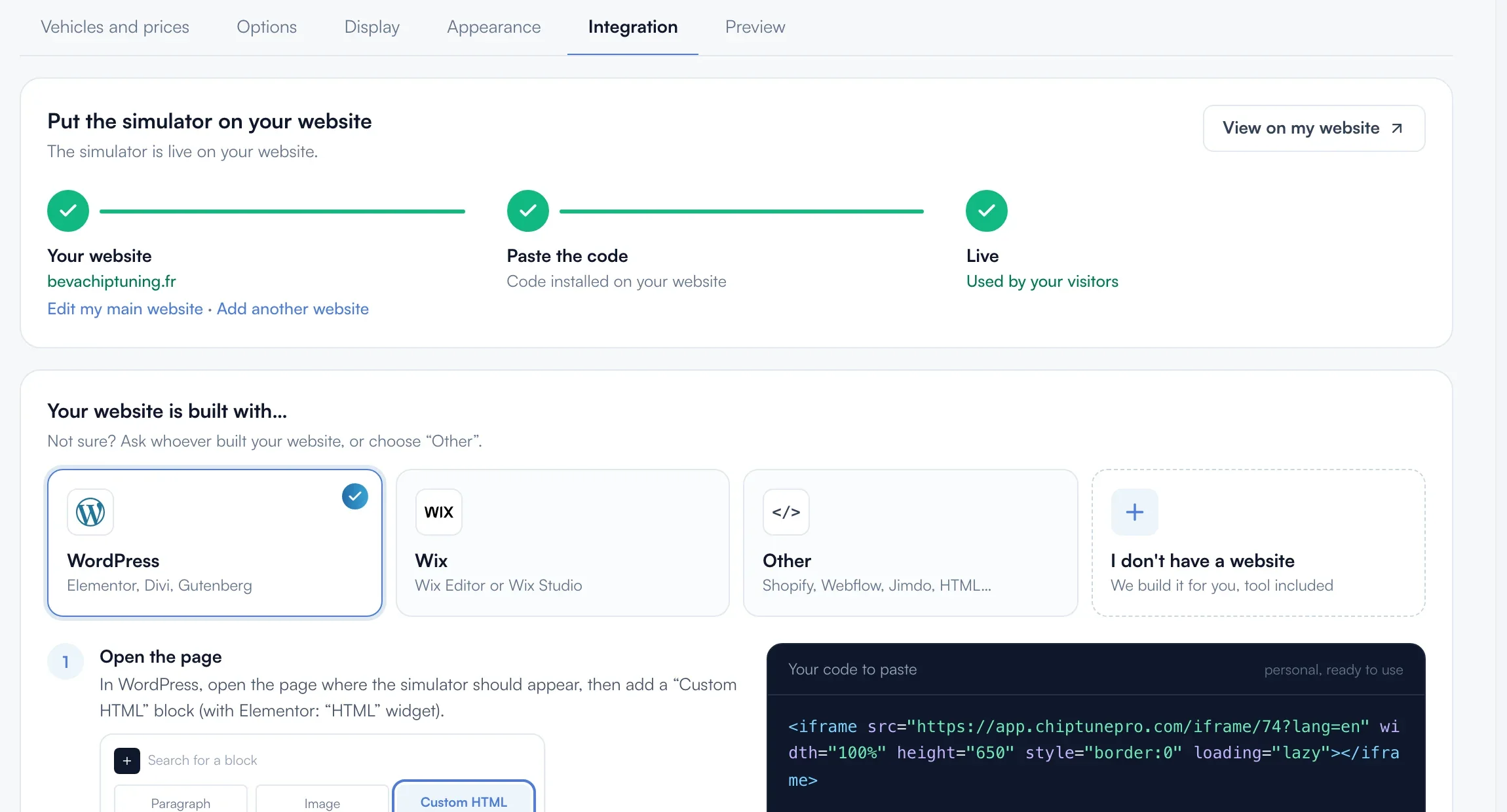
Add your website
The simulator only shows on added websites and their subdomains. If no website is saved yet, type its address in the yellow field and click "Add my website". Otherwise, the address shows in green under "Your website".
Choose your website builder
Under "Your website is built with…", click "WordPress", "Wix" or "Other". The illustrated steps and the code adapt.
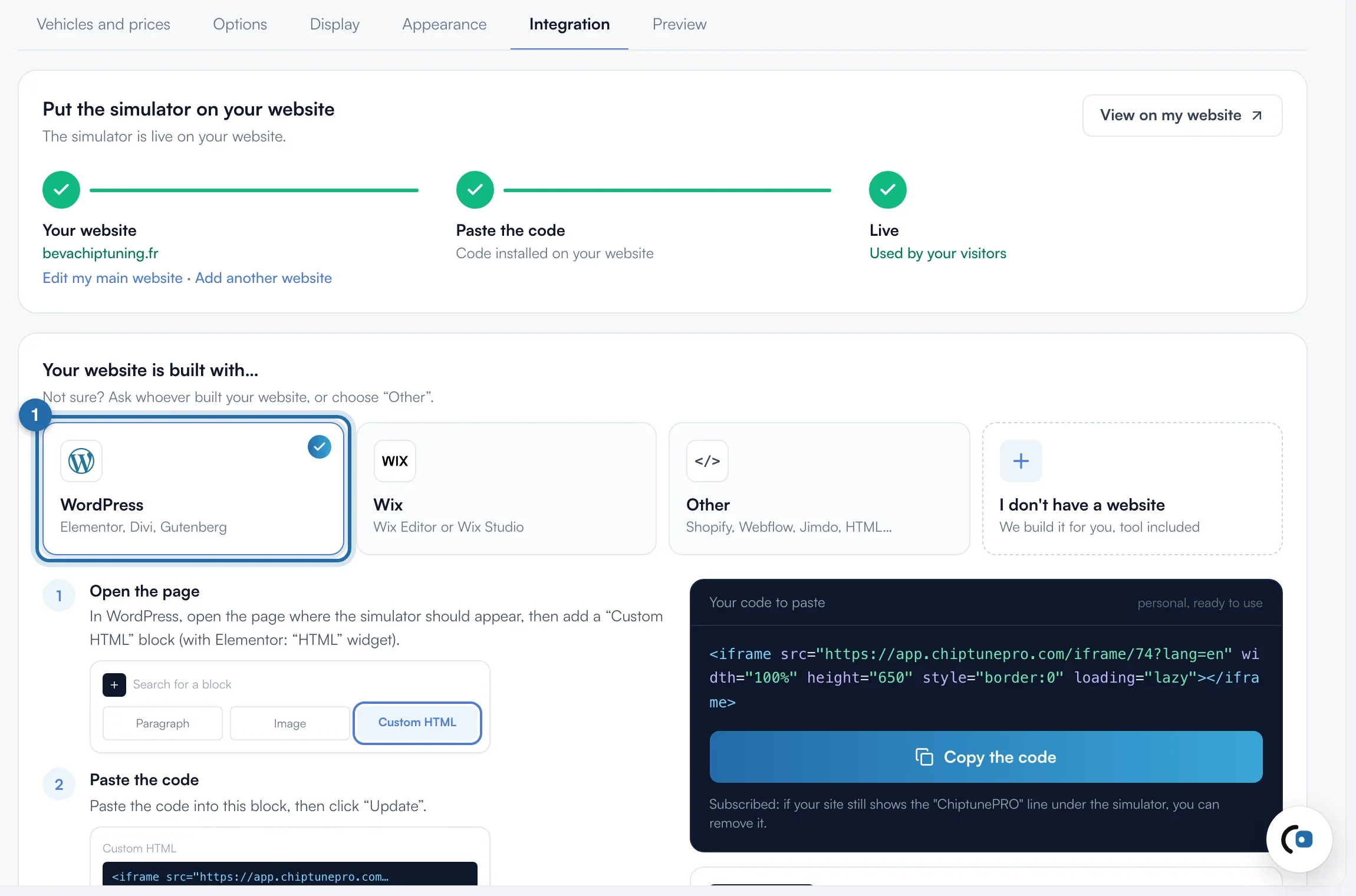
Copy the code
Click "Copy the code" (for Wix: "Copy the address"). The button shows "Copied, paste it on your website". The code is 650 px high, full width, and includes your account language.
Paste it on your website
WordPress: add a "Custom HTML" block (Elementor: "HTML" widget), paste, then "Update". Wix: "Add", "Embed Code", "Embed a Site", paste the address, stretch the frame to full width, about 650 px high, then publish. Other: an "HTML", "Code" or "Embed" block.
Check
Open the published page: the simulator shows. The "Live" step turns green with the first visitor. Your prices and colours then follow your settings, with no need to paste the code again.
What your customer sees
The visitor picks their vehicle, sees the gains and your prices, then sends their request. Without a subscription, a "ChiptunePRO remap simulator" line shows below.
If it doesn't work
- The simulator shows "temporarily unavailable".
- The website is not added. Check its address in "Your website", or click "Edit my main website". On Wix, use "Embed a Site" with the address, not the full code.
- WordPress shows the code as text.
- The code is in a text block. Delete it and paste the code into a "Custom HTML" block.
- The simulator is cut off at the bottom.
- Increase the height: replace height="650" with a larger value in the code. Up to 700 px, the simulator switches to a compact layout.