
Help center
Account and subscription
Choosing the emails I receive and my language
Set the emails you receive, the language, the country and the time zone.
Open My account
Click "Settings", then "My account". The "Language and country" and "Emails" cards are under "My invoices".
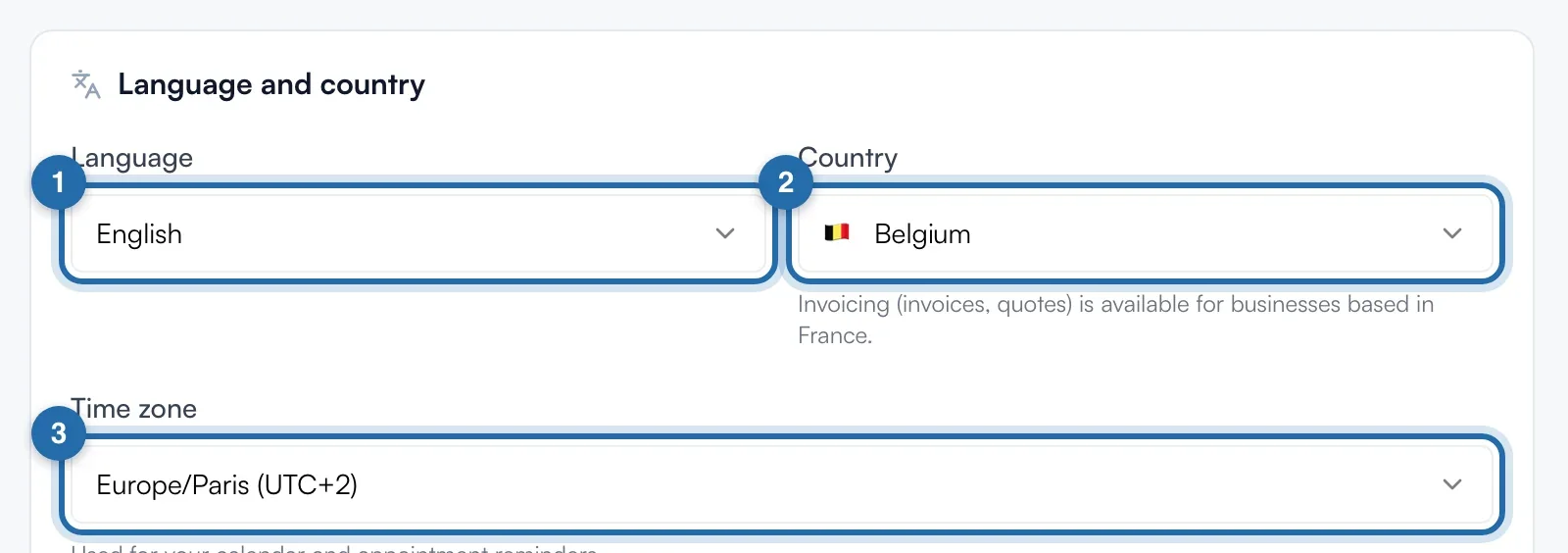
Choose the language and country
In "Language and country", choose the app "Language": Français, English, Español or Deutsch. Choose your "Country": outside France, quotes and invoices are not available. The "Time zone" is used for your calendar and appointment reminders.
Choose your emails
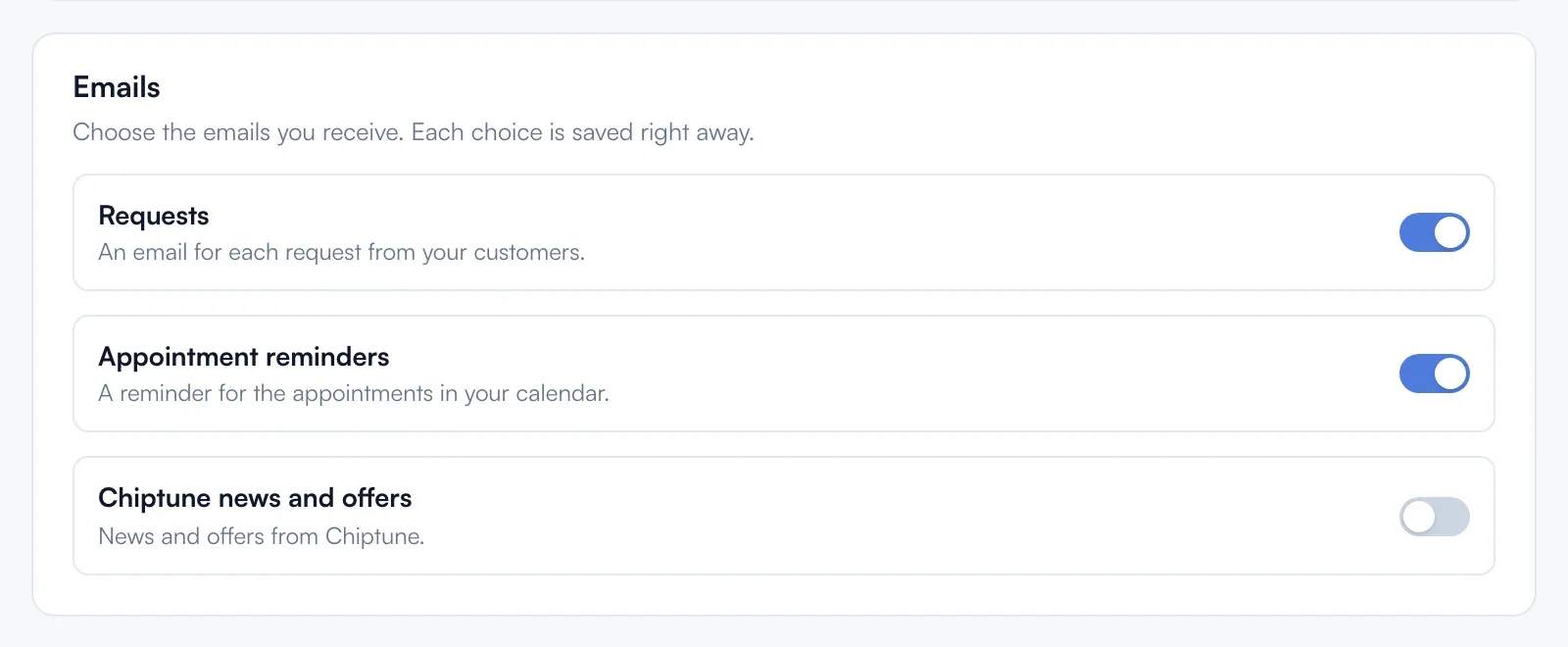
In "Emails", turn on or off "Requests" (an email for each request received), "Appointment reminders" and "Chiptune news and offers". Each choice saves on click, with the message "Preference saved".
If it doesn't work
- I no longer get my requests by email.
- Check that "Requests" is on. Requests always stay visible on the Requests page.
- Can I change the language faster?
- Yes: account menu at the bottom left, "Language", then the language you want.
- Which address are the emails sent to?
- The account email. To change it, see "Changing my email or my name".