
Requests and appointments
Ask the customer questions when they book
Add up to 15 questions: the customer answers them after their contact details, you read their answers in the request.
Before you start
- In the menu, open "Online booking", "Services and hours" tab, "Questions for the customer" block.
Add a question
Click "Add a question". A form opens in the block.
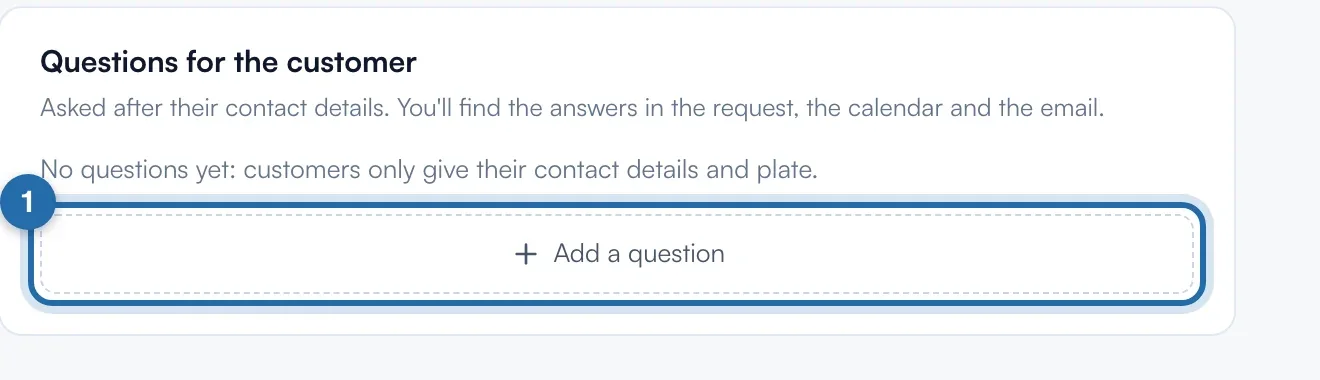
Write the question and the answer type
Type the "Question" (255 characters at most). Under "Expected answer", choose "Yes / no", "Free text" or "Choice from a list". For a list, fill in at least 2 choices, up to 12 with "Add a choice".
Make the answer required
"Answer required" is on by default: the customer cannot book without answering. Turn it off for an optional question.
Choose the services
Under "For which services", leave "All" or click one or more services. The question is only asked to a customer who books one of them.
Save
Click "Add question". It is saved straight away and shows in the list with its type, "Required" and its services. The arrows change the order, the pencil edits it, the bin deletes it.
Read the answers
In "Requests", open the booking: "Customer's answers" lists each question and its answer. They are also in the email and in the appointment description in the calendar.
What your customer sees
After their contact details, the customer reads "A few questions from" followed by your garage's name. If a required answer is missing, they read "Answer the required questions." and the booking is not sent.
If it doesn't work
- The "Add a question" button has disappeared.
- You have reached 15 questions. Delete one to add another.
- I deleted a question. Are the old answers lost?
- No. Answers already received stay in the requests.
- The customer does not see my question.
- Check the services chosen under "For which services". A question linked to Stage 1 is not asked for a diagnostic.