
Putting the tools on my website
Hide the ChiptunePRO mention on my widgets
With the Pro plan, your simulators, your form and your booking page show without the “powered by Chiptune” line. Your customers only see your garage's name.
Before you start
- Pro plan. With Discovery or Visibility, the block shows “Available with the Pro plan.” and “See plans”.
Open My websites
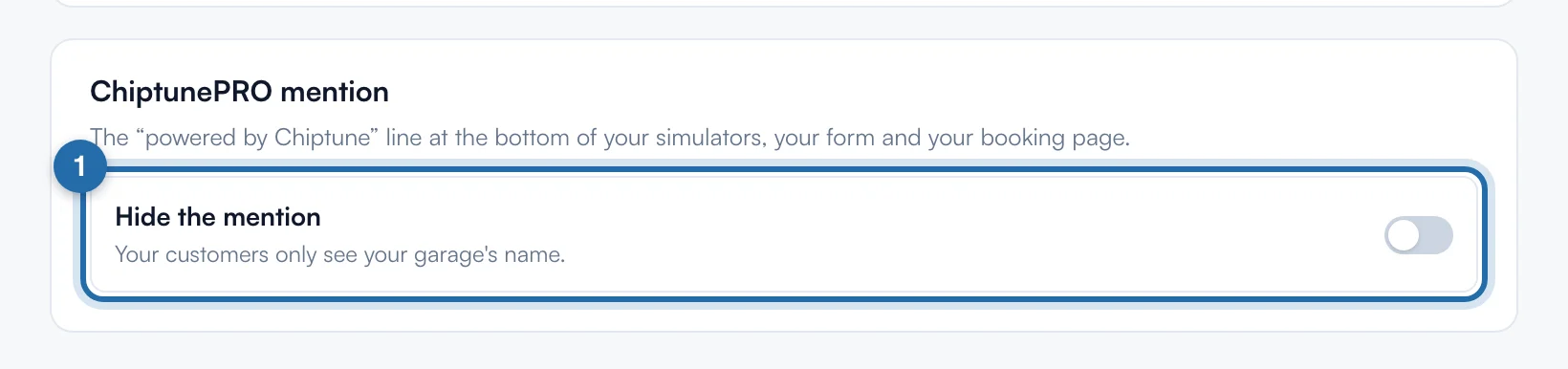
In “Settings”, click “My websites”, then scroll down to the “ChiptunePRO mention” block.
Hide the mention
Turn on the “Hide the mention” switch. “Mention hidden on your widgets” confirms. The choice is saved straight away, with no other button.
What changes
The “Your garage - powered by Chiptune” line disappears from the bottom of the tuning simulator (on your website and full page), the E85 simulator, the contact and booking form, and your booking page. The code already pasted on your website stays the same.
Show the mention again
Turn the switch off. “Mention shown on your widgets” confirms.
What keeps a mention
Your link page chiptunepro.com/@your-garage keeps “Page made with ChiptunePRO”, Pro plan included. Your build visuals lose “Made with ChiptunePRO” with the Pro plan, with nothing to set.
If your subscription changes
Your choice stays saved, but it only applies with the Pro plan. If you move to Visibility or Discovery, the mention comes back by itself. It disappears again if you go back to Pro.
What your customer sees
The customer sees the simulator, the form or the booking page in your colours, without “powered by Chiptune” at the bottom.
If it doesn't work
- I see “Available with the Pro plan.” instead of the switch.
- Your plan is Discovery or Visibility. Click “See plans” to move to Pro (€34.99/month or €400/year).
- Under the simulator I see “Powered by ChiptuneMAP”.
- This link shows during the simulator discovery, without a subscription. This setting does not cover it.
- My link page still shows “Page made with ChiptunePRO”.
- That is expected: the mention stays on every link page, Pro plan included.