
Attract customers
Share my simulator and my links on social media
Your listing, your booking, your simulator and your current offer each have a link and a QR code, for your Instagram bio, a story or your Google listing.
Before you start
- No website needed. The links exist for all accounts.
Open your links
In the left menu, under "Attract customers", click "My links to share" if you don't have a website, or "On my website" if you do: the links are then further down, under "Your direct links". On the first visit, the page asks "Do you have a website?".
Copy a link
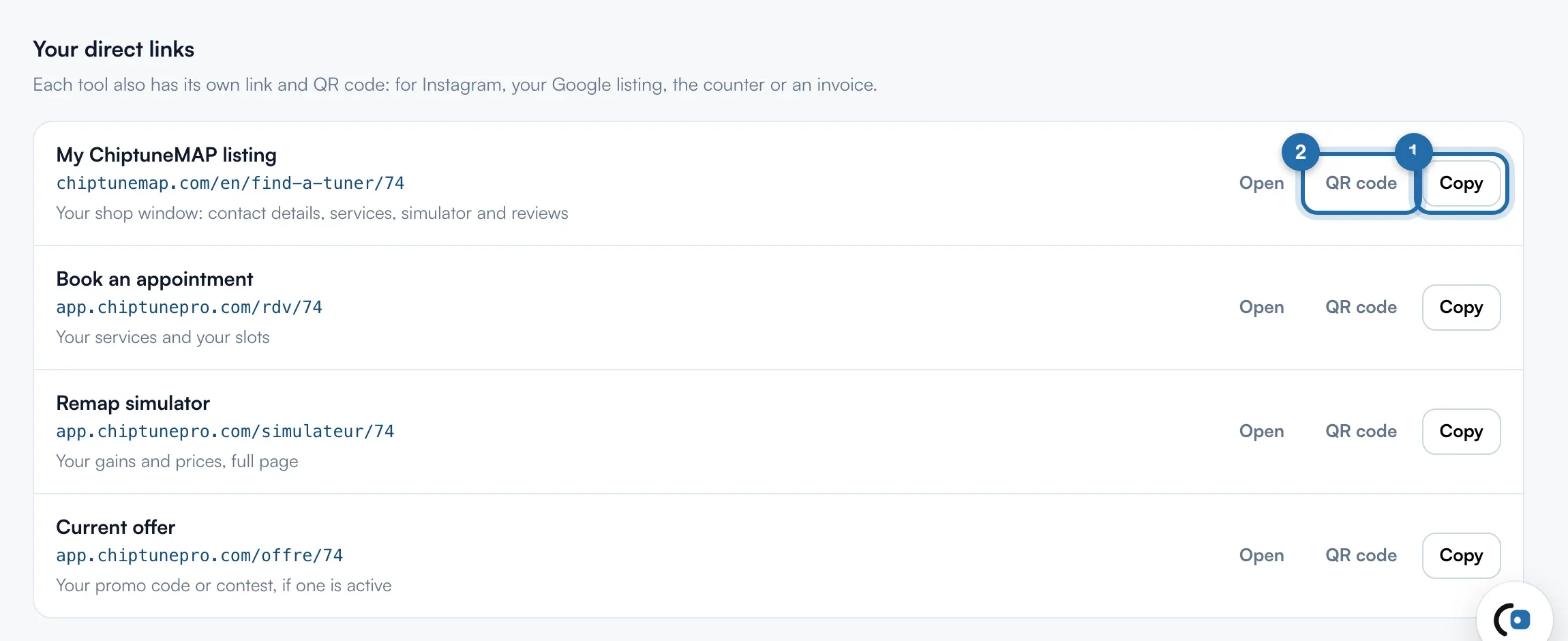
Four rows: "My ChiptuneMAP listing", "Book an appointment", "Remap simulator" (it opens full page) and "Current offer". Click "Copy" on the right of the row, then paste the link in your Instagram bio, a story, WhatsApp or your Google listing. "Open" shows the page as your customers will see it.
Print the QR code
Click "QR code": the code shows below the row. "Download the image" saves a 1024 px PNG, sharp in print, for the counter, a business card or an invoice. The customer scans it with their phone.
Share an image rather than a link
For a post, create an image with "Project visual", or share your current offer from "Offers" with "Copy the direct link". The "Current offer" link only shows something if an offer is active.
Measure what comes from social media
In "Settings", "Integrations", your Meta pixel or Google tag loads on your direct links, after the visitor agrees.
What your customer sees
From Instagram or a QR code, the customer lands on the chosen page: your simulator full page, your booking slots, your ChiptuneMAP listing or your offer pop-up. Their request arrives in "Requests" as if it came from your website.
If it doesn't work
- The link ends with a number, not my garage's name.
- Links use your ChiptuneMAP listing's custom address when it exists, otherwise your account number. Set it in "ChiptuneMAP listing".
- "Copying did not work".
- Your browser is blocking the clipboard: select the link by hand and copy it.
- I don't see "My links to share" in the menu.
- You declared a website: the entry is called "On my website" and the links are under "Your direct links".