
Attract customers
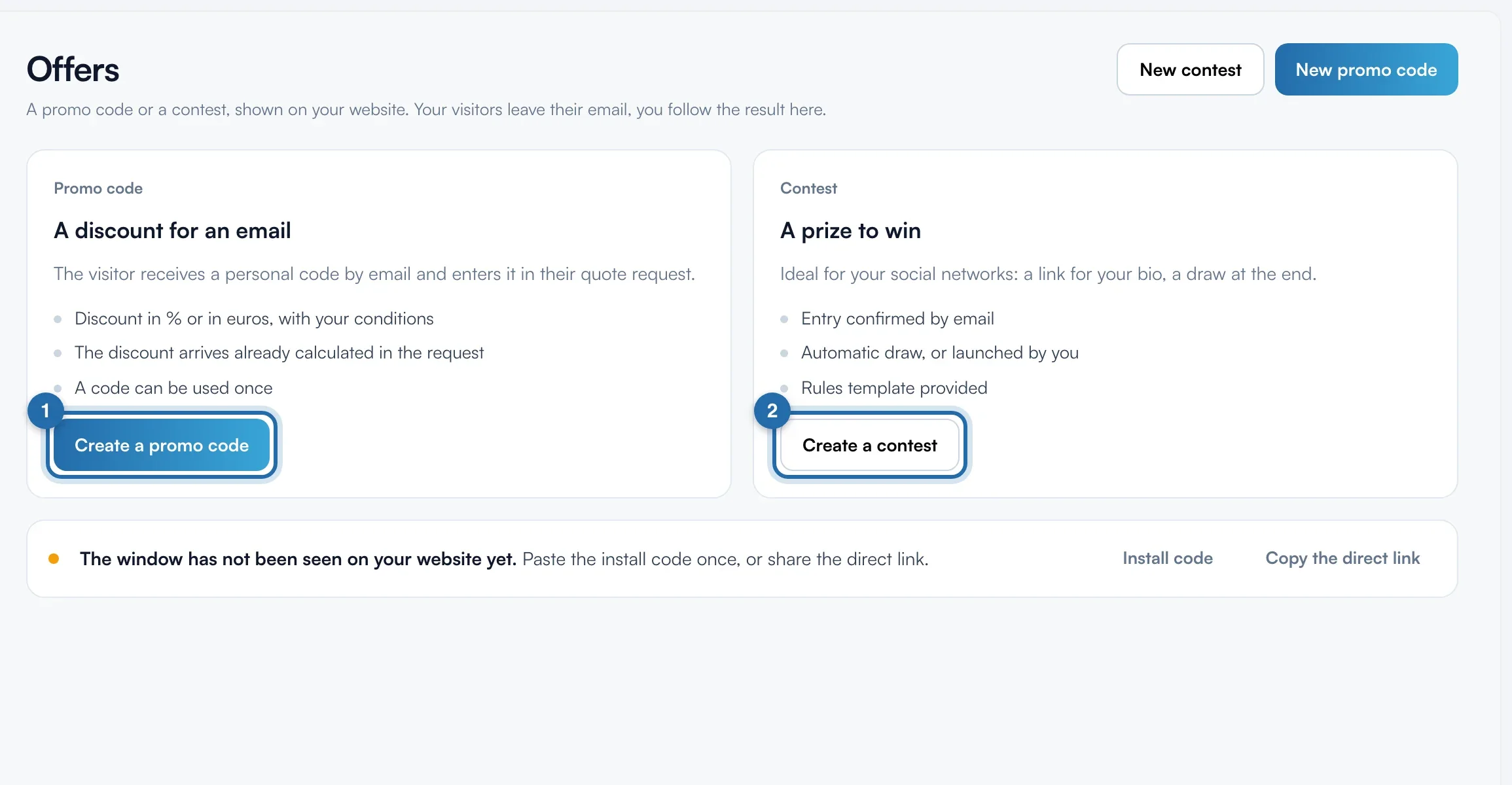
Create an offer: promo code or contest
A discount or a prize to win, in a pop-up on your website or through a link, in exchange for the visitor's email.
Before you start
- Pro plan. Left menu, "Reviews and offers", then "Offers".
Choose the type of offer
At the top right, click "New promo code" or "New contest". With no existing offer, the same choices show in large.
Describe the promo code
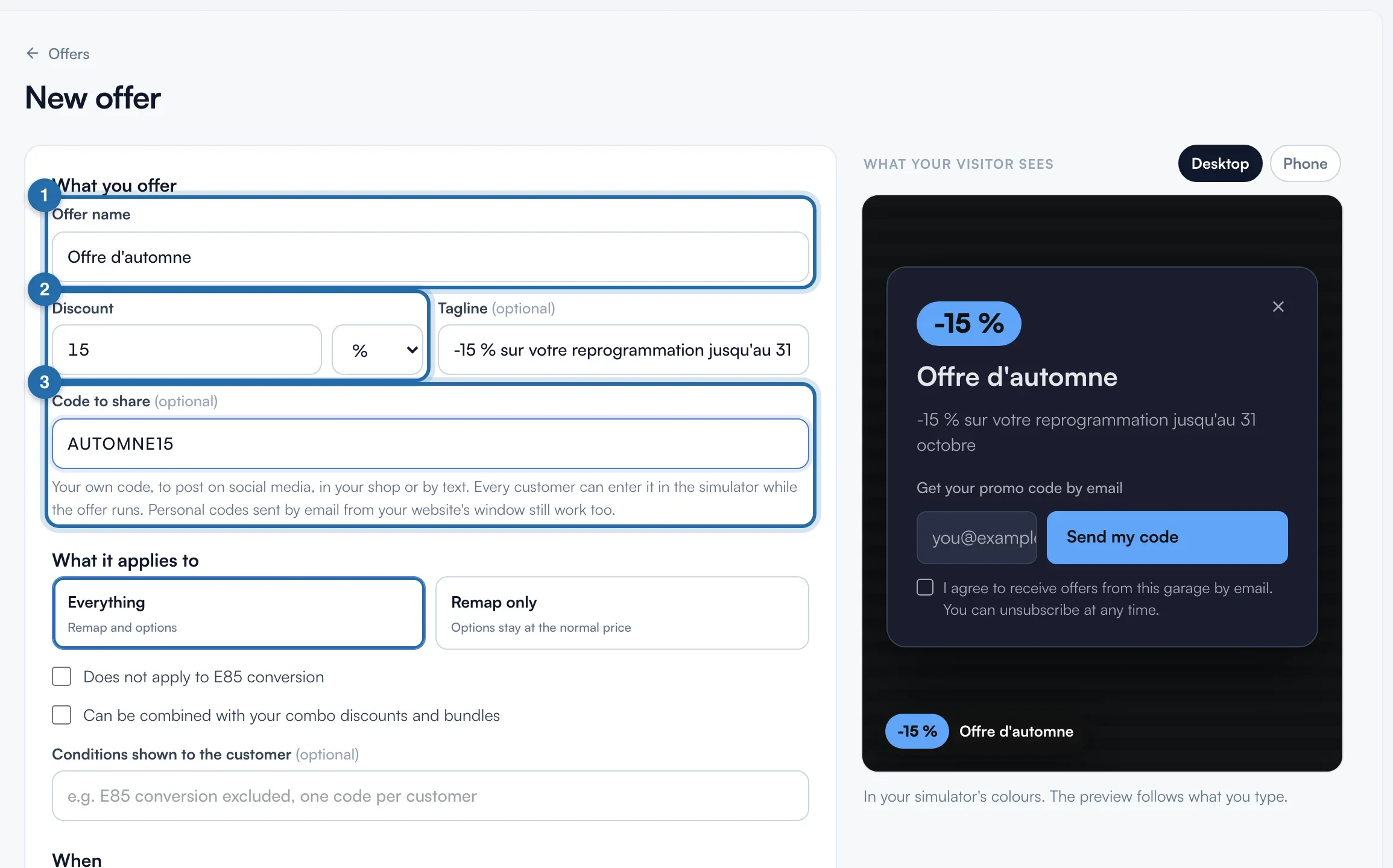
Fill in "Offer name" and "Discount" ("%" or "€"). "Code to share" is optional: a code of your own, valid for all your customers during the offer. The preview follows what you type.
Say what the discount applies to
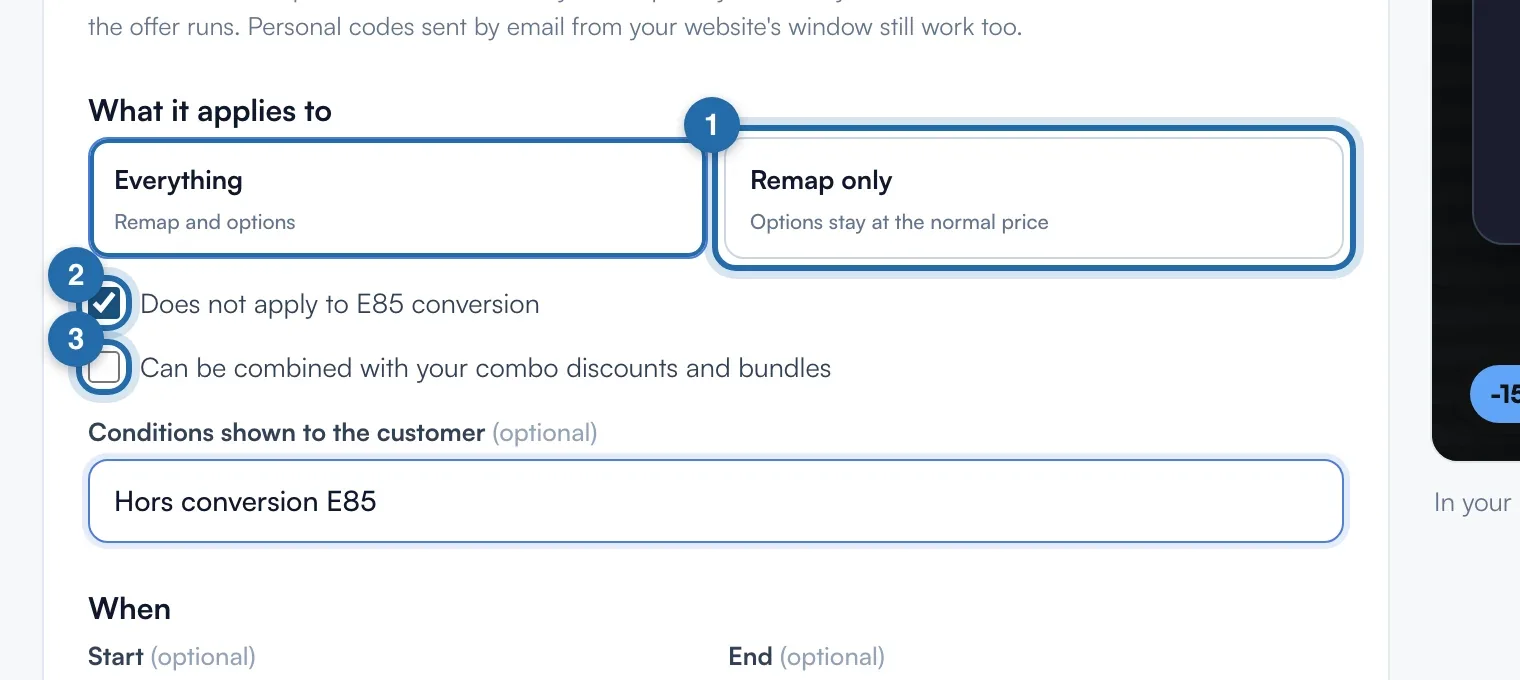
Choose "Everything" or "Remap only", then tick if needed "Does not apply to E85 conversion" and "Can be combined with your combo discounts and bundles".
Choose the dates and when the pop-up opens
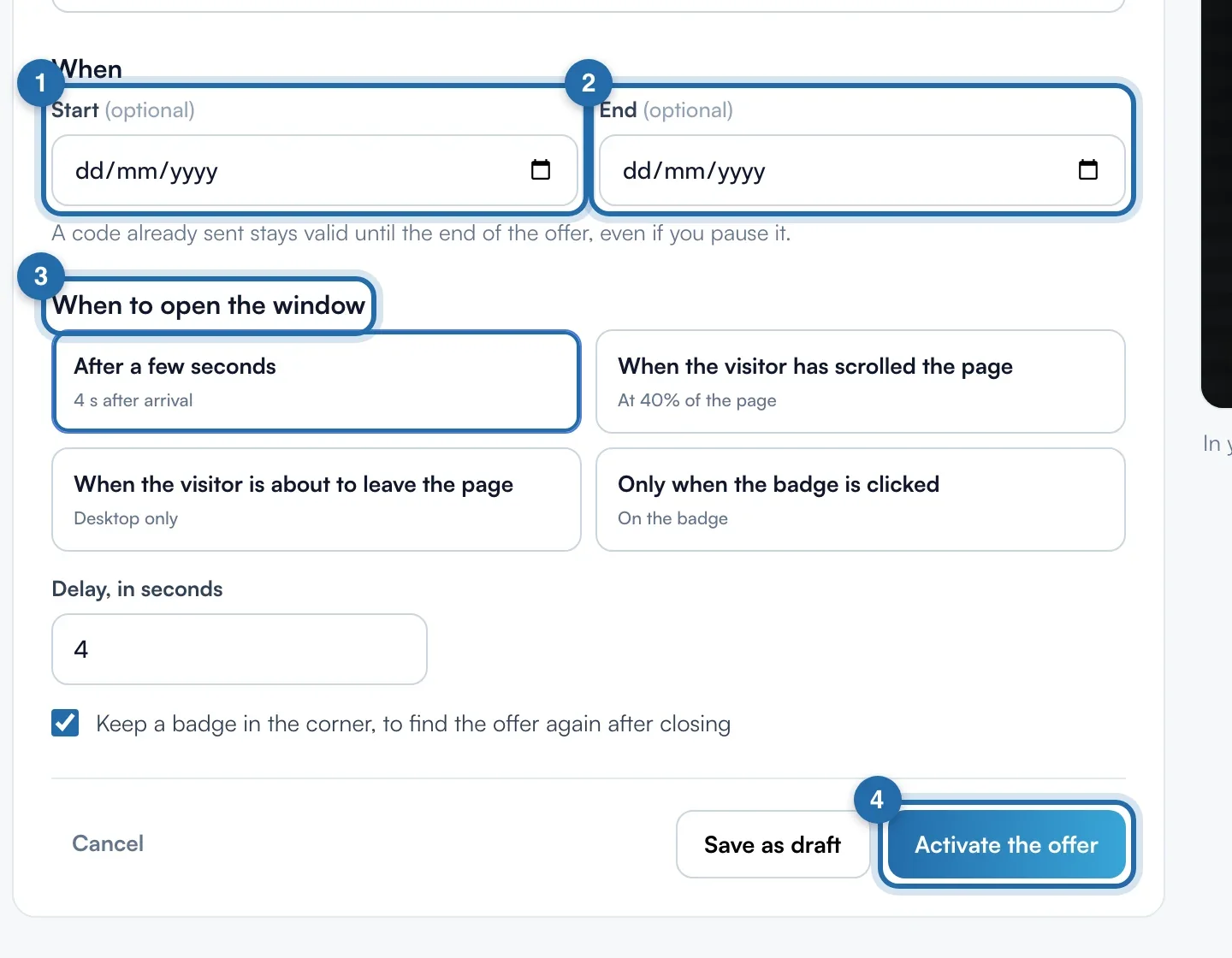
"Start" and "End" are optional. The pop-up opens after 4 seconds by default, on scroll, on exit (computer) or on a click on the tab. Then "Activate the offer" or "Save as draft".
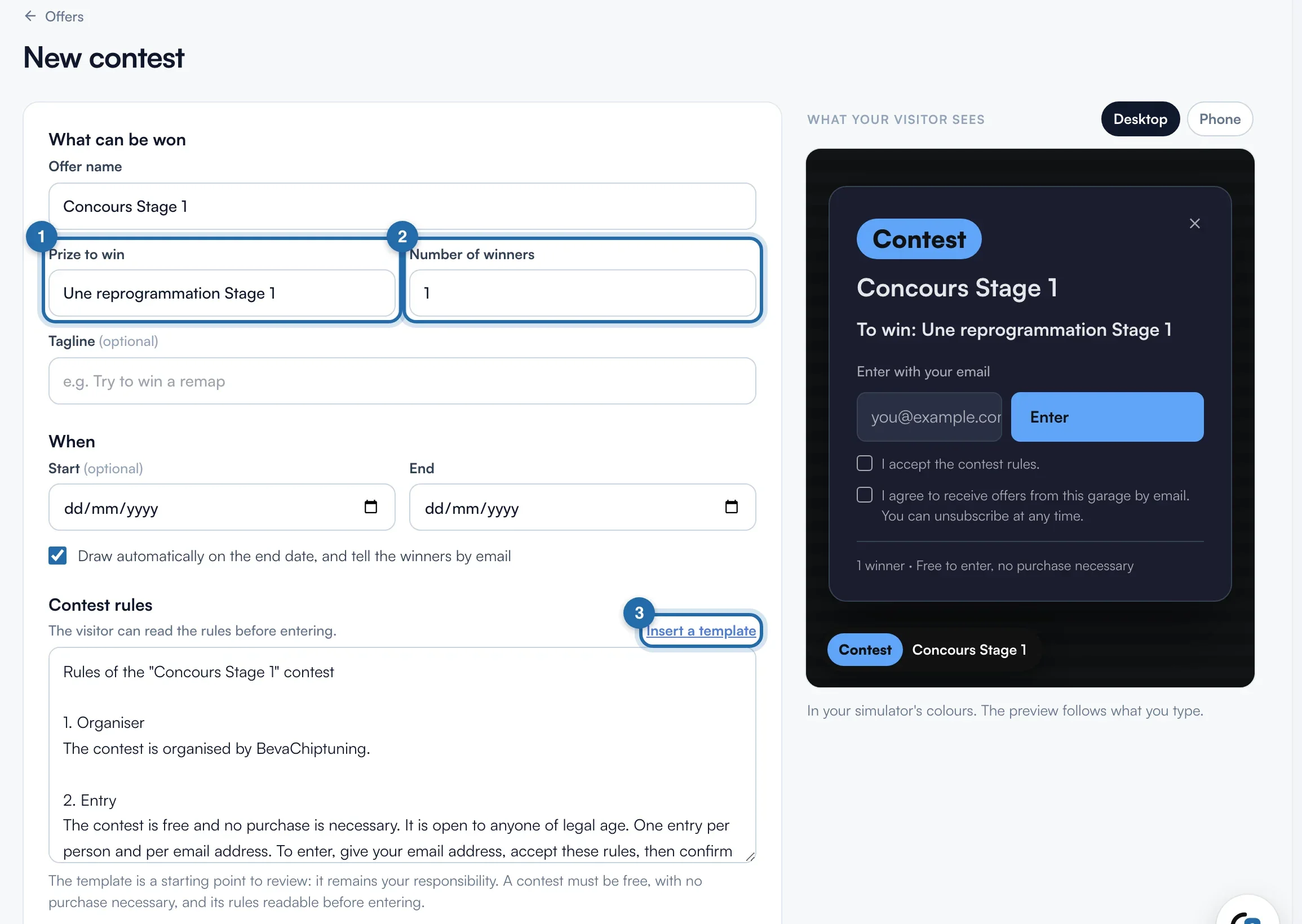
Create a contest
Fill in "Prize to win" and "Number of winners" (1 to 50). The automatic draw needs an "End" date. "Insert a template" fills in the rules: read them through, they remain your responsibility.
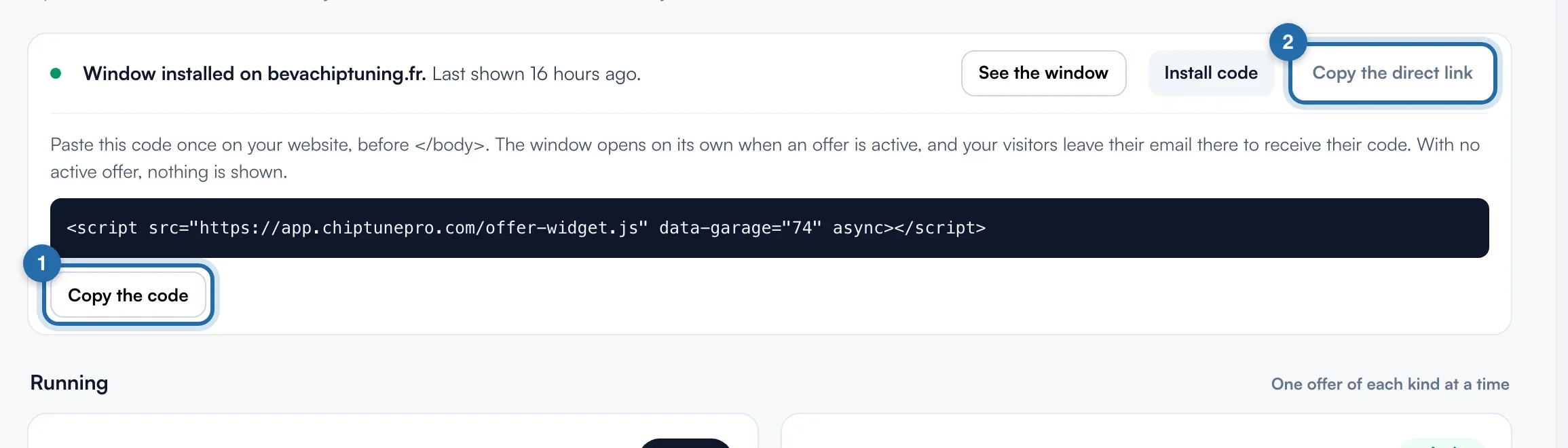
Install the pop-up or share the link
Click "Install code", then "Copy the code", and paste it once on your website, before </body>. Without a website, "Copy the direct link" gives you a page to share.
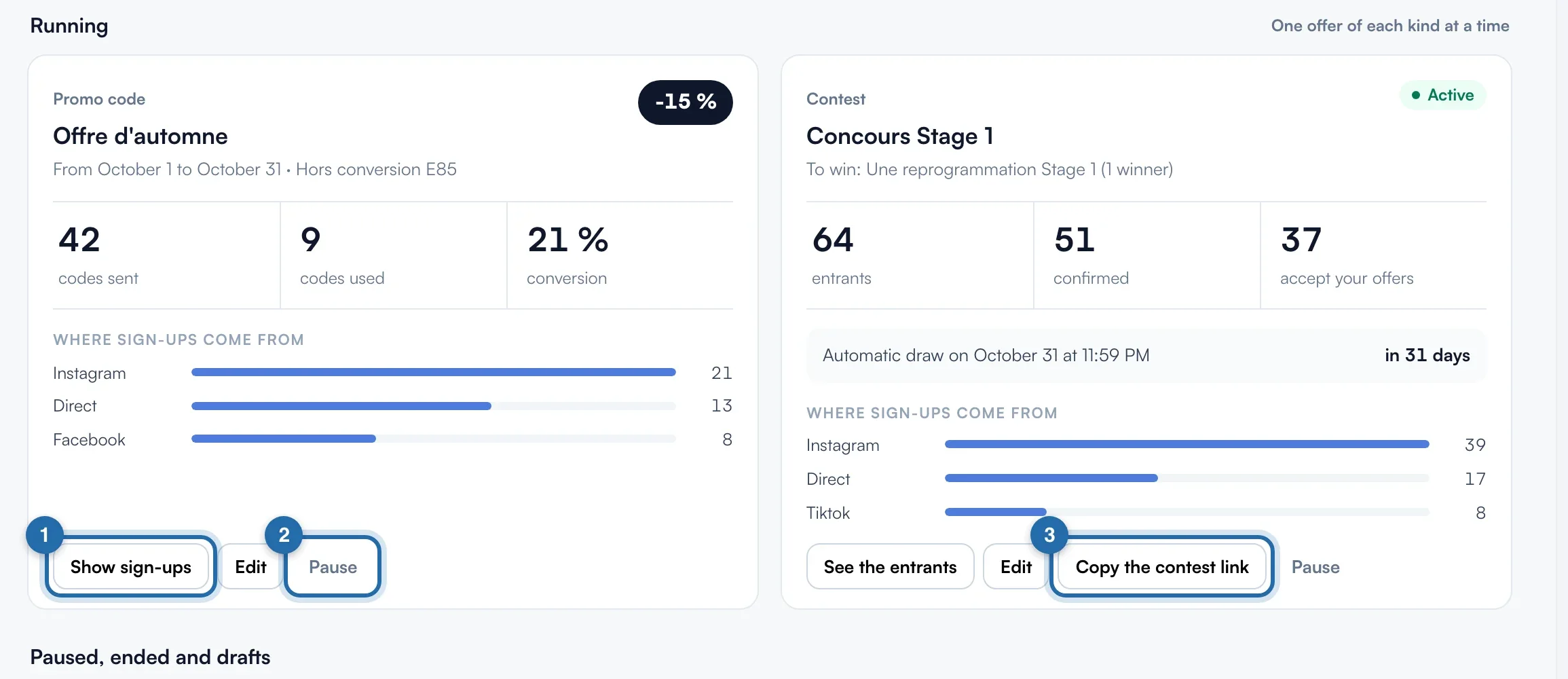
Follow the current offer
Each current offer shows its figures and where sign-ups come from. One offer of each type at a time: activating another one pauses the previous one.
See sign-ups and export
"Show sign-ups" lists the emails: filter by "Code used", open "View request" or "Export (CSV)".
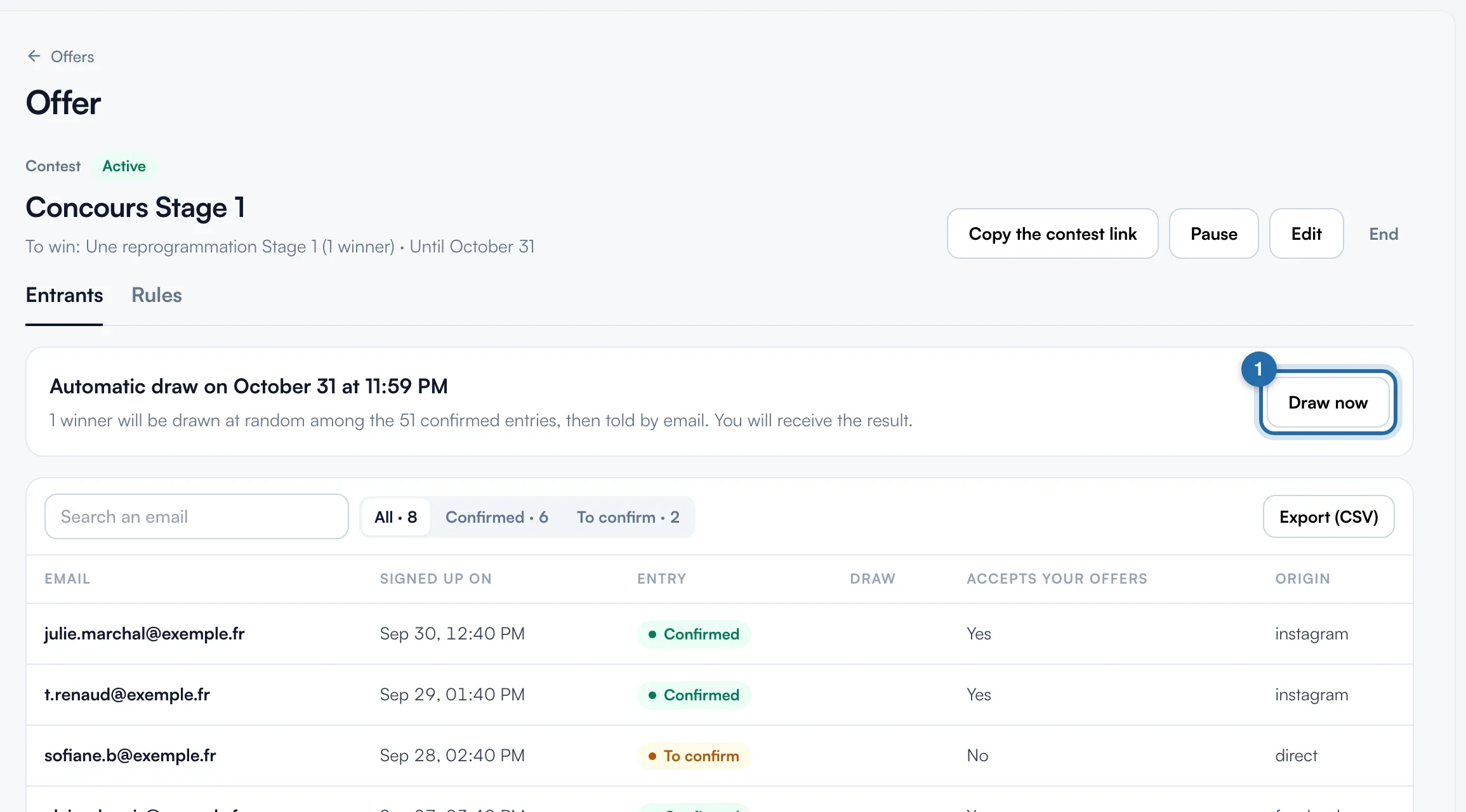
Draw the winners
The draw runs by itself on the end date. "Draw now" runs it earlier. Only "Confirmed" entries count, winners are notified by email and the draw cannot be run again.
What your customer sees
The visitor leaves their email, receives a unique code and enters it below the simulator price. For a contest, they click "Enter" and confirm by email.
If it doesn't work
- Who applies the discount?
- You do: the request arrives with the code and the calculated discount, to carry over to the quote.
- Does a code work during a pause?
- Yes, until the end of the offer. "End" rejects unused codes.