
Attract customers
ChiptuneMAP customer reviews: send the link and reply
A request set to "Completed" gives a review link: your customer rates your garage from 1 to 5, the review is checked then published on your ChiptuneMAP listing.
Before you start
- Reviews show on ChiptuneMAP when your listing is online there. Before that, the link still works and the box says so.
Set the request to "Completed"
In "Requests", open the request, click the status at the top of the details and choose "Completed". The customer then receives an email with their personal link. A single reminder goes out 7 days later if they have not replied.
Send the link yourself
In the request details, the "Review link" box shows the link. Click "Copy", or "WhatsApp" or "Text" to send it with a message already written. "Send by email" sends it to the customer again. The bottom line gives the deadline: "Valid until …, single use".
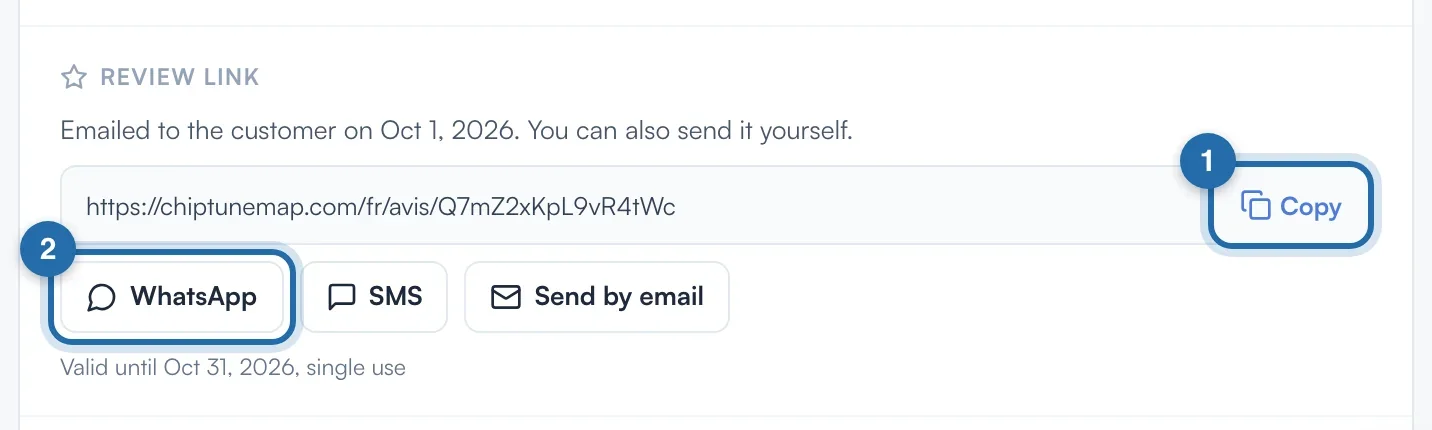
Online bookings
For an appointment booked online, the box shows "The review link will be available after the appointment." until the time of the accepted appointment. The same box is also in the appointment details, in "Calendar".
Follow the reviews received
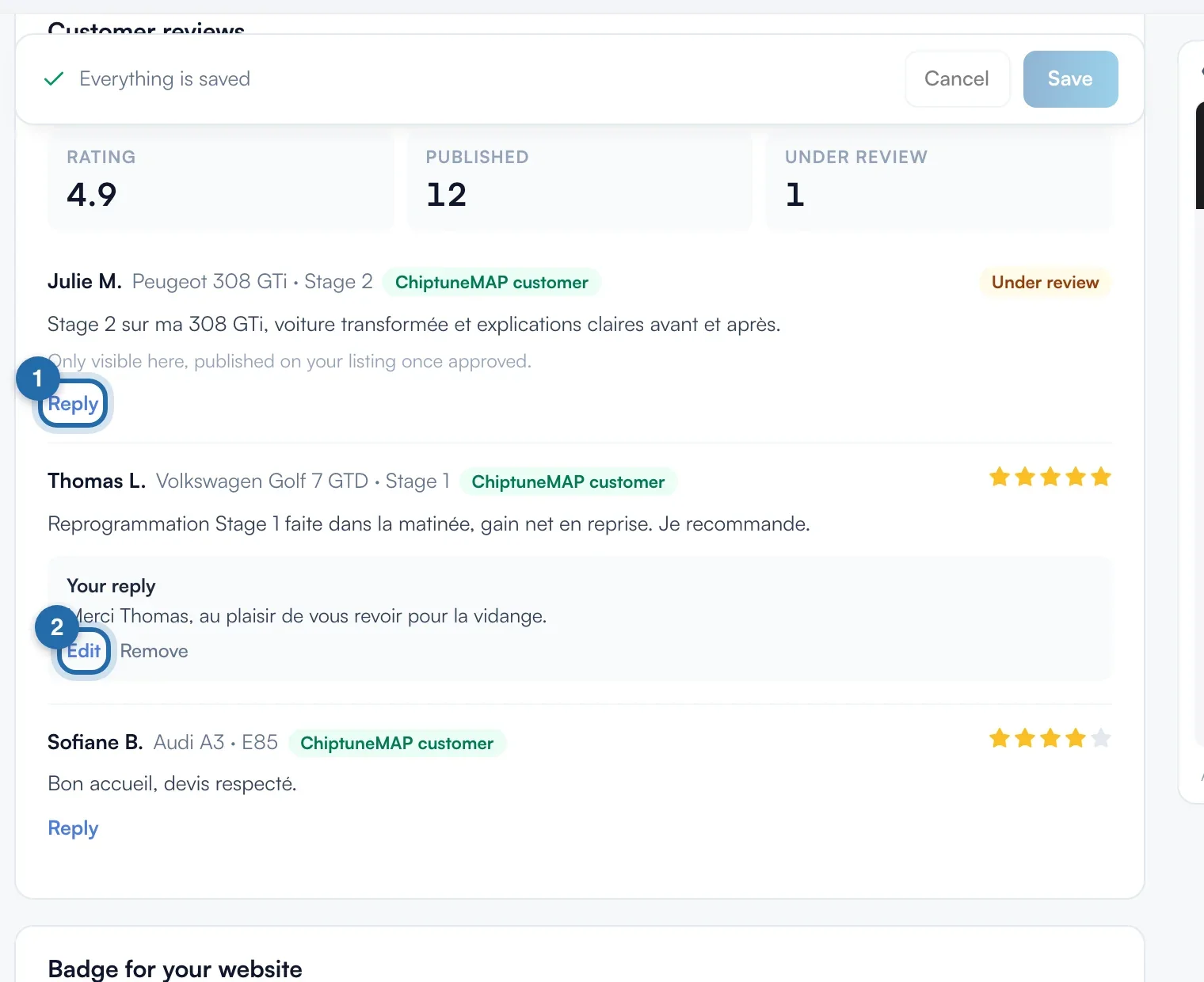
Open "ChiptuneMAP listing" in the menu and scroll down to "Customer reviews". You see the "Rating", the number of "Published" reviews and those "Under review". Each review is checked by the Chiptune team: meanwhile, it has the "Under review" badge and is only visible to you.
Reply publicly
Under a review, click "Reply", write (1,000 characters at most) then "Publish reply". "Edit" changes it, "Remove" deletes it.
What your customer sees
The customer opens the link, rates your garage from 1 to 5 stars and writes a few words (2,000 characters at most). Once published, the review appears on your listing and in the directory with their first name and the initial of their last name, the "ChiptuneMAP customer" label, and counts towards your average rating.
If it doesn't work
- I don't see the "Review link" box.
- The request must be "Completed". Nothing shows for a test request, a request that is still locked or a declined appointment.
- The link has expired.
- It is valid for 30 days. Reopen the request: a link never used is extended by 30 days.
- The box says "Review received".
- The customer has already left their review: the link only works once. Find the review in "Customer reviews".
- A review seems unfair to me.
- Write to us from the chat, or reply publicly under the review.