
Requests and appointments
You reply by email: tell ChiptunePRO
If you reply to your customers from your mailbox, by phone or on WhatsApp, your requests stay "To handle" in ChiptunePRO. The "I reply from my mailbox" setting stops flagging them, and "Mark all as done" empties the tab in one go.
Before you start
- All plans. Open "Requests" in the menu.
- Your requests keep arriving by email, as before.
Turn on the setting
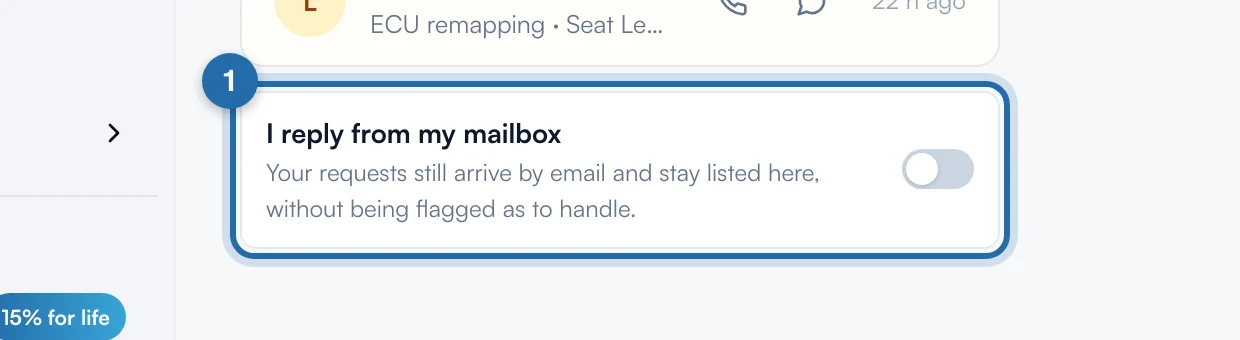
Below the list of requests, turn on "I reply from my mailbox". The message "Noted: requests are no longer flagged as to handle" confirms it.
What changes
No more number on "Requests" in the menu, no more orange badge on the "To handle" tab, no more red age on requests older than 24 hours. Requests are no longer listed in "To do today".
What does not change
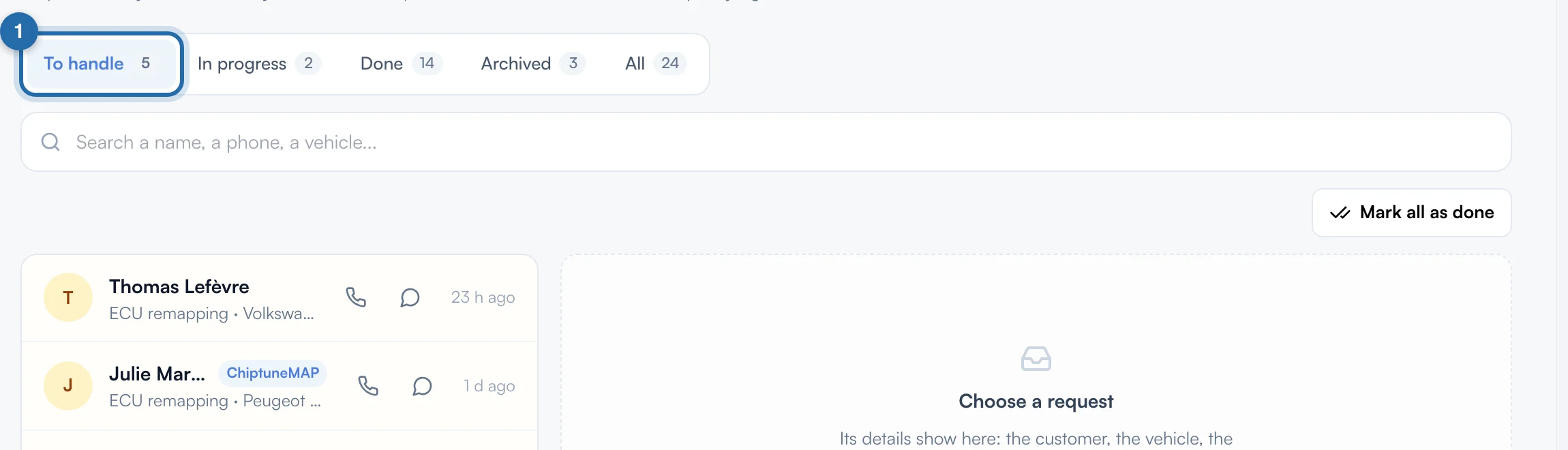
Requests stay listed on the page, with their status, and you can still open and handle them. No message is sent to your customers.
Empty the "To handle" tab
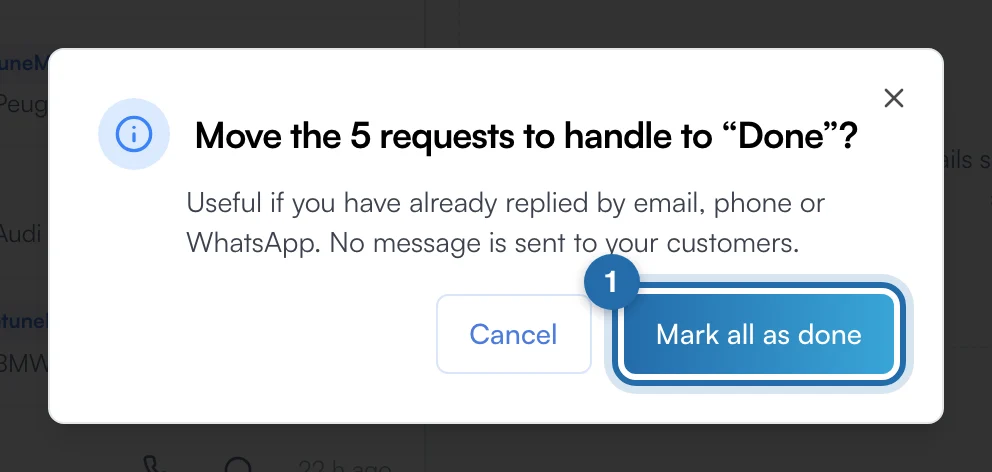
In the "To handle" tab, click "Mark all as done", then confirm. All requests move to "Done". No message or review link is sent.
Effect on your ChiptuneMAP listing
The response time shown on your listing is based on status changes. With the setting on, it is no longer shown. Requests moved with "Mark all as done" do not count in this time.
Go back
Turn the setting off. The message "Requests to handle are flagged again" confirms it.
If it doesn't work
- My response time disappeared from my ChiptuneMAP listing.
- This is the effect of the "I reply from my mailbox" setting. To show it, turn the setting off and change the status of your requests when you reply: it takes at least 5 requests.
- I do not see "Mark all as done".
- The button is in the "To handle" tab, with no search running, and only if a readable (not locked) request is left.
- Do my customers receive a message?
- No, neither with the setting nor with "Mark all as done".
- I still want to send the review link.
- Move the request to "Completed" from its details: the link is sent if the customer came to your garage. You can also use "Ask for a review" in "To do today".