
Simulators
Remove a level (E85...) on some vehicles
Remove a level you don't do on one engine, or on a whole selection in one go, without losing its values.
On one engine: switch off "Offered"
In "Vehicles and prices", open the engine. In the level block, switch off the "Offered" toggle. The change is saved straight away.
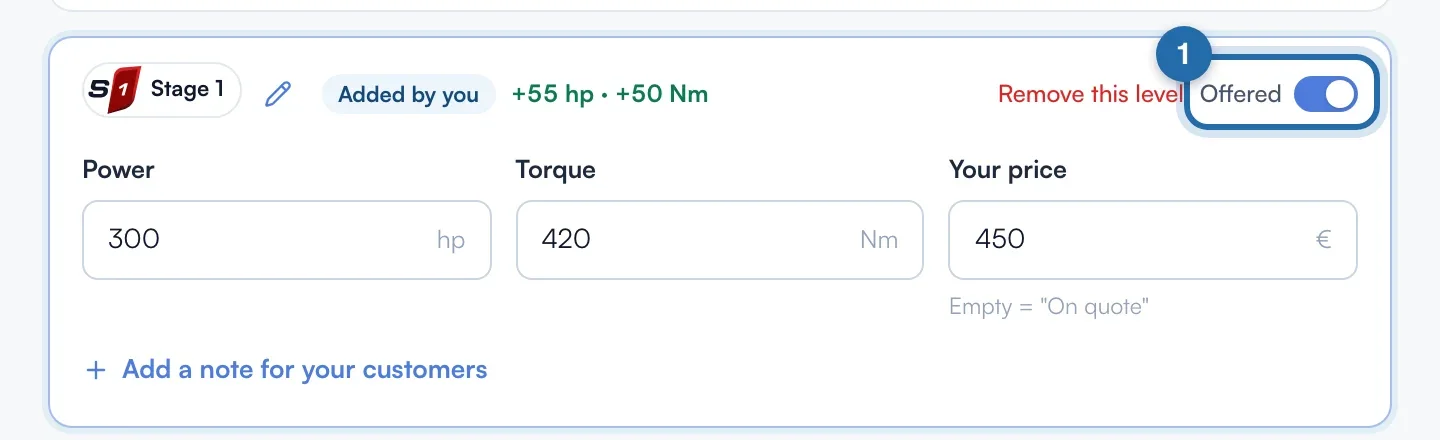
The level becomes "Not offered"
The block turns grey with the label "Not offered". It no longer appears in your simulator or on ChiptuneMAP for this engine. Its values are kept: switch "Offered" back on to restore it.

On many vehicles
Click "Edit several vehicles", then the "Remove a level" tab. Choose the "Tuning level" to remove (required), then filter: make, model, fuel, original power, generation. Example: E85 + Petrol + a make.
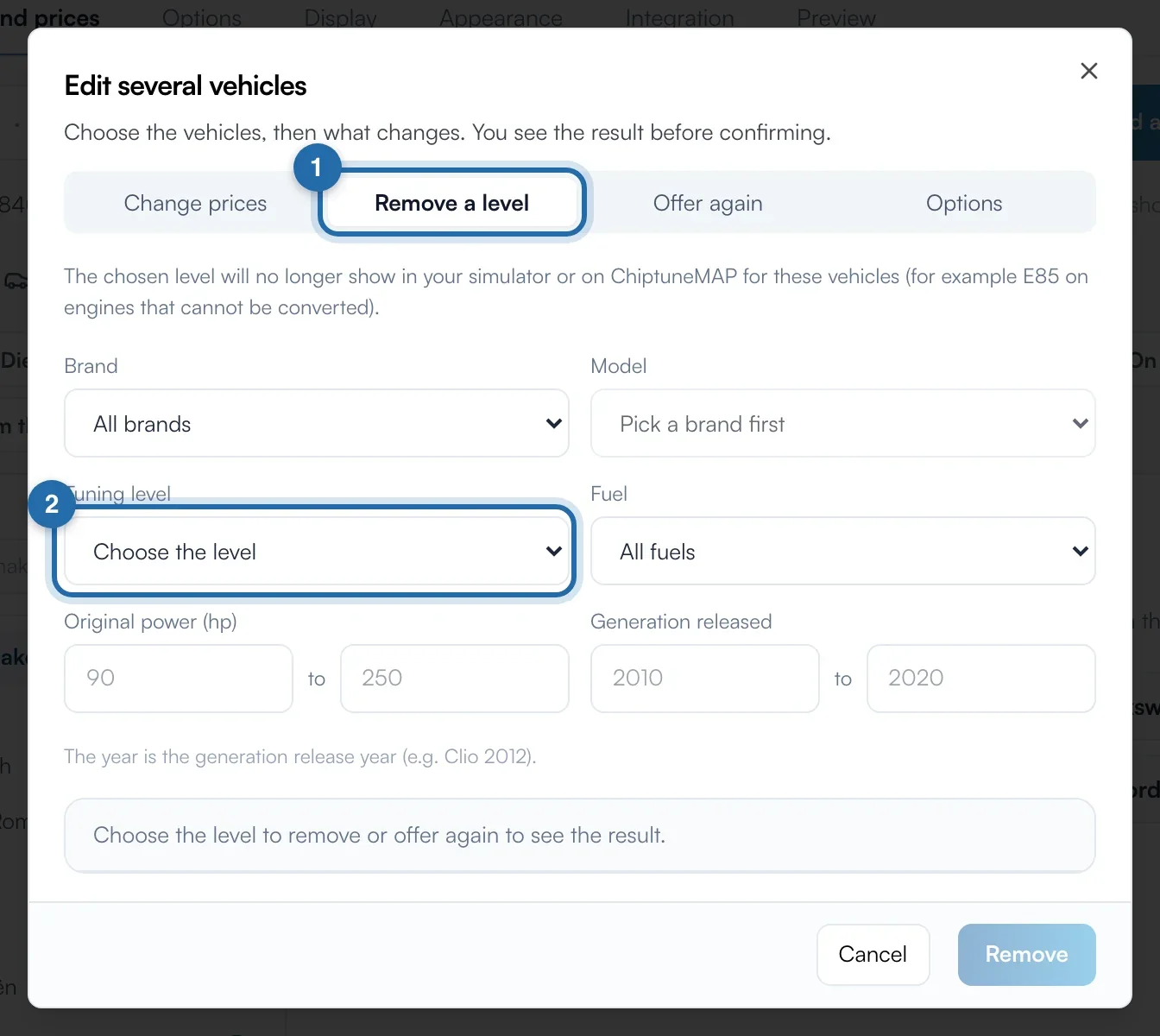
Check and remove
The preview shows "N levels will be removed (out of N found)". Click "Remove N levels". A banner lets you undo for 10 minutes, then use "History".
Restore in bulk
The "Offer again" tab works the same way and restores the level with its kept values.
What your customer sees
The customer no longer sees the removed level for these engines, in your simulator or on your ChiptuneMAP listing.
If it doesn't work
- I don't see "Remove this level", only "Offered".
- "Remove this level" only exists on levels you added: it deletes them. For a ChiptunePRO level, use "Offered".
- The level still appears on my website.
- Your changes show on your website in about 1 minute. Reload the simulator page.