
Simulators
Set my prices
Your customers see your price for each level of their engine instead of "On quote".
Before you start
- A ChiptunePRO account. You can also set this tab without a subscription, in discovery mode.
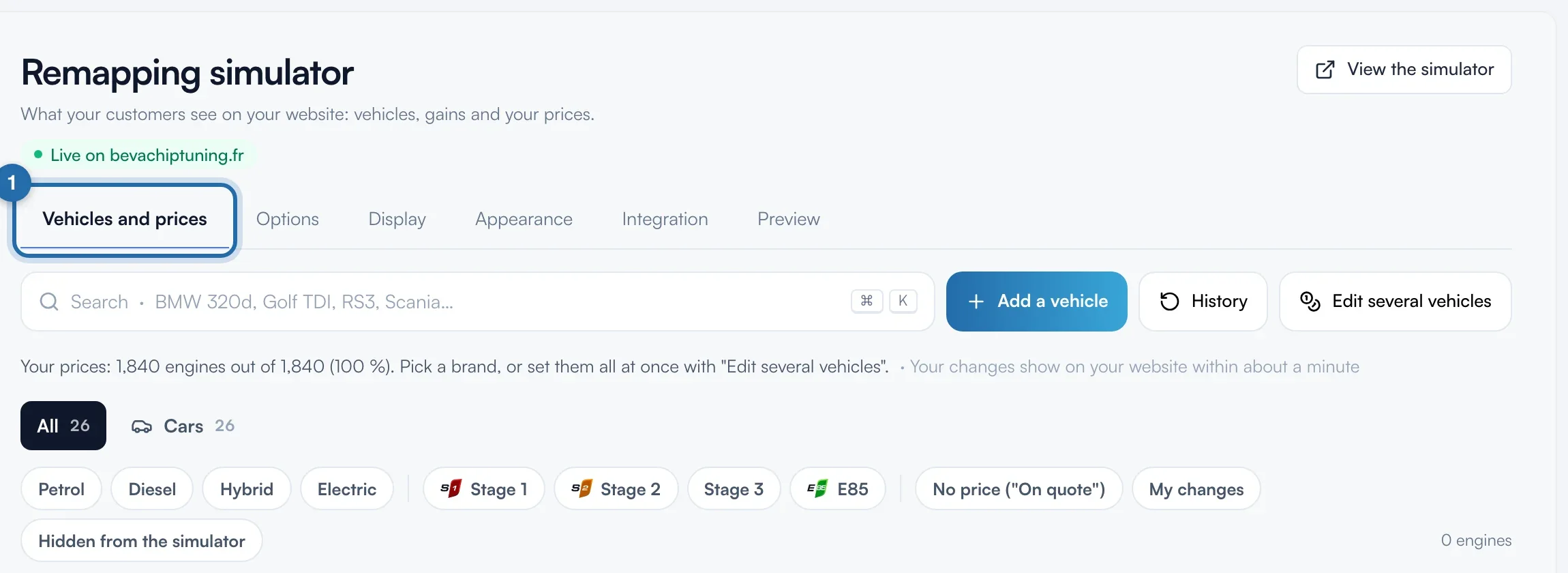
Open "Vehicles and prices"
In the menu, click "Simulators", then "Power simulator". The page opens on the "Vehicles and prices" tab.
Find the engine
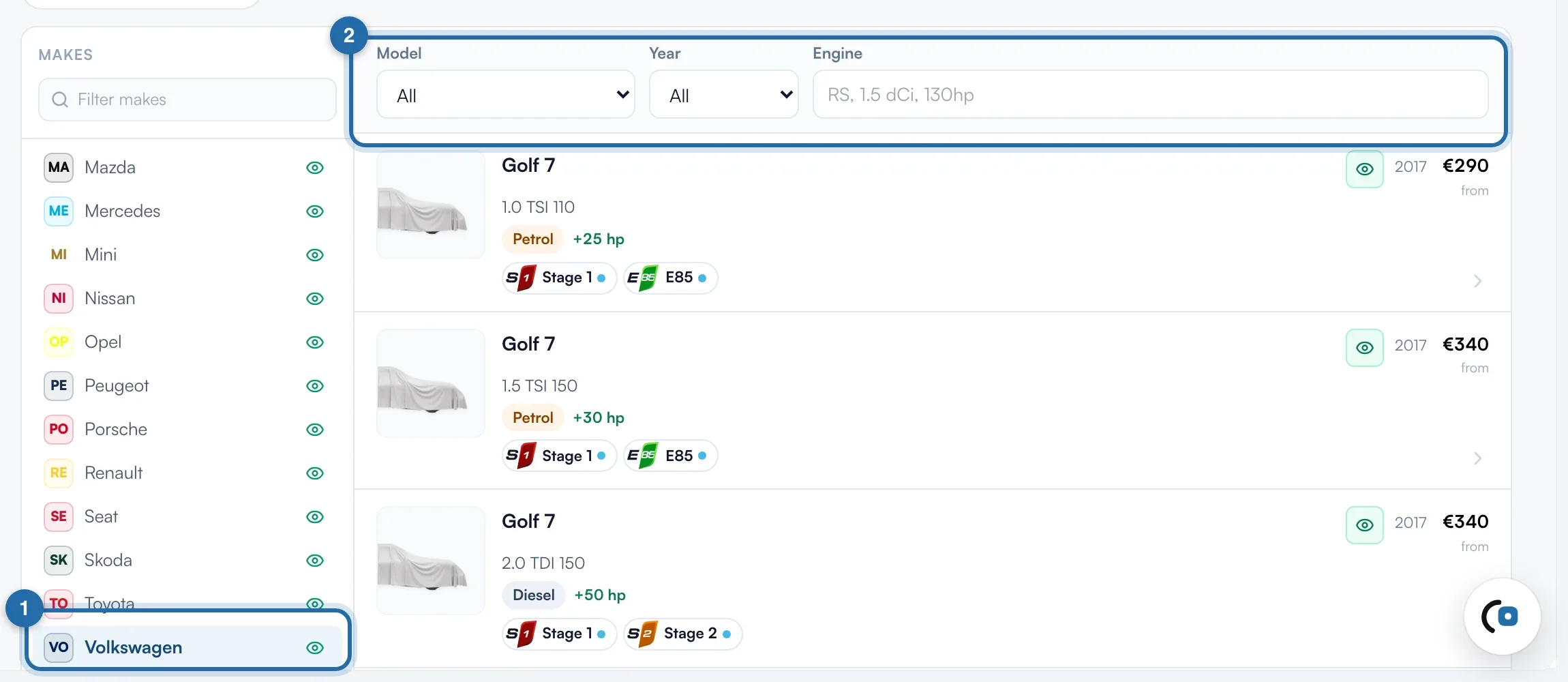
Click a make in the list on the left (on a narrow screen: "Choose a make"). Narrow it down with the "Model", "Year" and "Engine" filters, or type the vehicle in the search bar.
Open the engine
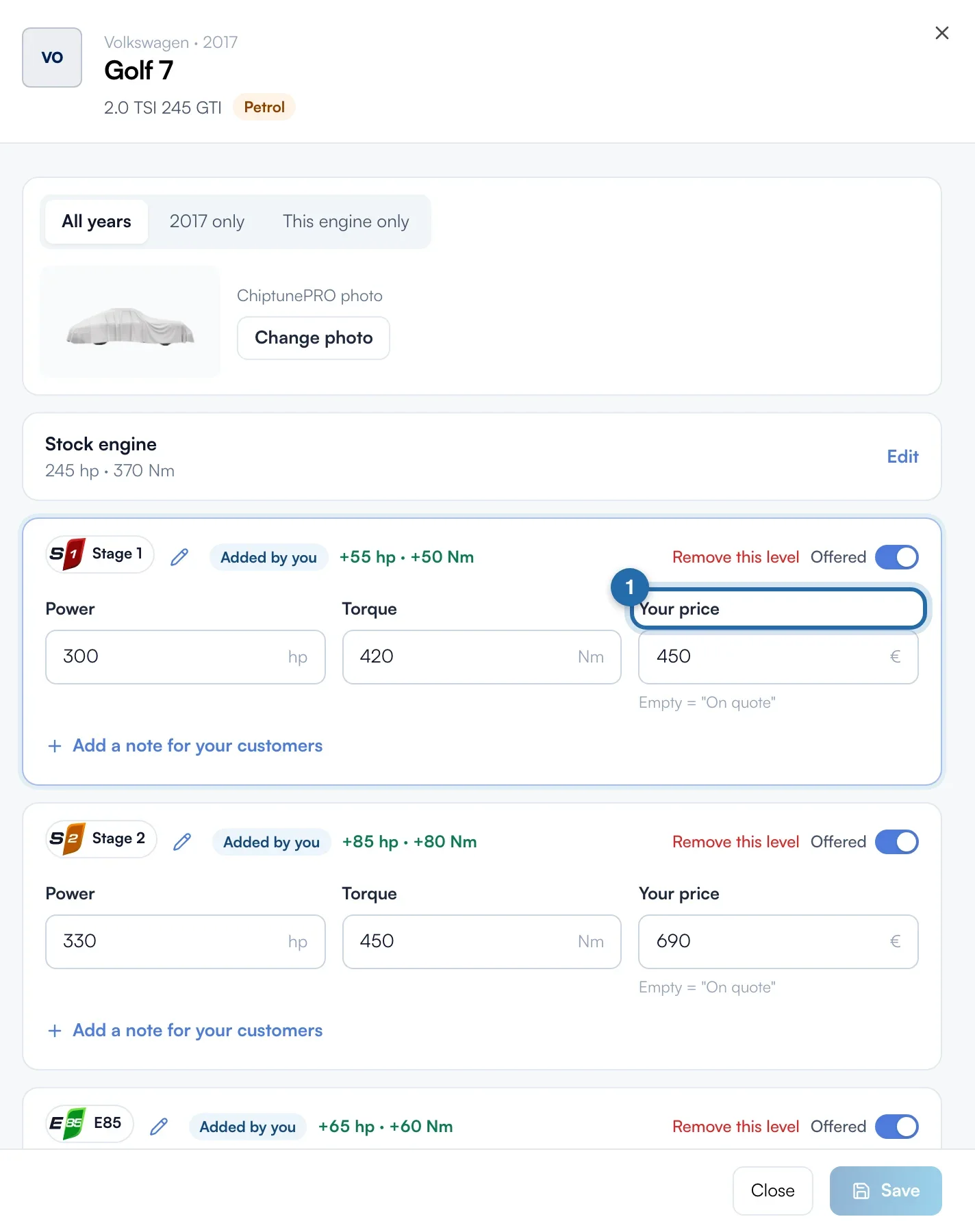
Click the engine row. A panel opens on the right with one block per level (Stage 1, Stage 2, E85…): power, torque and "Your price". The ChiptunePRO value stays shown under power and torque.
Enter your prices
Type a price in euros in "Your price" for each level. Left empty, the field shows "On quote", or "Starting price: €…" if you set starting prices with "Express setup". A price entered here only applies to this engine and overrides the starting price.
Offer or remove a level
The "Offered" switch removes the level from the simulator and ChiptuneMAP for this engine, straight away. The level stays greyed out, "Not offered", with its values. "Add a level", below the blocks, creates a missing level.
Save
Click "Save" at the bottom of the panel. The message "Level saved" confirms it. Your prices show on your website in about 1 minute.
What your customer sees
In the simulator on your website, the customer picks their vehicle and sees each level offered with your price, or "On quote" if there is none. A removed level does not appear.
If it doesn't work
- The simulator shows "On quote" although I set a price.
- Check that you clicked "Save", on the right engine. Wait about 1 minute, then reload your website.
- I want to go back to the original figures on a level.
- Click "Back to ChiptunePRO values" in the level block, then confirm. On a level you added, the link is called "Remove this level".
- I have hundreds of engines to set.
- Use "Edit several vehicles" at the top of the page, or starting prices with "Express setup".