
Simulators
Your pricing history and undo
Every change to a price, level, option or bundle is listed, and can be undone in one click.
Open the history
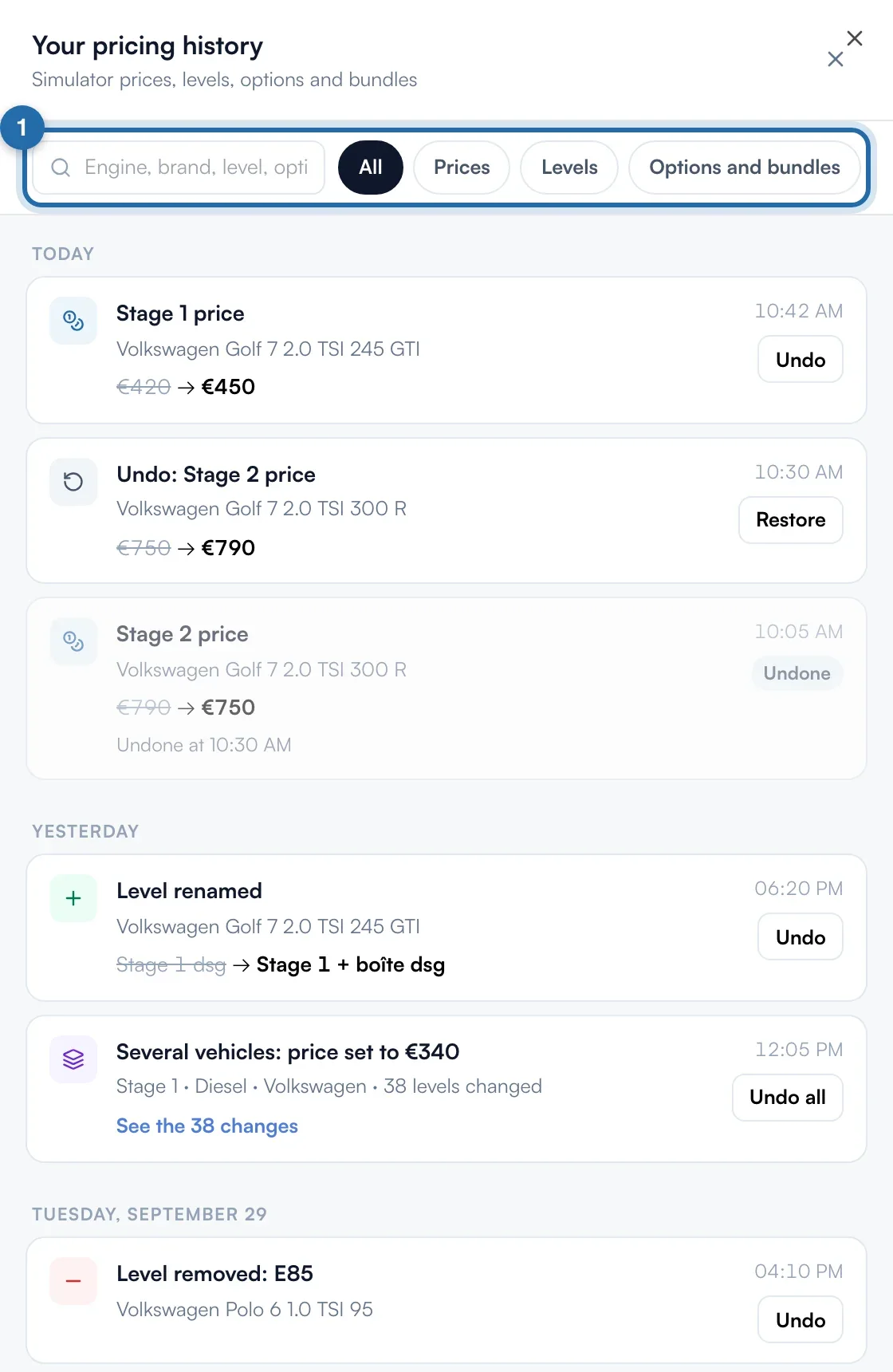
In "Power simulator", "Vehicles and prices" tab, click "History", to the right of the search bar. The "Your pricing history" panel opens on the right.

Find a change
Changes are grouped by day ("Today", "Yesterday", then the date), with the time. Each line shows the vehicle and the old value struck through, then the new one. Search for an engine, a make, a level or an option, or filter with "Prices", "Levels" or "Options and bundles".
Undo
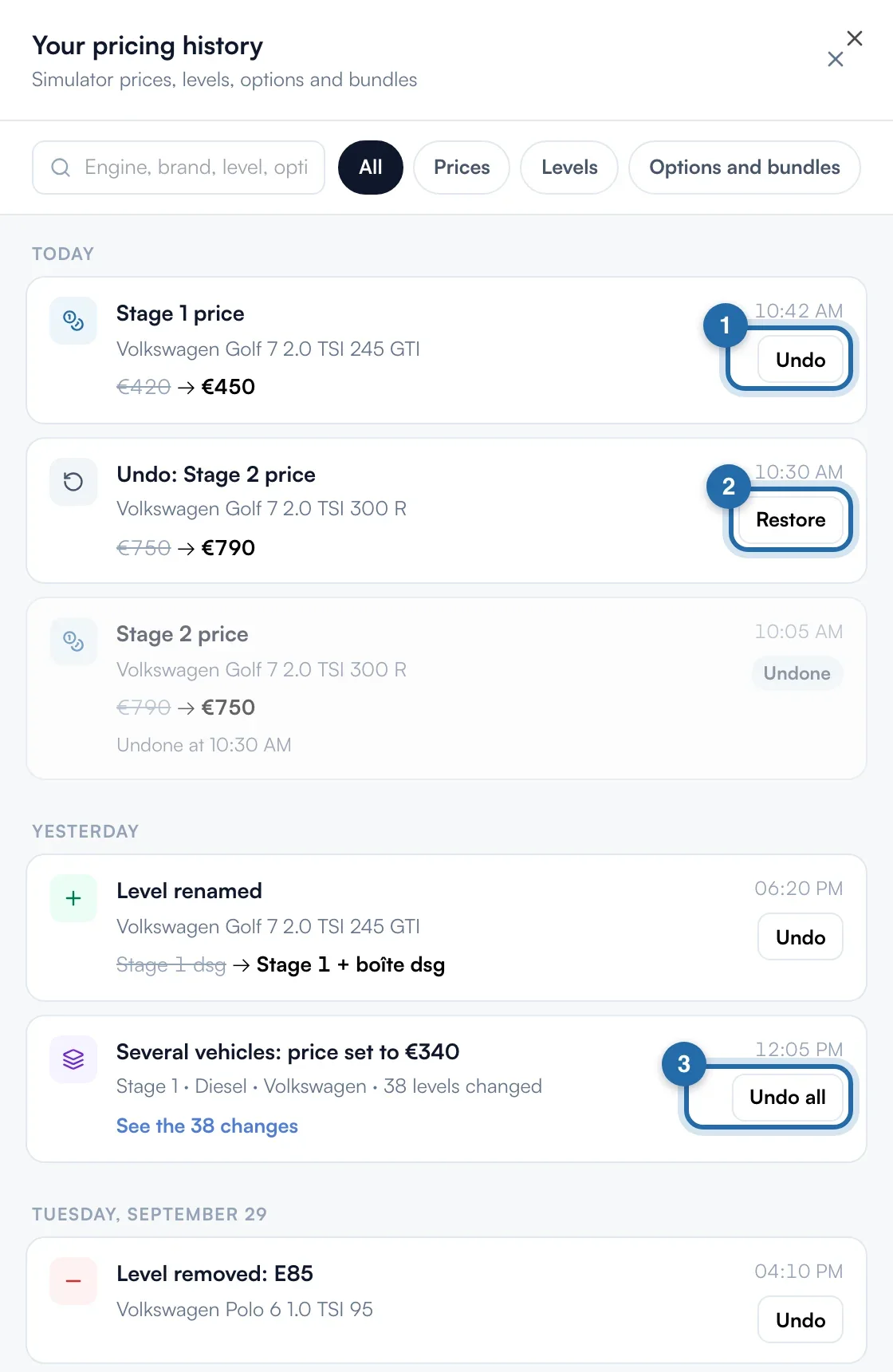
Click "Undo" (1) to put the old value back. An undo line "Undo: …" is added at the top with "Restore" (2), which brings the change back, and the original line gets the "Undone" badge. A change to several vehicles is undone in one go with "Undo all" (3); "See the … changes" gives the details.
If the value has changed again
When a value was edited after this change, the "These values changed since" window opens. "Keep" changes nothing. "Undo anyway" puts the earlier values back and replaces those edits.
Go further back
Click "See more" at the bottom of the list to load older changes. Changes are kept for 12 months.
What your customer sees
An undo applies to the simulator on your website like a normal edit: the customer sees the old price or the old level.
If it doesn't work
- Which changes are listed?
- Prices, power and torque, levels added, deleted, removed, offered again or renamed, return to ChiptunePRO values, edits to several vehicles, imported price grids, starting prices, options (including on one engine or in bulk) and bundles.
- A line says "by the Chiptune team".
- The Chiptune team made the setting for you. It is undone like the others.
- "The change could not be undone".
- Reopen the history and try again. If the message comes back, contact support.