
Simulators
Sell options (EGR OFF, AdBlue OFF...)
Add your options in the Options tab, with a price alone and a price with a remap, and an automatic discount if you want one.
Open the Options tab
In "Simulators", "Power simulator", click the "Options" tab. In "Your options", click a suggestion ("EGR OFF", "DPF OFF", "AdBlue OFF", "Lambda OFF", "Pops & Bangs"...) or "Other option" to create your own.
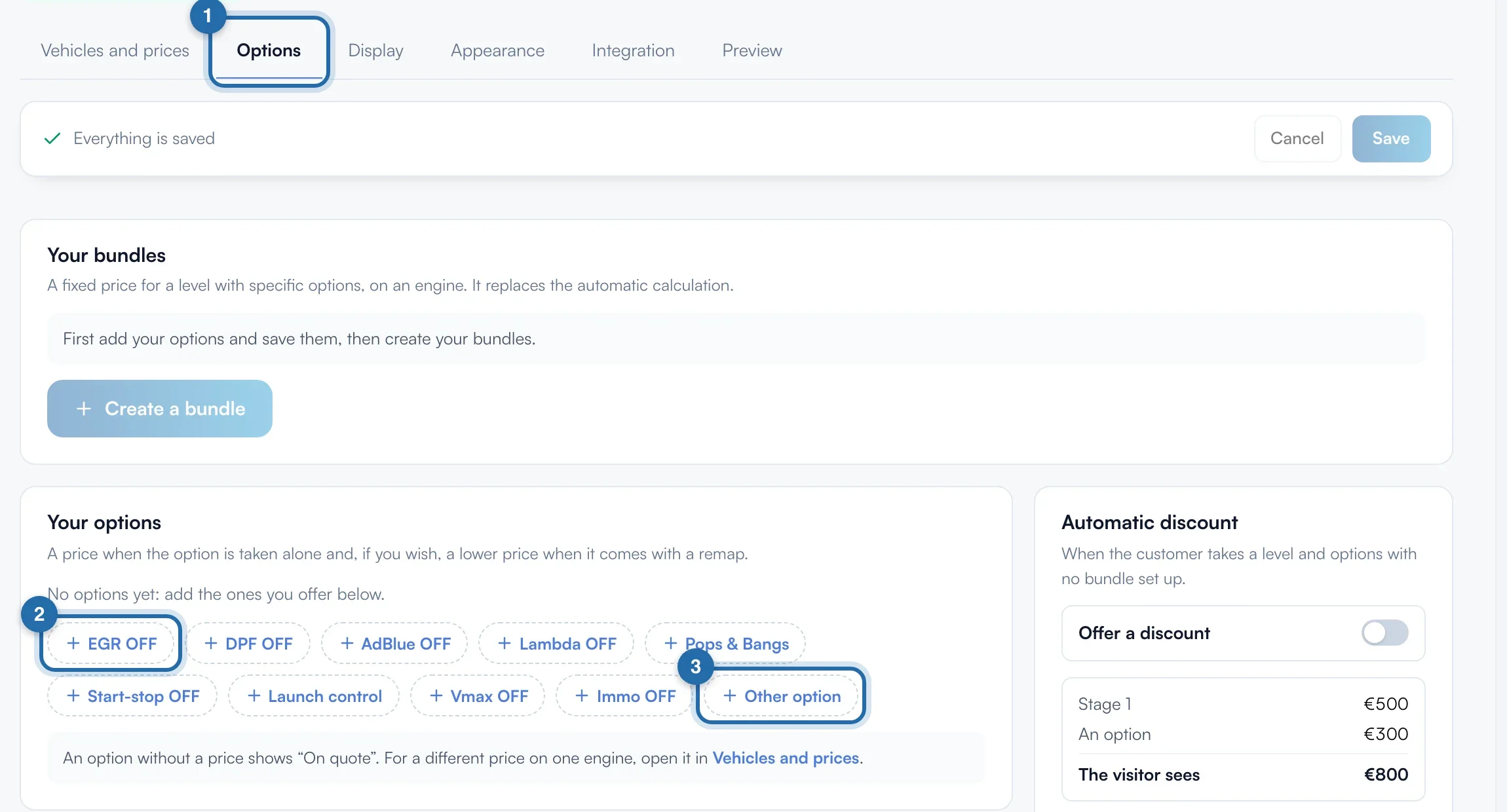
Set your two prices
Each option has an "Alone" price and a "With a remap" price. Empty in "Alone" = "On quote". Empty in "With a remap" = "Same price". The name (80 characters) and the detail shown to the visitor (160 characters) are edited in the row.
Choose the vehicles
Under the option, choose "All", "Diesel" or "Petrol". After a first save, "Choose engines" limits the option to a list of engines. For AdBlue OFF, a suggestion adds in one click the engines whose name indicates AdBlue (BlueHDi, EU6, EcoBlue...).
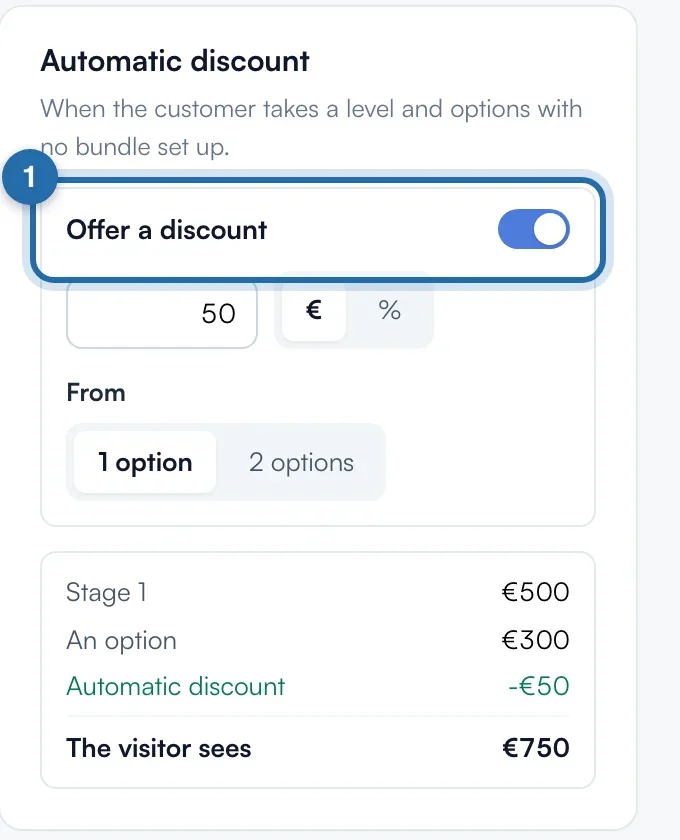
Set the automatic discount
In "Automatic discount", turn on "Offer a discount". Enter the amount (50 to start with) in "€" or "%" (100 at most), and "From" "1 option" or "2 options". The example shows what the visitor sees. The discount does not apply when a bundle exists.
Options without a remap
"Accept options without a remap", on by default, lets the customer request an option only, for example AdBlue OFF on a stock vehicle.
Save
The top bar shows "Unsaved changes". Click "Save". The message "Options saved" confirms it. "Cancel" goes back to the last saved version.

What your customer sees
In the simulator, the customer adds your options under "Options" and sees the "Estimated total" live, with the discount. Their request arrives with the details: level, options, discount and total.
If it doesn't work
- I want a different price on one engine.
- Open the engine in "Vehicles and prices", "Options on this engine" block. Empty field = usual price, the toggle removes the option from this engine.
- I want to remove an option on several models.
- "Edit several vehicles", "Options" tab: choose a make, tick the models and options, then "Remove" or "Offer".
- I want to stop an option without deleting it.
- Switch off the toggle on the left of the row, then "Save". The bin, on the right, deletes it.