
E85 ethanol simulator
Put the E85 simulator on my website
You copy a code in the "Integration" tab and paste it into a page of your website.
Before you start
- A Visibility or Pro subscription.
- Access to your website editor: WordPress, Wix or other.
Open the "Integration" tab
In the menu, click "Simulators", "E85 simulator", then the "Integration" tab.
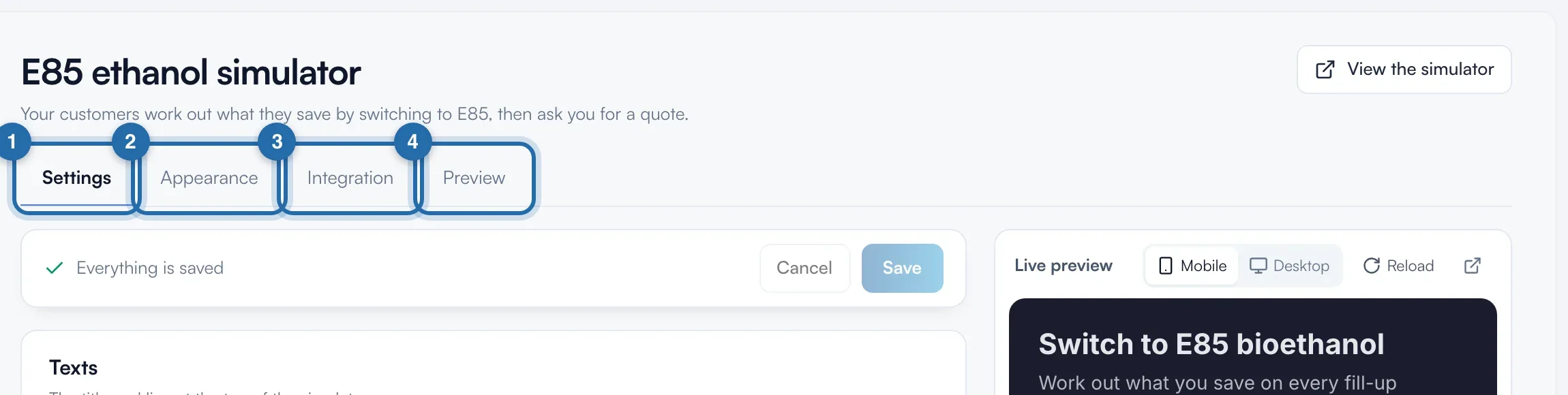
Choose your website's tool
Under "Your website is built with…", click "WordPress", "Wix" or "Other". The 3 illustrated steps and the code adapt. "I don't have a website" presents the website offer with the simulator already built in.
Copy the code
Click "Copy the code". The button shows "Copied, paste it on your website". The code is 650 px high, full width, and contains your account's language (for example lang=fr).
On Wix, copy the address
With "Wix", the button becomes "Copy the address". In the Wix editor: "Add", "Embed Code", "Embed a Site", paste the address, then stretch the frame to full width, about 650 px high.
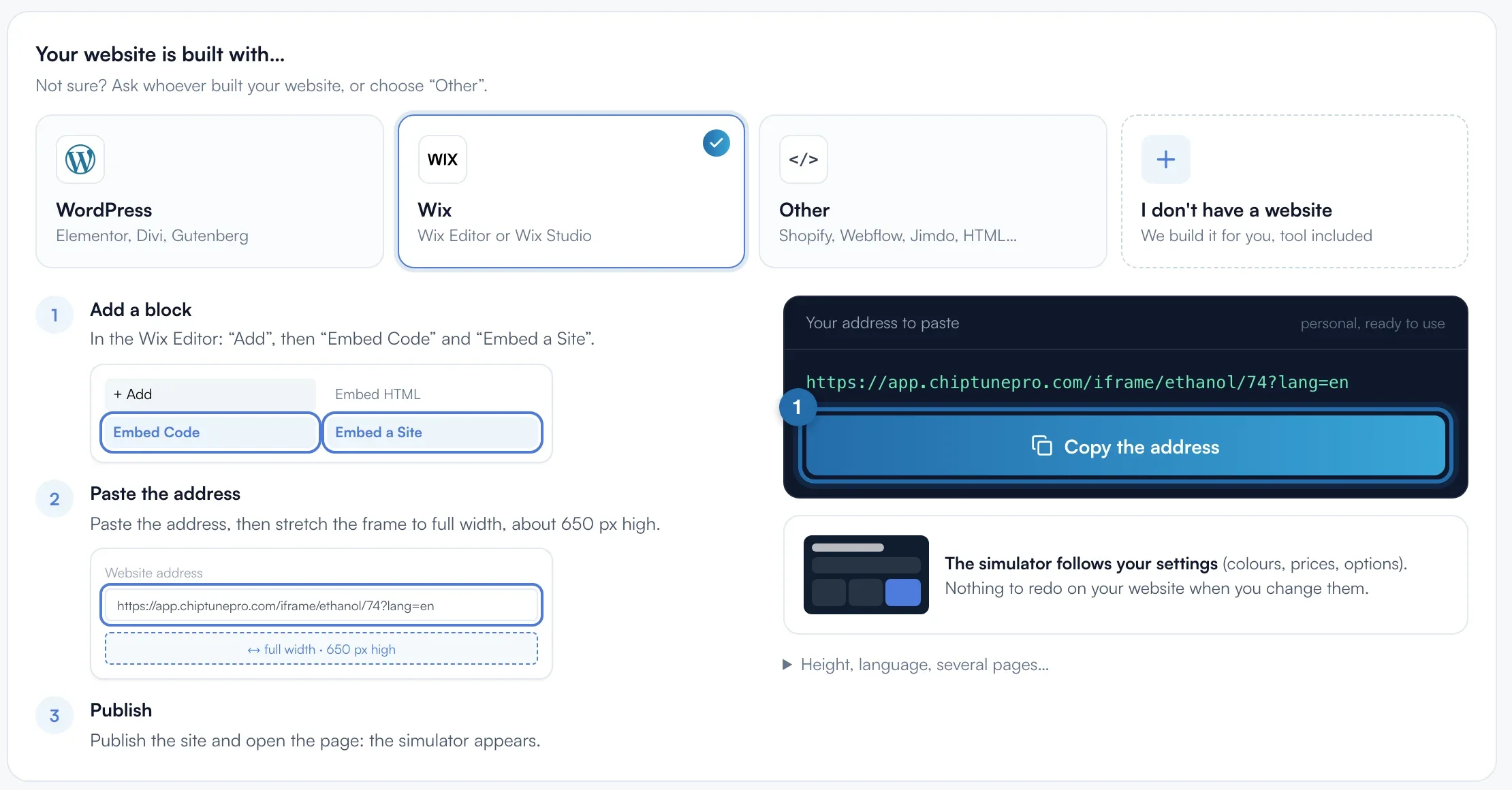
Paste it on your website
WordPress: add a "Custom HTML" block (Elementor: "HTML" widget), paste, then "Update". Other tool: "HTML", "Code" or "Embed" block. The same code works on every page.
Check
Open the published page: the simulator shows. Your prices, texts and colours then follow your settings, without pasting the code again.
What your customer sees
The visitor does their calculation on your page and sends you their quote request or books their conversion.
If it doesn't work
- Do I need to declare my website for the E85 simulator?
- No. Unlike the power simulator, the E85 simulator does not check the website showing it. So the tab has no "Your website" box.
- WordPress shows the code as text.
- The code is in a text block. Delete it and paste it in a "Custom HTML" block.
- A "ChiptunePRO E85 simulator" line shows under the simulator.
- It is in the code copied without a subscription. Once subscribed, copy the code again or delete the <p> line after the iframe.
- The simulator is in the wrong language.
- Replace lang=fr in the code's address with en, es or de.