
Putting the tools on my website
"Temporarily unavailable" on my website
The power simulator shows this message when your website is not declared or when the free discovery is over.
Read the small line below the message
Website not declared: the visitor reads "Simulator temporarily unavailable" and "Please contact the garage directly to find out the gains possible on your vehicle.". A grey line says "Are you the garage? Add" followed by the exact address of the website showing the simulator. That is the address to declare.
Declare your website
Click "Settings", then "My websites". Type the address in "Website address" and click "Save". The www is ignored and subdomains are accepted: garage-dupont.fr also covers shop.garage-dupont.fr.
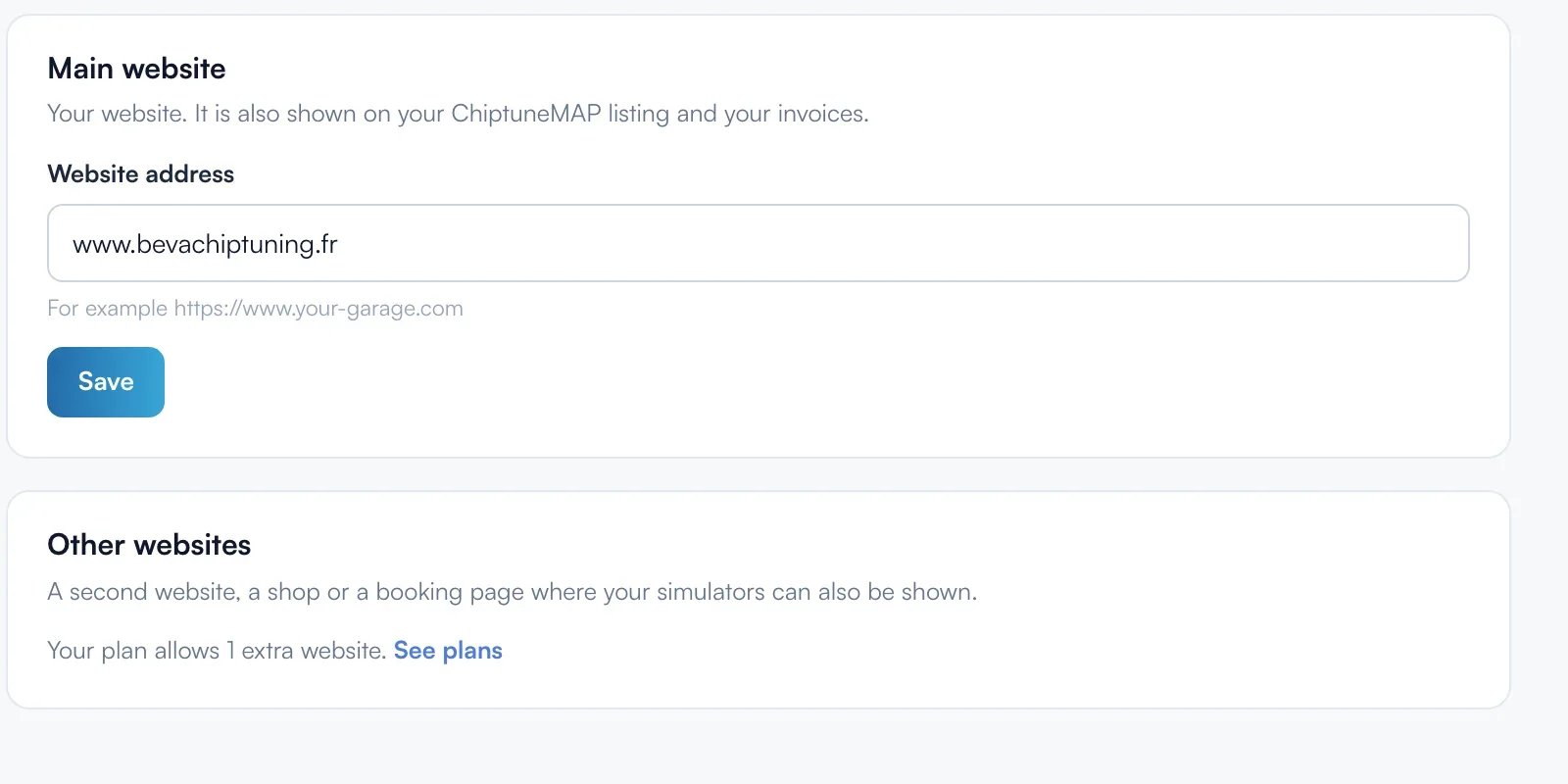
Add another domain
A shop or a booking page on another domain goes in "Other websites". Without a subscription and with the Visibility plan, you have 1 website only. With the Pro plan, 1 website on top of the main one. The "Your plan allows" line shows your limit.
Check in the "Integration" tab
In "Simulators", "Power simulator", "Integration" tab, the "Your website" step shows declared websites in green. "Edit my main website" and "Add another website" open "My websites". Then reload your website's page.
Discovery over
Without a subscription, the simulator runs in discovery mode: 5 requests or 30 days. After that it pauses and the visitor reads "The [your garage] simulator is not available right now. Please come back a little later.". With the Visibility plan, it comes back straight away and your requests are unlocked.
What your customer sees
The visitor sees the title "Simulator temporarily unavailable", with no simulation and no form. They see no technical detail apart from the small line meant for the garage.
If it doesn't work
- The simulator works in ChiptunePRO but not on my website.
- In the preview and the dashboard, it always shows: the website check only happens on other websites. Declare the address given by the small grey line.
- My Wix website shows the message.
- On Wix, the simulator is loaded from a Wix domain. Use "Embed a Site" with the copied address ("Copy the address" button), and declare the address given by the grey line.
- Does the E85 simulator have the same problem?
- No, the E85 simulator does not check the website showing it.