
General
ChipLink: visit and click statistics
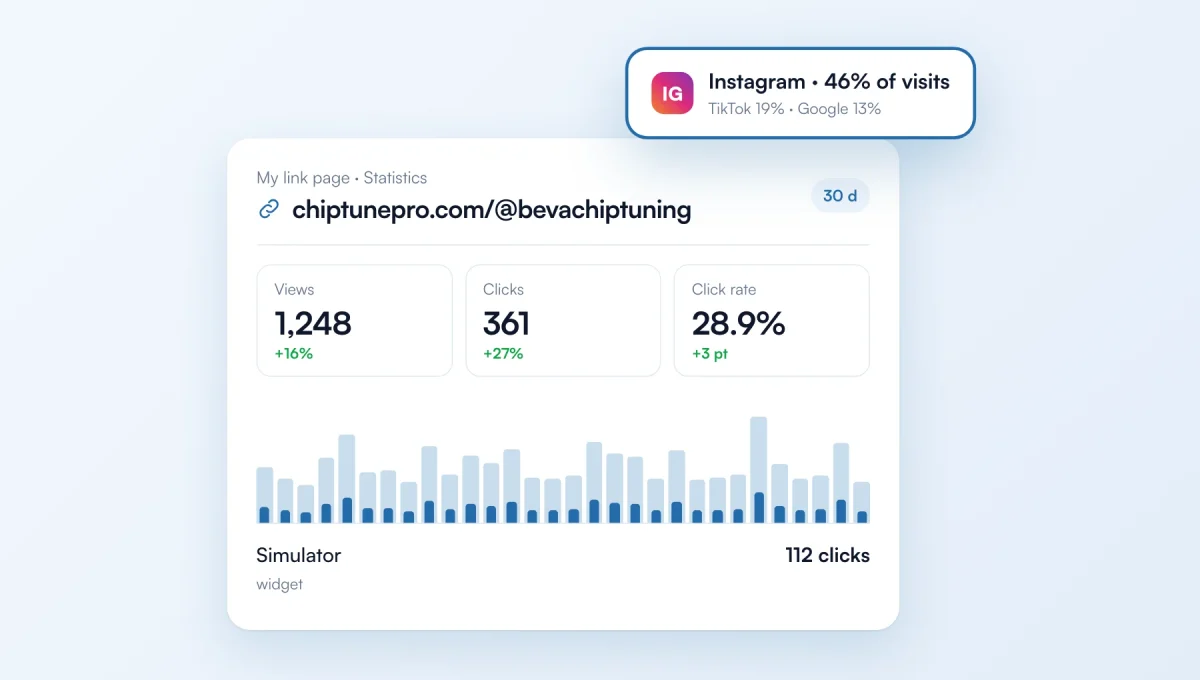
A new tab in My link page shows how many people open your ChipLink, which links they click and where they come from. It is free for all garages. Figures are shown over 7 d, 30 d or 90 d.
How it works
Where: My link page, “Statistics” tab.
At the top: page views, clicks and click rate, with the change from the previous period, then a day-by-day chart.
Clicks per link: every link, widget (quote, simulator, booking), carousel card and social network has its click count.
Sources, countries and devices: Instagram, TikTok, Facebook, Google, WhatsApp or direct, so you can see whether your Instagram or TikTok posts bring visitors. The country comes from the phone's time zone. Devices are mobile, computer or tablet.
Counting uses no cookies and no personal data. Bots are excluded, and the garage's own visits while signed in to ChiptunePRO are not counted.
Step-by-step guide
Every step with the app screen, in the help center.
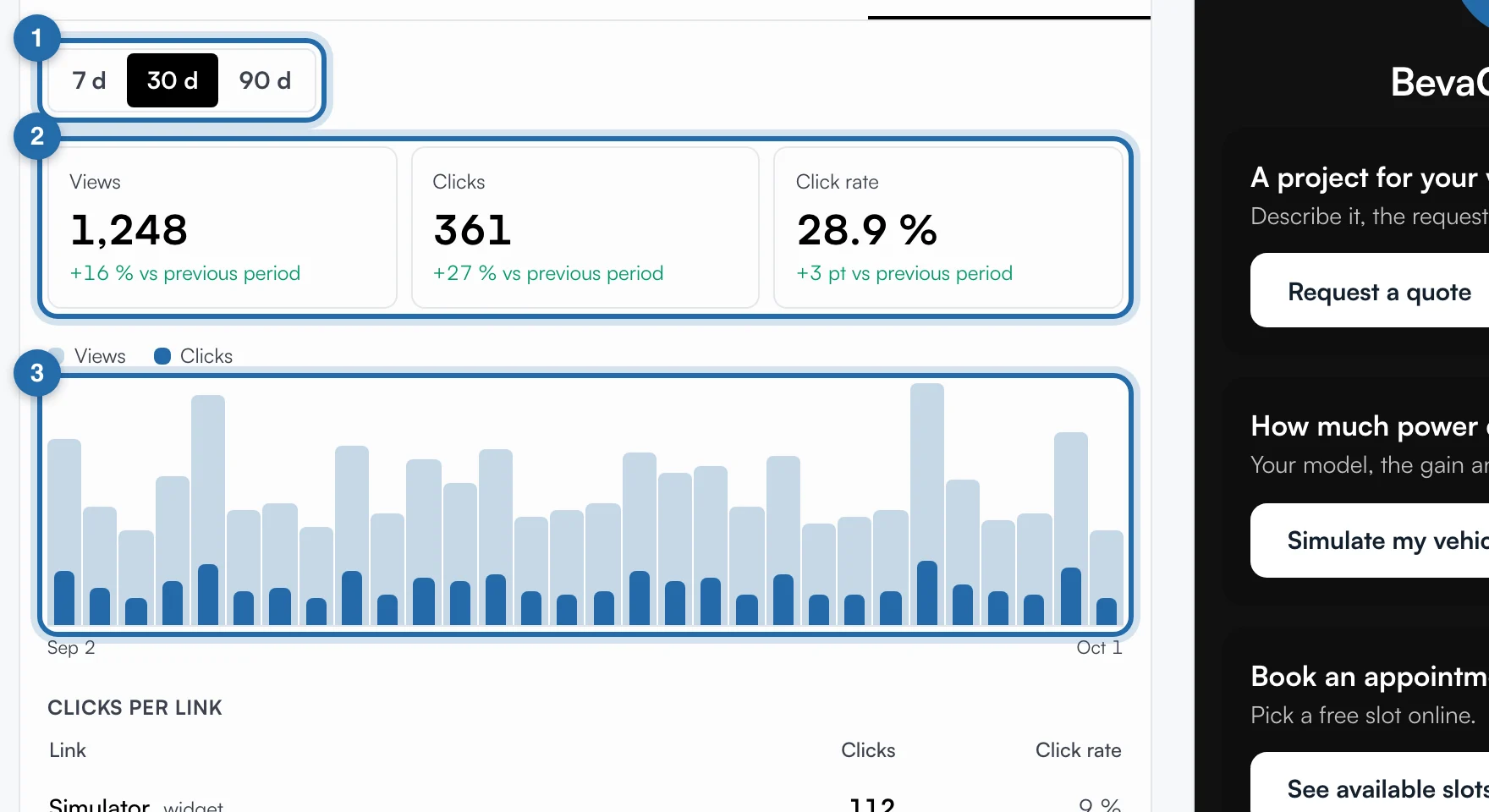 Your ChipLink statisticsThe statistics in My link page show how many people open the page, which links they click and where they come from, over 7, 30 or 90 days. They are free for all accounts.Step-by-step guide
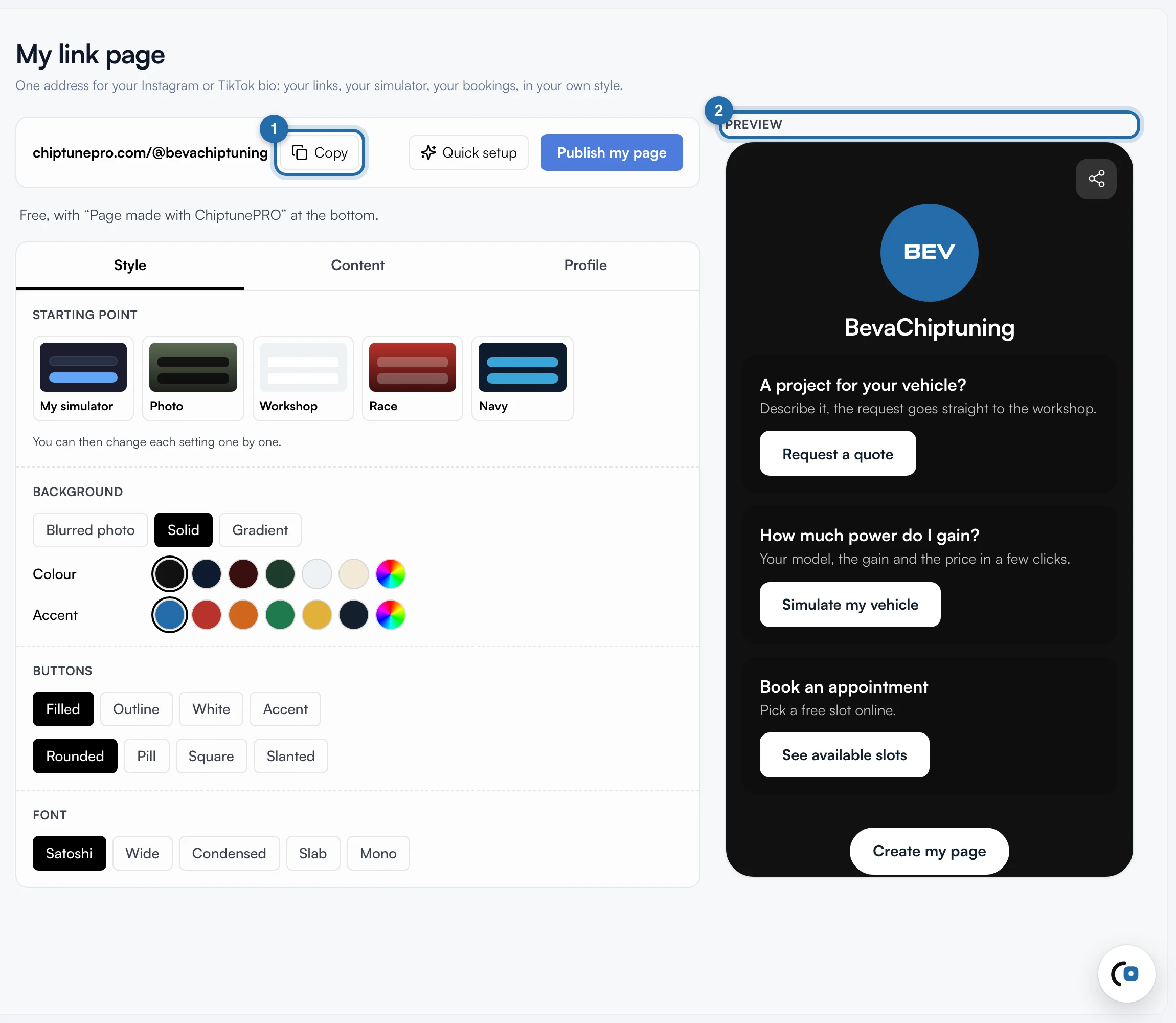 My link page: the link in bio chiptunepro.com/@your-garageA page for your Instagram or TikTok bio, with your links, your social accounts and the garage widgets: quote request, simulator, bookings, reviews, builds. It is free for every account, with “Page made with ChiptunePRO” at the bottom.Step-by-step guide