
Putting the tools on my website
For my developer: the API and the licence key
Your developer reads your vehicles, prices and Google reviews with the ChiptunePRO API and your licence key.
Before you start
- A subscription for the licence key.
- The Pro plan for the vehicles and prices API (otherwise the developer section presents the plan).
Open the developer section
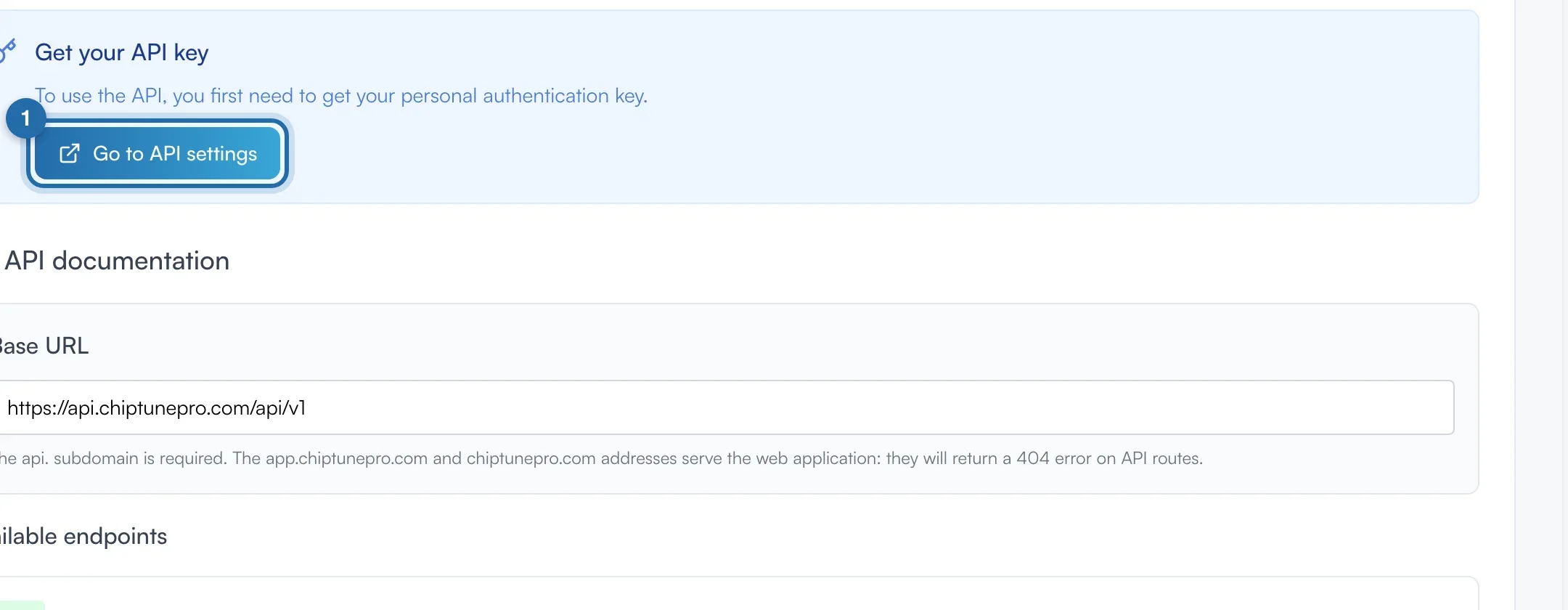
In "Simulators", "Power simulator", "Integration" tab, click at the very bottom on "Working with a developer? API, access key and code samples". The documentation opens: base URL https://api.chiptunepro.com/api/v1, endpoints, authentication and JavaScript and PHP examples.
Get the key
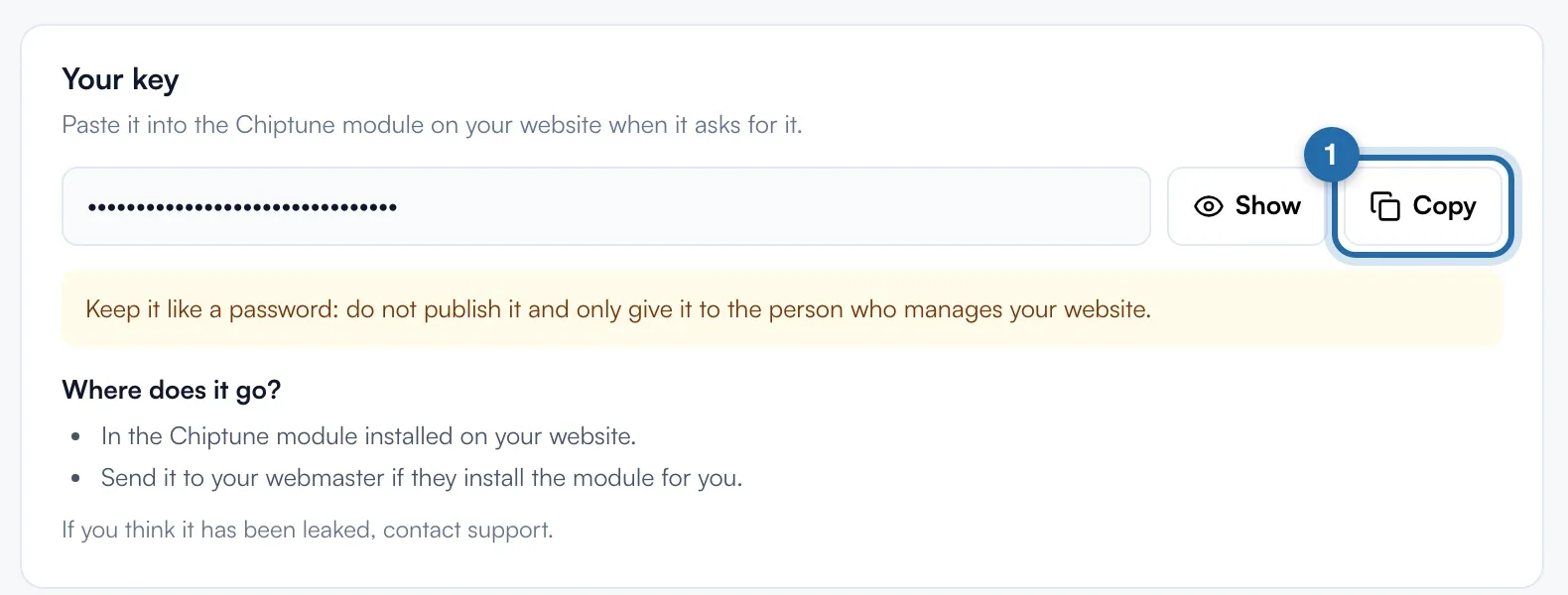
Click "Go to API settings", or "Settings", then "Licence key". The key is hidden: "Show" displays it, "Copy" copies it. Treat it like a password and only give it to the person who manages your website.
Authenticate calls
Each call sends the Authorization: Bearer header followed by the key. From a server, do not send an Origin header. From a browser, the website must be in "My websites", otherwise the response is 403.
Browse the database
Data is read in the order /categories, /brands, /models, /years, /engines, then /powers for power figures and your prices. No endpoint returns the whole database at once. /theme gives your colours, /ethanol-simulator/config your E85 simulator.
Show your Google reviews
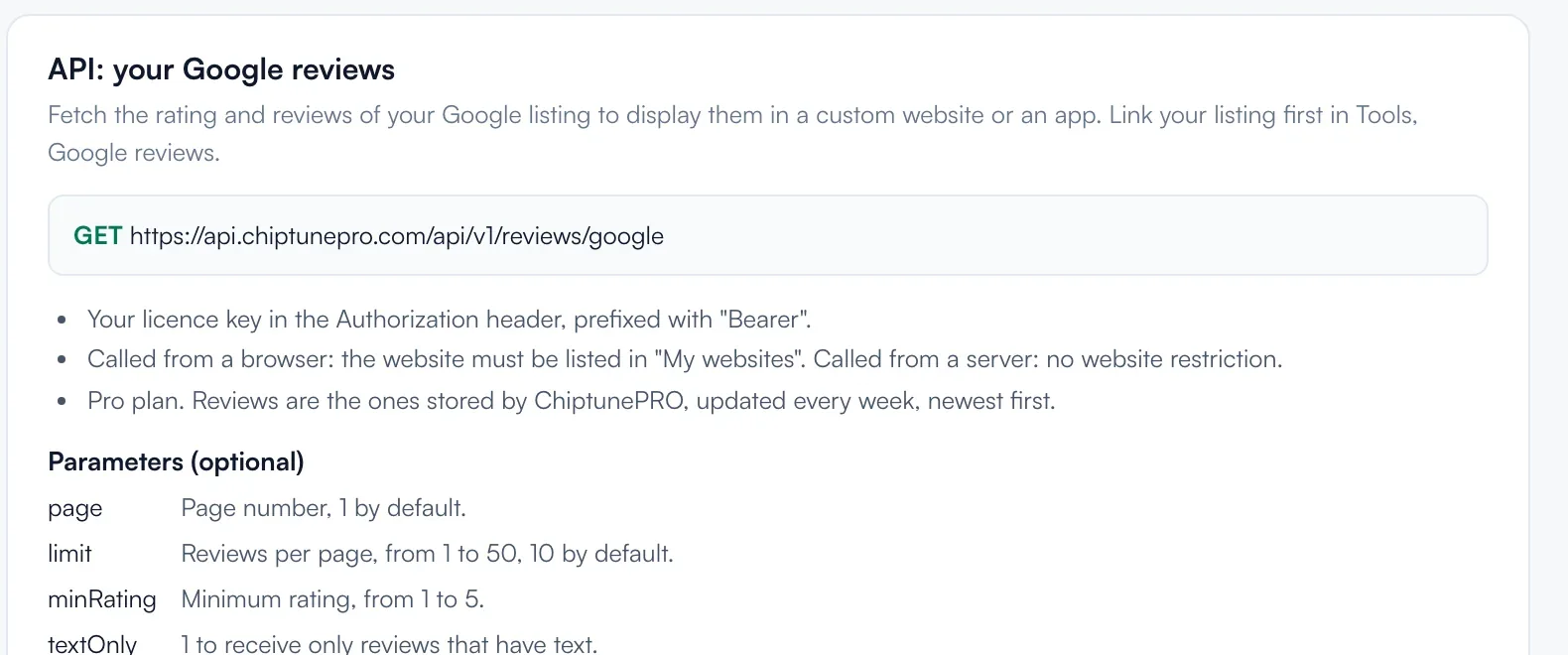
On the "Licence key" page, the "API: your Google reviews" block describes GET https://api.chiptunepro.com/api/v1/reviews/google, with page, limit (1 to 50, 10 by default), minRating and textOnly. Your Google profile must be linked in "Google reviews".
What your customer sees
Your visitors see ChiptunePRO data on the website your developer built, with your prices up to date.
If it doesn't work
- 401 response.
- Invalid key. Copy it again from "Licence key".
- 403 response.
- Domain not declared or subscription required. From a server, remove the Origin header. From a browser, add the website in "My websites".
- 404 response on every route.
- The api. subdomain is required: app.chiptunepro.com and chiptunepro.com serve the application, not the API.
- My key has leaked.
- Contact support.