
Referral
Referral: your link, the image to share, your earnings
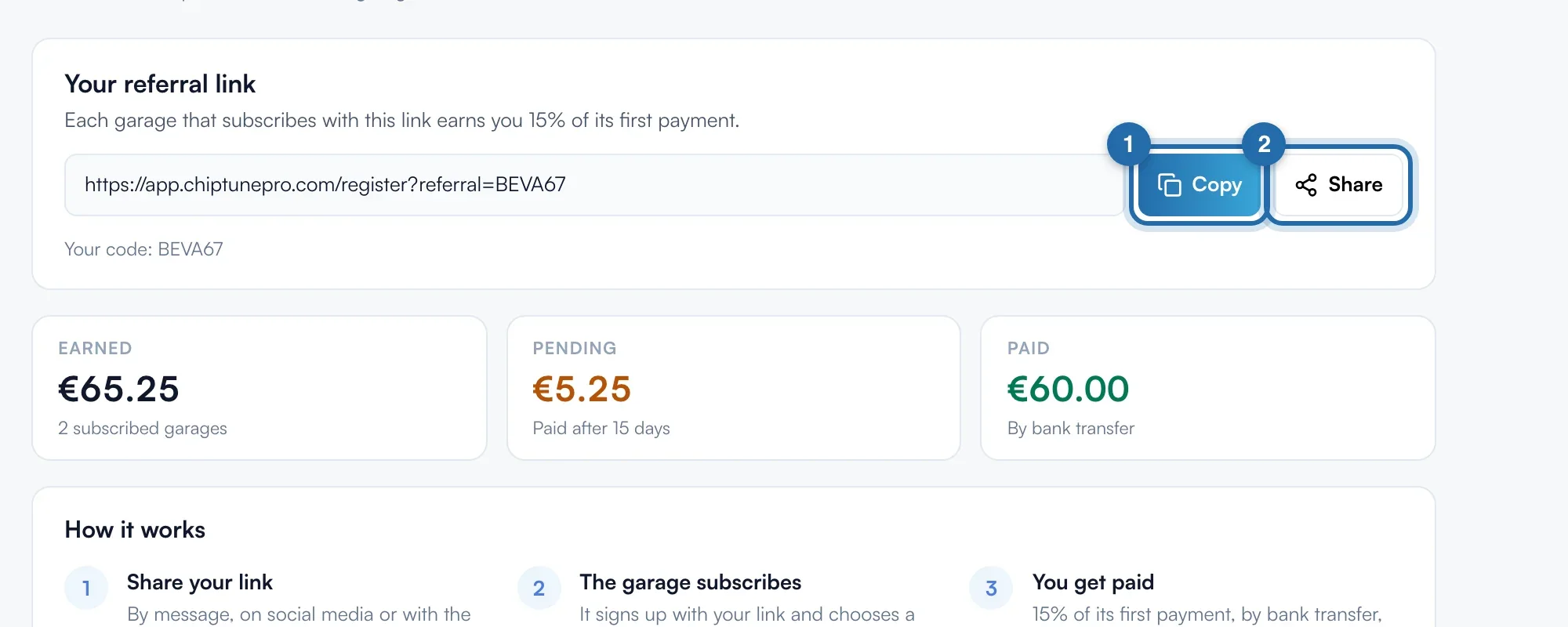
Each garage that subscribes with your link earns you 15% of its first payment, paid by bank transfer after 15 days.
Before you start
- Open "Referral", at the bottom of the left menu ("Earn 15%" badge).
Copy or share your link
Under "Your referral link", click "Copy". "Share" opens the phone's share sheet with a message already written; on a computer, it copies the link. Your code is written below, after "Your code:". The three boxes show "Earned", "Pending" (paid after 15 days) and "Paid".
Add your IBAN
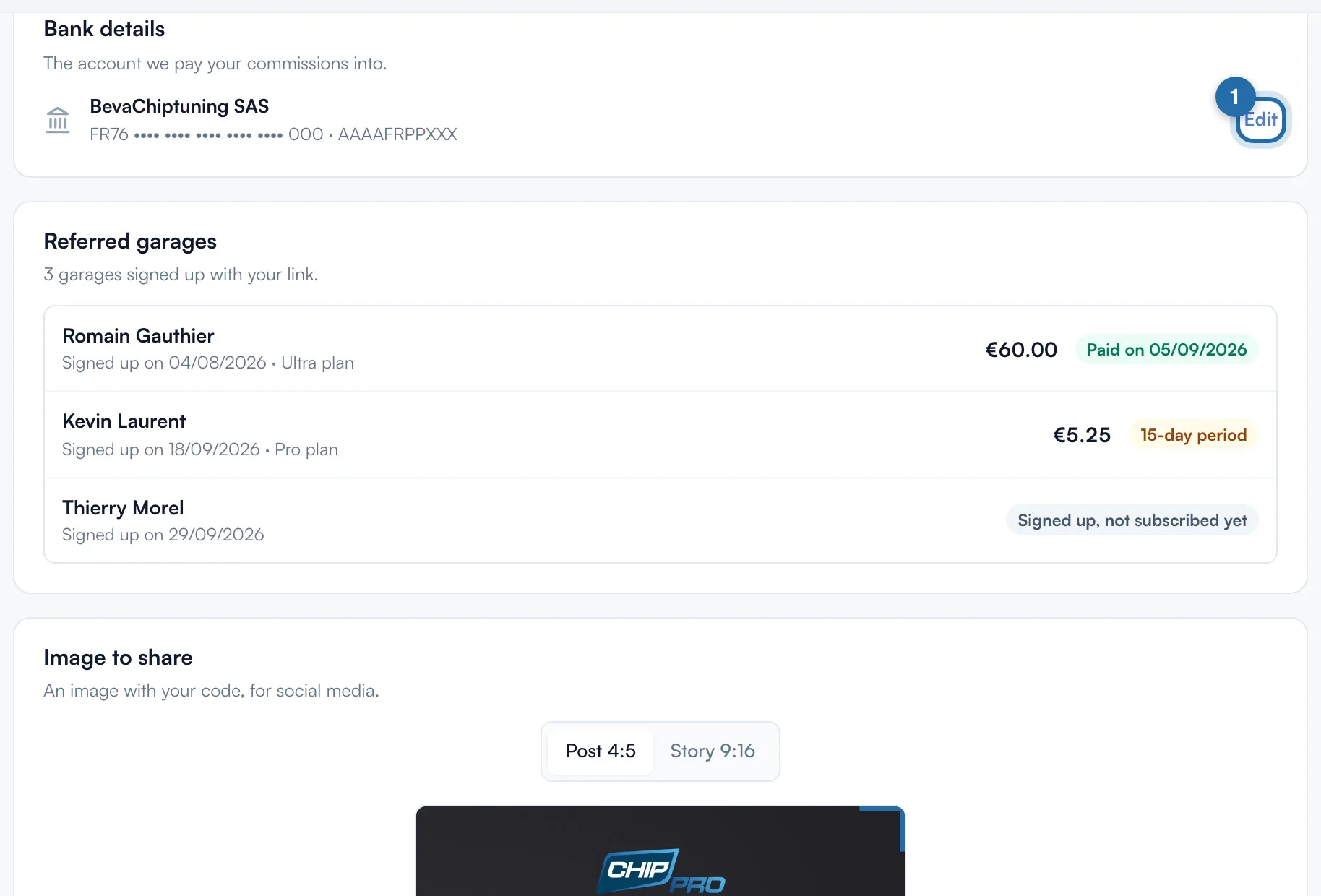
Under "Bank details", click "Add my IBAN", fill in "Account holder", the IBAN and the BIC (8 or 11 characters), then "Save". Without an IBAN, your commissions stay pending. To change it, click "Edit" and enter the full IBAN again.
Share the image
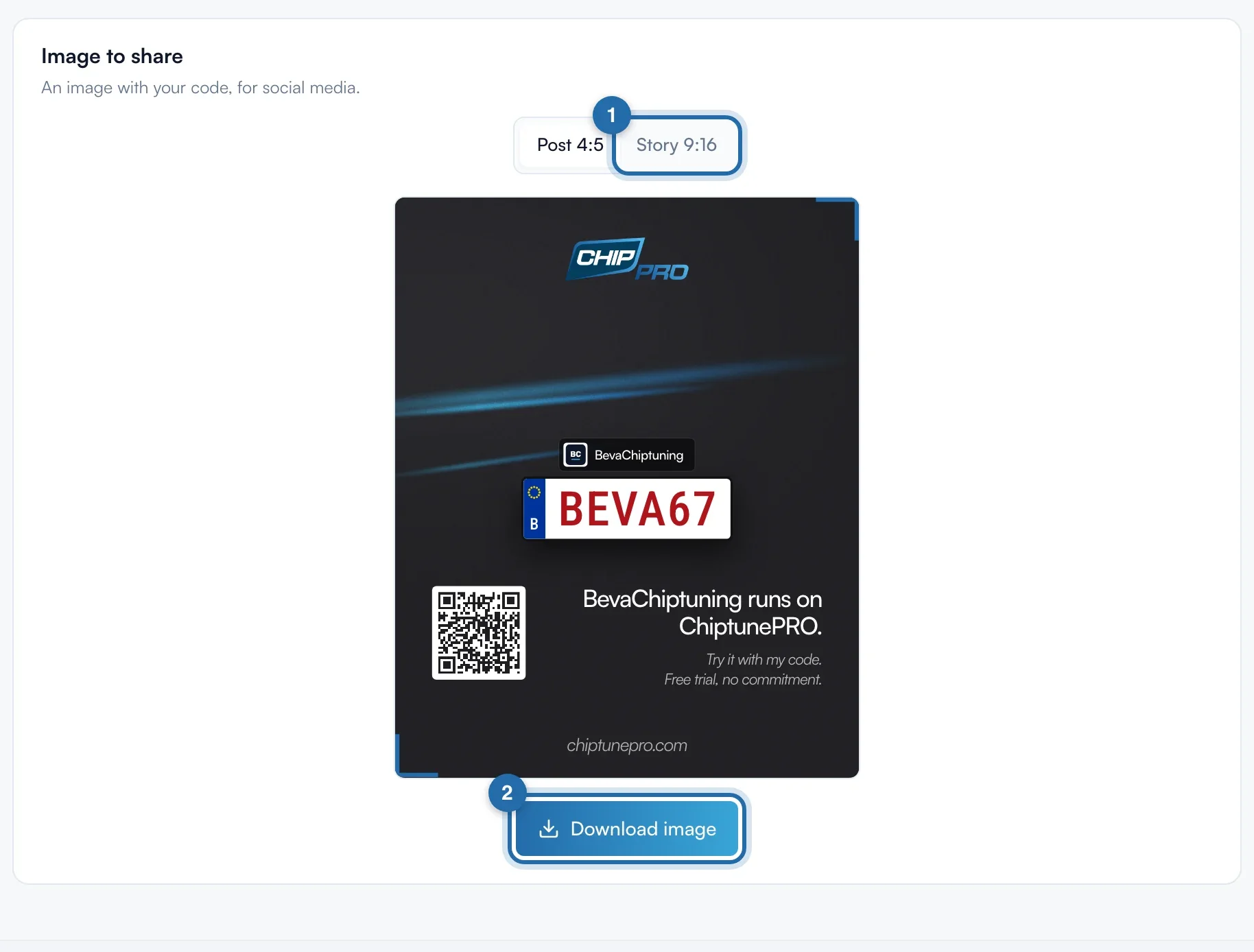
Under "Image to share", choose "Post 4:5" or "Story 9:16", then click "Download image". The image shows your name, your logo, your code on a number plate and a QR code that opens sign-up with your code. The photo comes from your latest ChiptuneMAP work if you have one. On a phone, "Share" sends it to Instagram, WhatsApp or your photos.
Track your referrals
Under "Referred garages", each garage that signed up with your link has its row: "Signed up, not subscribed yet", then the amount with "15-day period", "Payment being prepared" and finally "Paid on" with the date.
What your customer sees
The referred garage lands on the sign-up page with your code already filled in. Your commission counts when it chooses a paid plan.
If it doesn't work
- How much do I earn?
- 15% of the referred garage's first payment, once per garage.
- My commission stays "Pending".
- It is paid after a 15-day safety period, and only if your IBAN is saved.
- "This IBAN is not valid."
- Enter the full IBAN, country code included (FR76…), with no wrong digit.