
Account and subscription
Deleting my account
Deletion is scheduled 30 days later and can be cancelled until then.
Before you start
- No paid subscription running: cancel it first.
- Your invoices downloaded: you must keep them for 10 years.
Start the deletion
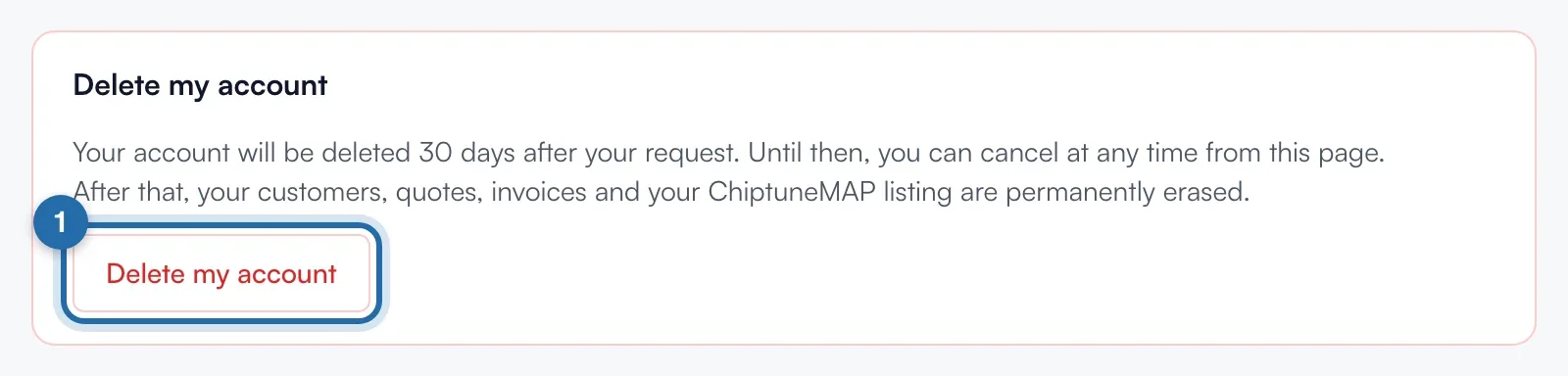
In "Settings" > "My account", at the very bottom, "Delete my account" card, click "Delete my account". With an active subscription, the "Cancel your subscription first" window opens: "Manage my subscription" takes you back to the "Subscription" card.
What you lose
Step 1 counts your customers, vehicles, quotes, invoices, appointments and requests, and the state of your ChiptuneMAP listing. "See my invoices" lets you download them first. Click "Continue".
Say why
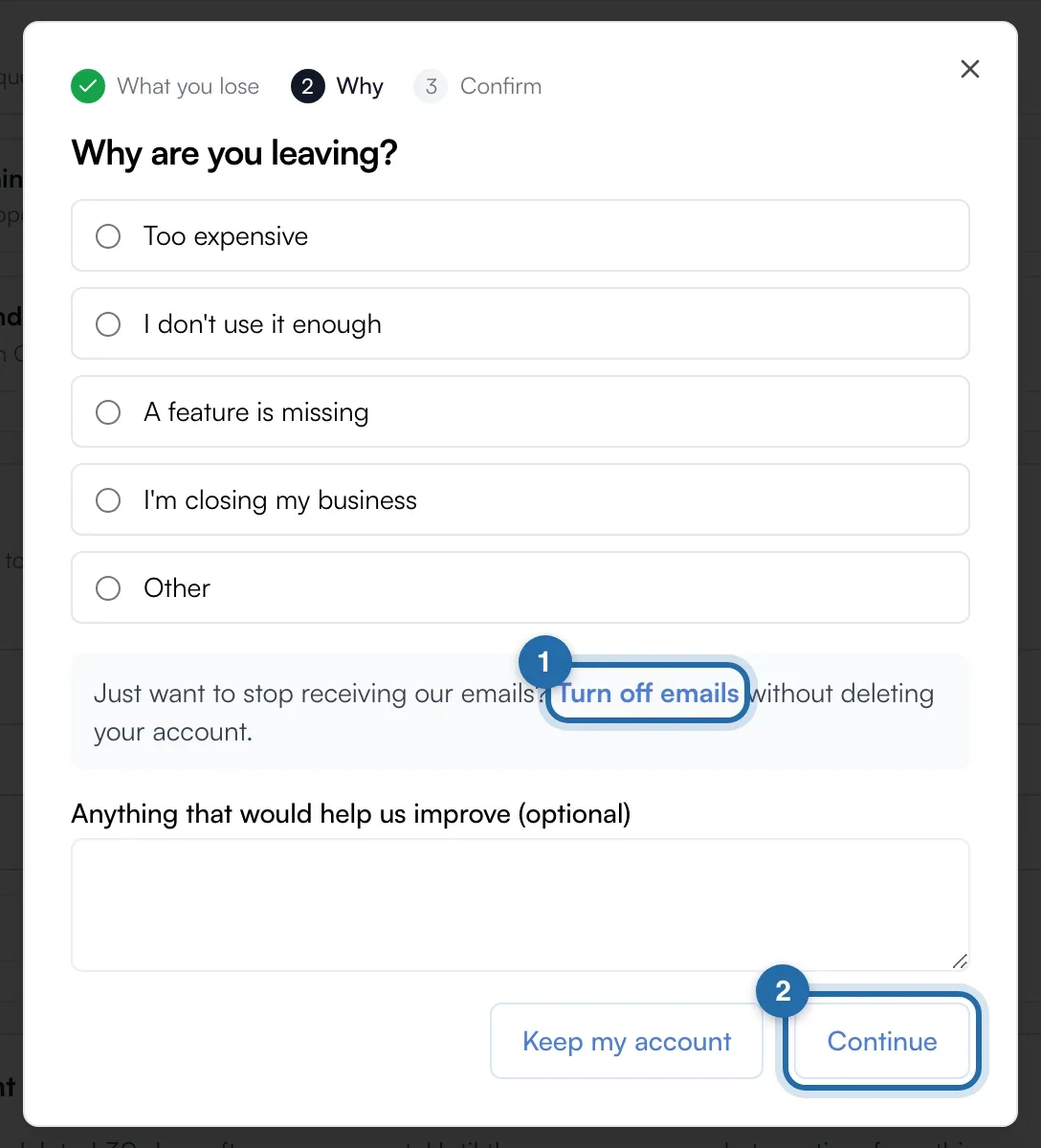
Step 2 offers 5 reasons and a comment, all optional. If you only want to stop getting our emails, click "Turn off emails": the account stays. Otherwise, click "Continue".
Confirm
Type the account's email address and your password, then click "Delete my account". The button stays greyed out until the email matches.
Cancel if you change your mind
A banner reads "Your account will be deleted on" followed by the date, and your ChiptuneMAP listing is hidden straight away. Until that date, click "Cancel the deletion" in "My account": everything is kept.
What your customer sees
As soon as you ask, your listing disappears from ChiptuneMAP. After 30 days, customers, quotes, invoices and listing are erased for good.
If it doesn't work
- "Wrong password." or "Too many attempts"
- After several errors, wait 15 minutes. "Forgot your password?" under the field lets you reset it.
- "Administrator account"
- An administrator account cannot be deleted from this page.
- "This email address does not match your account."
- Type exactly the login email, the one shown in the "Identity" card.