
Customers, vehicles and files
ECU lookup
Find the engine ECU of a vehicle in the database without creating a customer or a quote.
Before you start
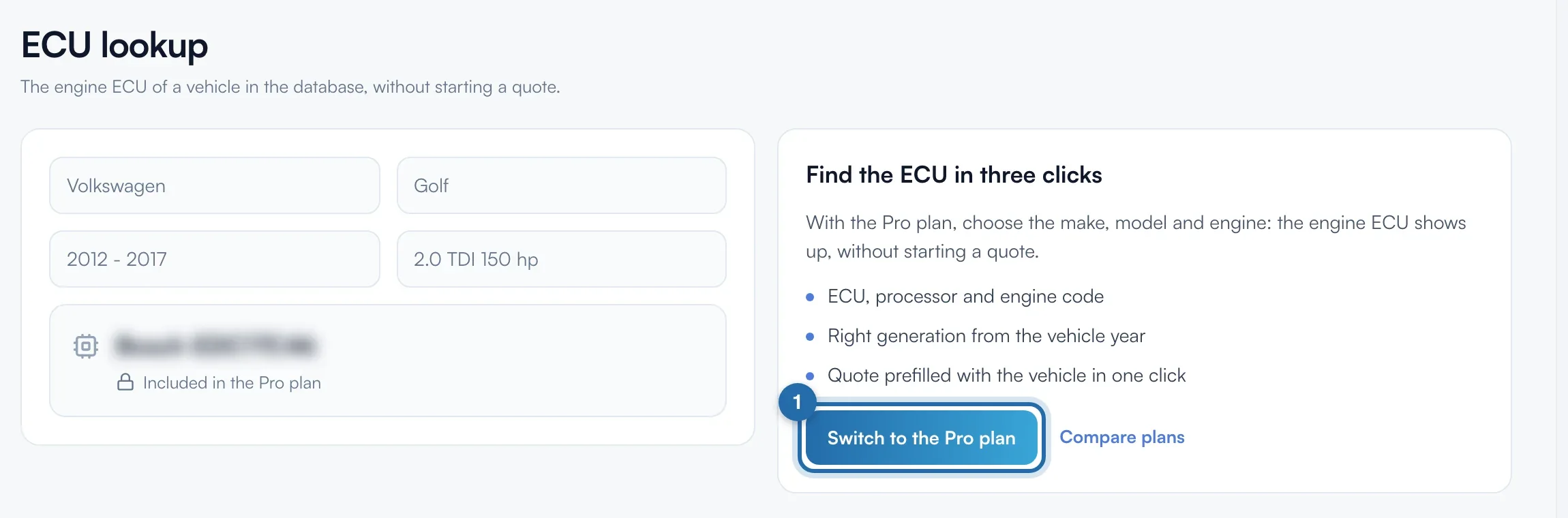
- Pro plan. Without it, the page shows a blurred example and the "Switch to the Pro plan" button.
- Open "ECU lookup" in the left menu, under "My activity".
Open the tool
With the Pro plan, the page shows four lists. Without it, the "Find the ECU in three clicks" box offers "Switch to the Pro plan" and "Compare plans".
Choose the vehicle
Choose "Make", "Model", "Years" and "Engine", in that order. Each list opens once the previous one is filled in. If there is only one generation, "Years" fills in by itself. There is no search by plate.
Set the year
In "Vehicle year (optional)", type the exact year, for example 2016, then Enter. The result then gives the ECU of the right generation when it changed during production.
Read the result
The "Vehicle" block recalls the model, years and fuel. Below: the ECU or ECUs with their processor, the "Engine code" and the source, for example "Supported by KESS3". "To check" flags an approximate match. Several ECUs: check on the vehicle.
Make the quote or copy
"Create a quote for this vehicle" opens a quote already filled in with this vehicle and your prices for this engine. "Copy the reference" copies the first ECU.
Track your quota
Under the result, a line shows your lookups for the day and the month. Limit: 30 different engines per day and 300 per month. Viewing an engine you already looked up does not count.
What your customer sees
The customer sees nothing of this tool.
If it doesn't work
- "ECU not known yet for this engine".
- Click "Kess" or "Flex": the vehicle is copied and the manufacturer's list opens. Paste it in their search.
- "Daily lookup limit reached".
- Engines you already looked up are still available. For more lookups, write to the team from the help page.