
Account and subscription
"No-commission deposit" option
Remove the 2% commission on your booking deposits for €15/month or €150/year.
Before you start
- A monthly or yearly Visibility or Pro subscription, paid by card.
- Booking deposits set up (see "Ask for a deposit on booking").
Find the option
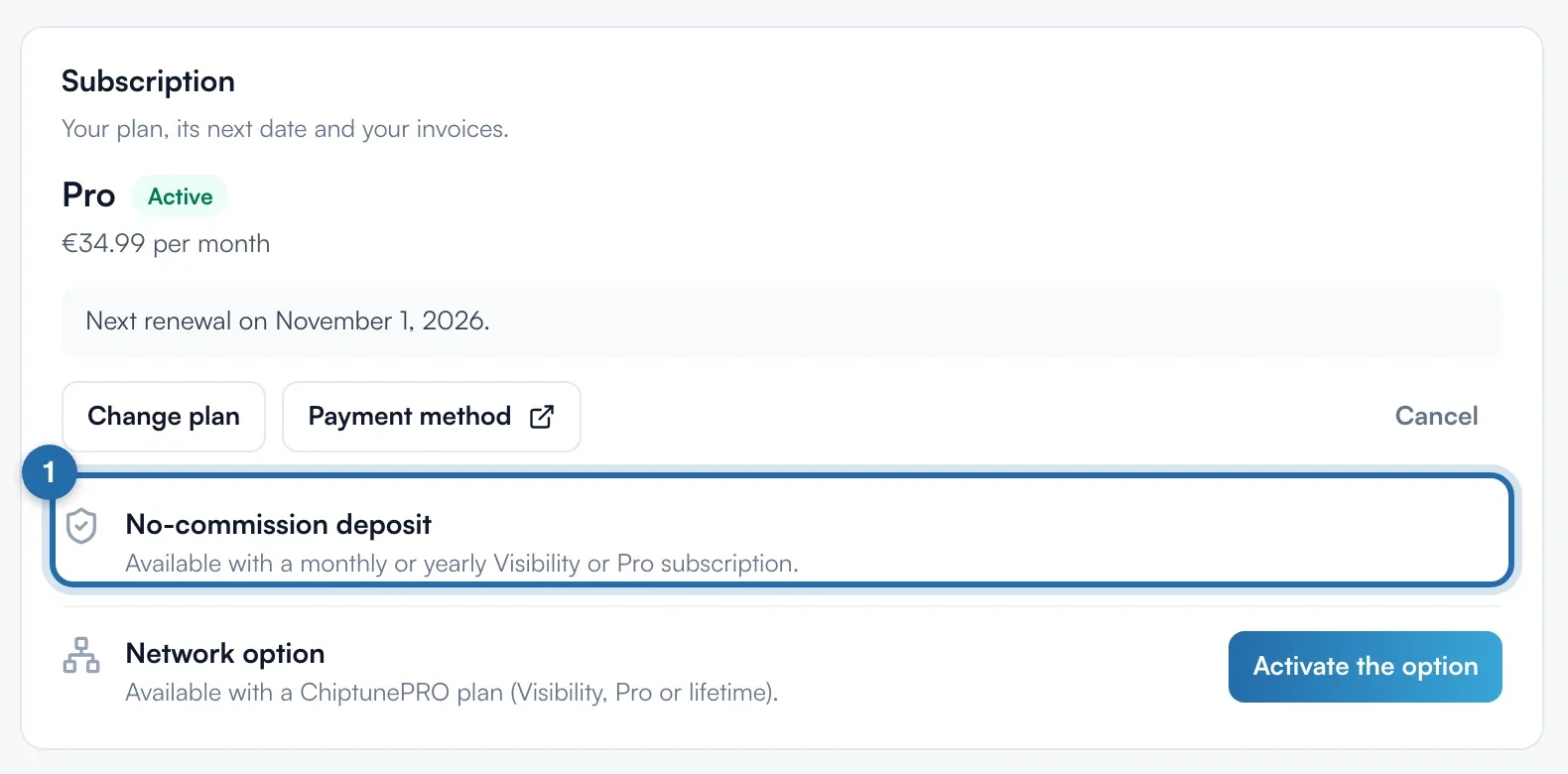
Go to "Settings" > "My account". In the "Subscription" card, the "No-commission deposit" line shows its status and has the button to add it.
Or start from the plans page
On the plans page, the "Your subscription" card lists "Deposit without commission" with "Not active". Click "Add": you land on the option's line in "My account".

Add the option
Click "Add (€15.00/month)", or "Add (€150.00/year)" with a yearly subscription. The "Add the no-commission deposit" window shows the "Charged today" amount: the pro rata up to your next billing date.
Confirm and pay
Click "Confirm and pay". The amount is charged to your saved payment method. The message "Option enabled: no more commission on your deposits" shows and the line switches to "Active".
Stop the option
Click "Stop", then "Stop at the end of the period". The option stays active until the end of the paid period, with no refund. After that, the 2% commission comes back. Before that date, "Keep the option" cancels the stop.
What your customer sees
Nothing changes for the customer: they pay the same deposit. Only the 2% Chiptune commission disappears from your takings.
If it doesn't work
- The line says "Available with a monthly or yearly Visibility or Pro subscription."
- You are on the Discovery plan, on a lifetime subscription, or your subscription is no longer active. With a subscription paid other than by card, a "Contact us" button shows.
- Do the Stripe fees go too?
- No. The option removes Chiptune's 2%. Stripe keeps its fees, about 1.5% + €0.25 per European card.
- Can I take it at the same time as my plan?
- Yes: on the plans page, tick "Add the no-commission deposit" before paying for your plan.