
Account and subscription
Cancelling or reactivating my subscription
You stop the renewal and keep access until the end of the paid period.
Before you start
- A subscription paid by card (Stripe). A lifetime subscription, or one paid another way, has no "Cancel" button: write to us from the chat.
Open your subscription
In the left menu, click "Settings", then "My account". The "Subscription" card shows your plan, its price, its status ("Active", "Free trial", "Cancelled" or "Payment pending") and the "Next renewal" date.
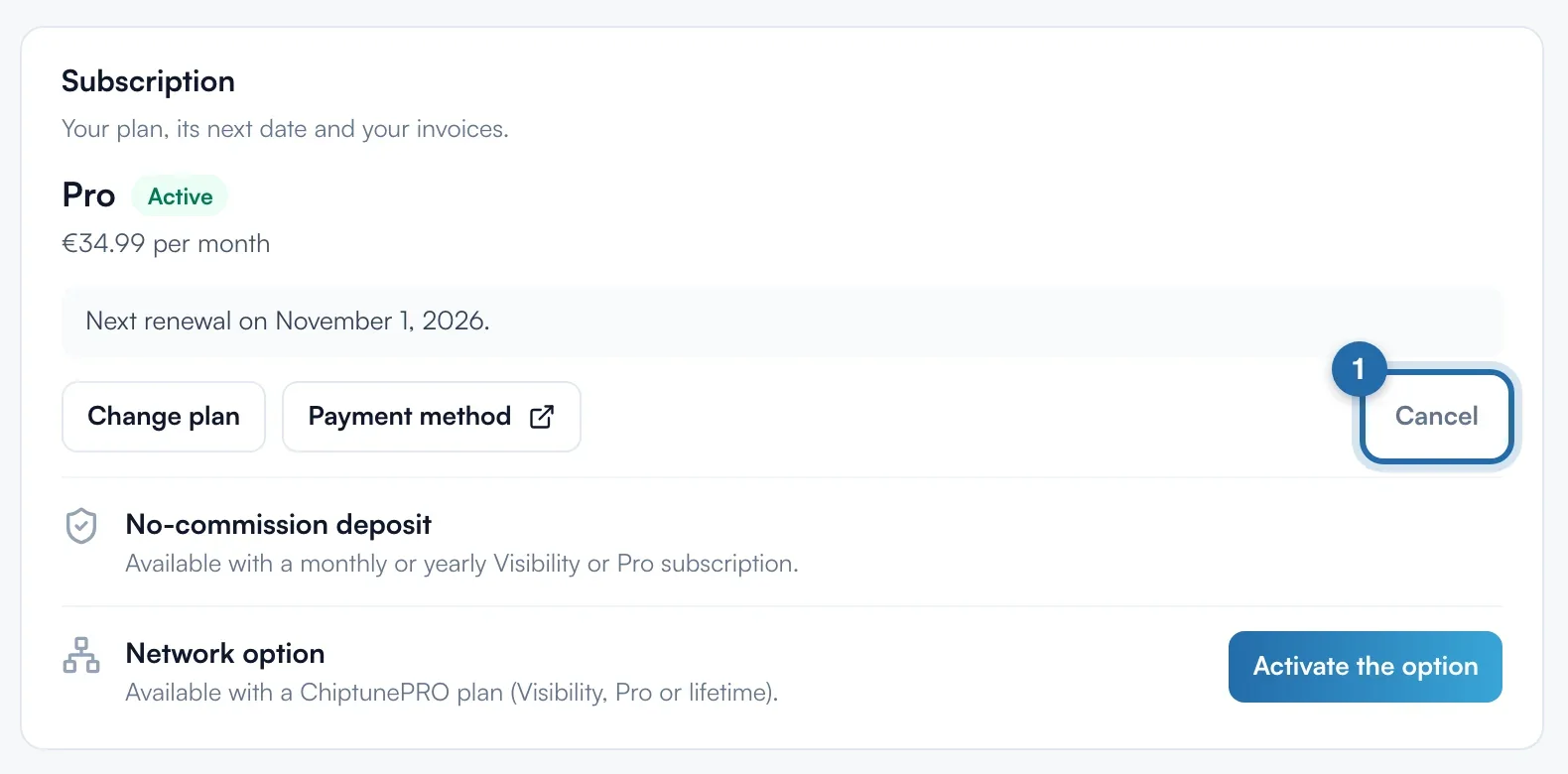
Cancel
Click "Cancel", to the right of the card's buttons. A "Cancel your subscription?" window reminds you of the date until which you keep your tools. Click "Cancel subscription" to confirm, or "Keep my subscription" to change nothing.
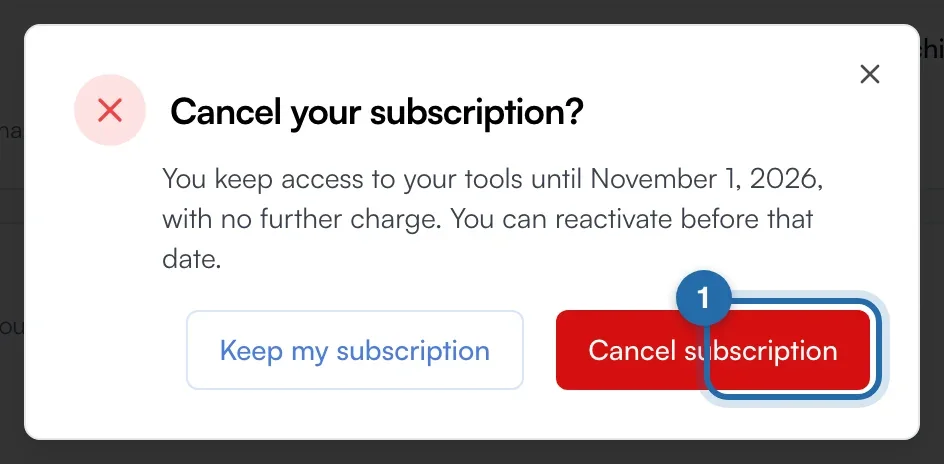
Check the cancellation
The status switches to "Cancelled" and the card reads "Cancelled: you keep access until" followed by the date. No further charge is made. After that date, your account goes back to the free Discovery plan.
Reactivate before the date
Until the date has passed, the "Cancel" button is replaced by "Reactivate my subscription". One click undoes the cancellation: the "Subscription reactivated" message gives your next billing date.
Restart after the date
If the period has ended, open the plans page ("Change plan" or "See plans") and click "Reactivate" under your old plan. You go through a Stripe payment page to restart.
If it doesn't work
- I don't see the "Cancel" button.
- Your subscription is lifetime or is not paid by card through Stripe. Write to us from "Help" > "Chat with us".
- I cancelled. Do my options carry on?
- The Network option and the "No-commission deposit" option stop separately: see their "Stop" buttons in the same card.
- The card shows "Payment pending".
- The last charge did not go through. Your tools stay open during the new attempts: change your card with "Payment method".