
ChiptuneMAP
Instagram: your posts become showcase builds
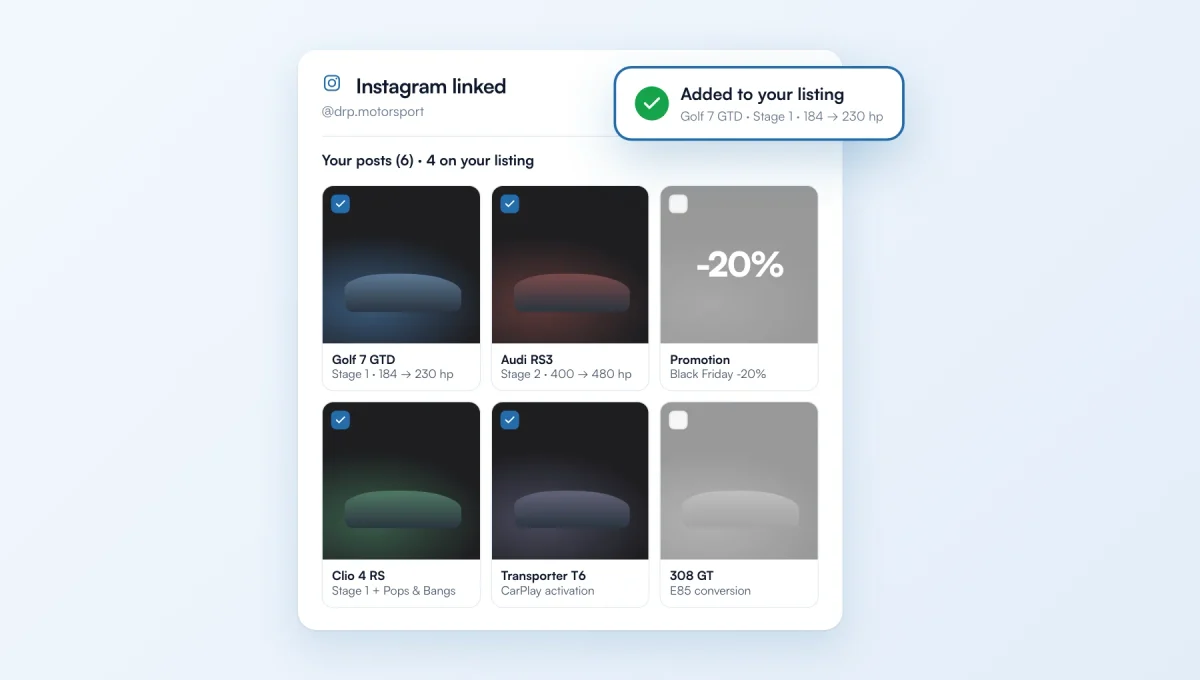
Link your Instagram account in “My ChiptuneMAP listing”: every vehicle you post becomes a build on your listing, with its photos, level and gains read from the caption. You pick which ones to keep with a tick box.
How it works
In “My ChiptuneMAP listing”, Work card: paste your @name or profile link, then “Link”. Your last 36 posts are read within a minute or two.
A vehicle post (remap, E85, CarPlay, coding, speed limiter…) becomes a build shown straight away: make, model, engine, level, gains, carousel photos and post date.
New posts are read every morning. Promotions, opening hours and announcements are left out.
“Your posts”: all your posts with a tick box. Untick one and the build is removed from your listing; tick it again and it comes back. Tick a promotion to make it a build, giving the make and model.
Builds appear on your ChiptuneMAP listing and on the website made for you by ChiptunePRO. You can still edit them one by one.
The Instagram account must be public. Pro plan only.
The feature behind it
What it does, in detail, with screens from the app.