
Requests and appointments
Calendar: requests to accept, your hours and closures
The calendar now shows everything that takes up your slots, and lets the customer know when you move an appointment booked online.
How it works
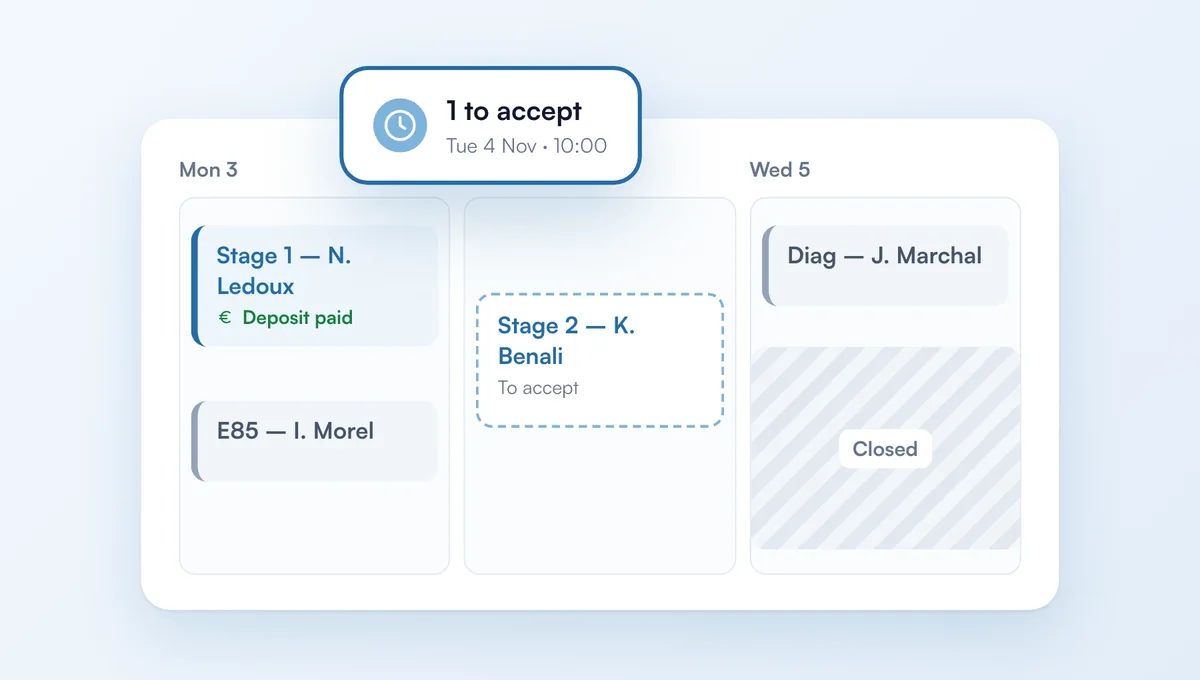
Appointment requests not yet accepted appear with a dashed border: the slot is already held for the customer. A banner at the top lists the upcoming ones, one click opens the request.
Your blocked periods (holidays, closures) are hatched, and the grid follows your real opening hours. The week view opens at your opening time.
Each appointment shows whether it was booked online, whether a deposit was paid and whether the vehicle is dropped off.
Moving an appointment booked online? ChiptunePRO offers to email the new time to the customer. The request and the deposit (including the free cancellation deadline) follow the new time.
The feature behind it
What it does, in detail, with screens from the app.