
Requests and appointments
Quote-based booking: the client picks a slot with your link
For work outside your services (accepted quote, vehicle kept several days), set up the service and send the client a link: they book directly in your schedule.
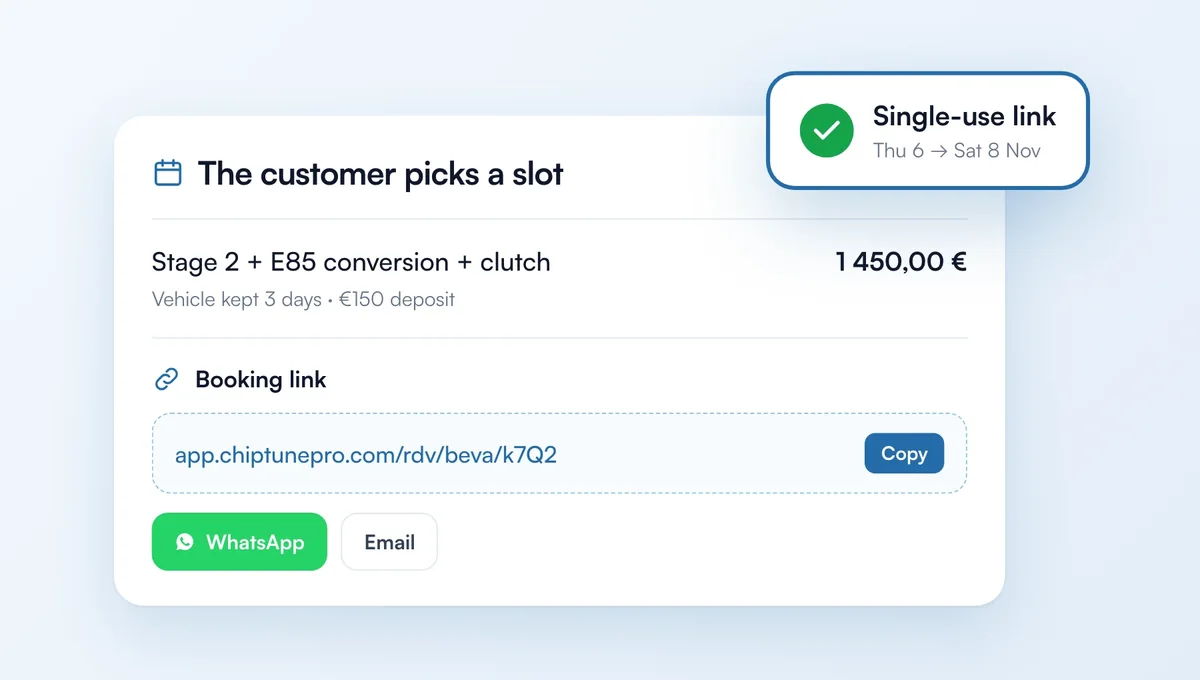
How it works
In the Calendar, "New appointment" > "The customer picks a slot", or from a quote: "Booking link" (client, lines and total already filled in). Set the duration (up to 7 days) and the deposit, and you're done.
Copy the link, send it on WhatsApp or by email from the app. The client sees the service and price, picks their drop-off day and knows when the vehicle will be ready.
The appointment goes straight into your calendar (with a deposit: once paid). The link works once and expires after the period you chose; you can extend or cancel it.
The service appears nowhere else: not in your widget, your booking page or your simulators.
The feature behind it
What it does, in detail, with screens from the app.