
General
Connect your AI to ChiptunePRO
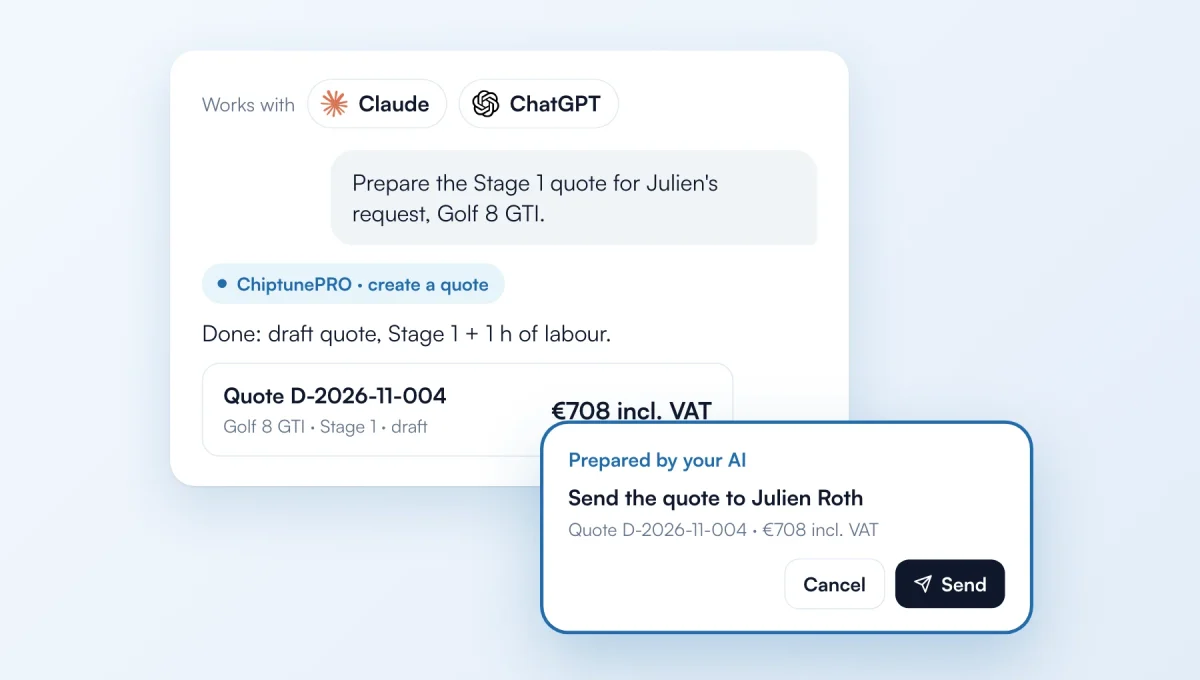
Claude, ChatGPT or your automations now work inside your ChiptunePRO account: "prepare the quote for this request", "follow up this week's quotes", "how much did I make this month?". Anything sent to a customer waits for your click.
How it works
Where: "Settings" › "Integrations" › "Connect your AI". Copy the server address and paste it in Claude (Connectors) or ChatGPT (developer mode).
What the AI does: it reads your whole account, prepares draft quotes and invoices, manages customers, vehicles and appointments, enters your purchases, updates projects, opening hours and prices. You tick its permissions when connecting.
Approval: quotes, invoices, follow-ups and review requests prepared by the AI appear in "Prepared by your AI" at the top of the dashboard. Nothing goes out without your "Send" click. To let it send on its own: untick "AI sending waits for my approval" in "Connect your AI".
Purchases and margin: in the "Revenue" tab, enter your supplier invoices (or let the AI do it) to see your real margin this month.
Ready-made shortcuts: "Daily recap", "Monthly report" and "Quotes to follow up". Pro plans (Simple, Ultra, Lifetime).
The feature behind it
What it does, in detail, with screens from the app.