
Customers and files
Customer follow-up: what to do today, and who to follow up
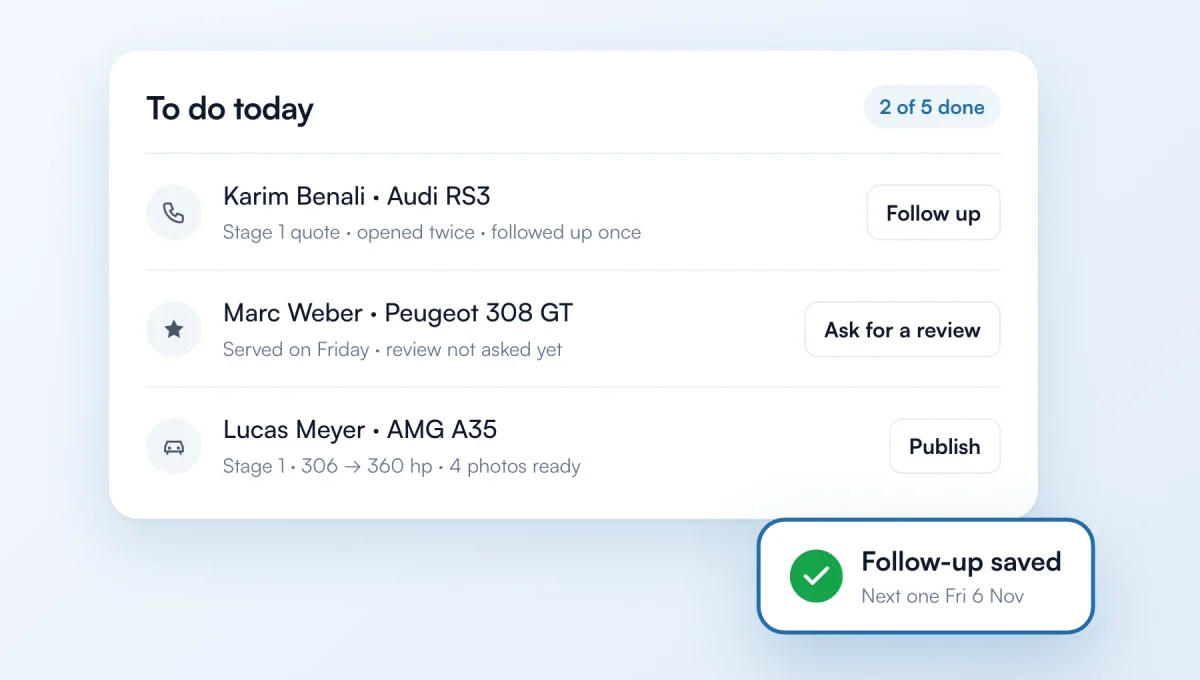
ChiptunePRO's home page now opens on "To do today": requests to handle, quotes and invoices to follow up, reviews to ask for and projects to publish, in order. Each customer has a record with their full history: you know when you followed up, how many times, and when to follow up next.
How it works
"Follow up": pick phone, WhatsApp, text or email, the message is already written. Say how it went and the next follow-up is suggested (3 days, then a week).
After 3 follow-ups with no answer, you're offered to close the quote as lost.
"Ask for a review" on Google or ChiptuneMAP, by email (with an automatic reminder 7 days later), WhatsApp or text.
"Publish": add photos of the vehicle, the project is already filled in with the car and its power before and after. It shows on ChiptuneMAP and your website.
In Customers, each row shows the last contact, the next follow-up and what the customer brought you (review, photos, project), with To follow up, No review and No project filters.
A request from a customer you already know (same email or phone) is attached to their record, with no duplicate.
The feature behind it
What it does, in detail, with screens from the app.