
Requests and appointments
Booking deposit: customers pay to confirm their appointment
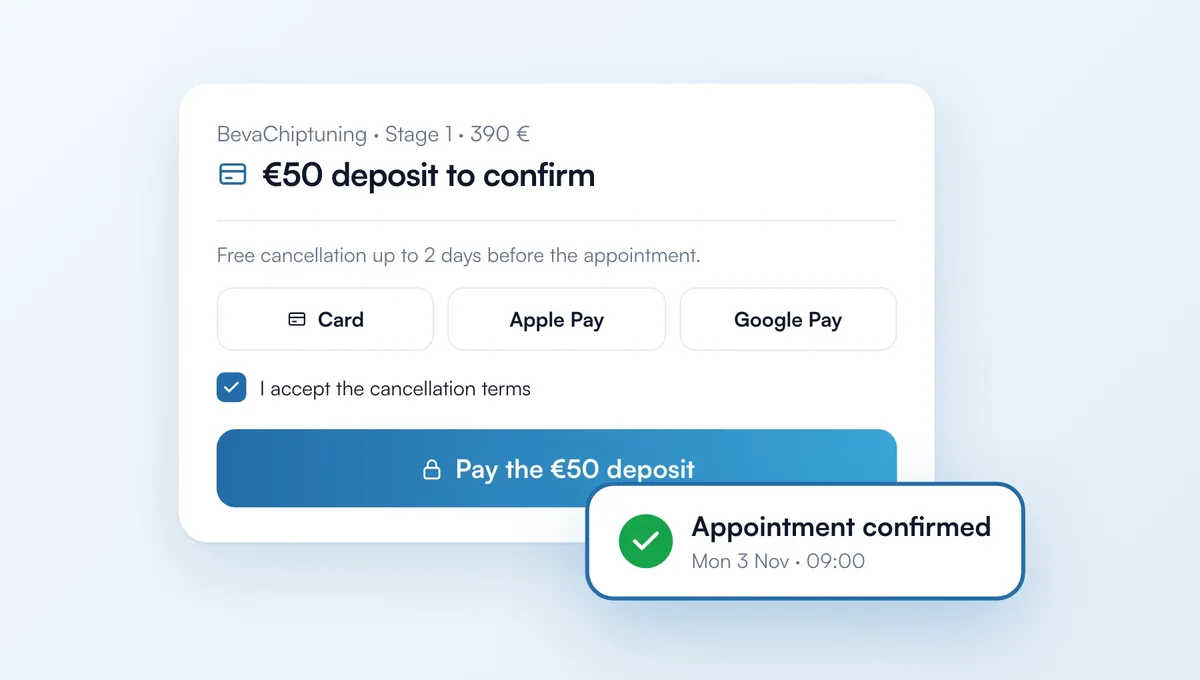
You can now ask for a deposit when a customer books online. The appointment is only confirmed once the deposit is paid, so fewer customers fail to show up. Until you turn it on, nothing changes.
How it works
Setup: Requests page, "Deposit" tab. Click "Create my payment account" (a few minutes with Stripe: identity, company, bank details), then "Turn on deposits". The money goes to your own Stripe account, then to your bank account.
Amount: a fixed amount, or a percentage of the price with a minimum. You can change it service by service, or ask for no deposit, in the "Services and hours" tab.
Cancellation: choose until when the customer can cancel for free. Before that, they cancel or move their appointment from their email and are refunded automatically. After that, or if they don't show up, you keep the deposit.
For the customer: on your booking page, on your website and in your simulators, they accept your terms then pay by card, Apple Pay or Google Pay. The request comes in marked "Deposit paid".
Refunds: from the "Deposit" tab, refund all or part of it in one click. If you decline a paid appointment, the customer gets a full refund.
Cost: included in the Visibility and Pro plans. Chiptune takes 2% of each deposit collected (not returned if you refund), on top of Stripe fees. The "No-commission deposit" option, in My account, removes the 2% for €15/month or €150/year.
The feature behind it
What it does, in detail, with screens from the app.